
 darktableLinux
vs
Luminar AIWindows
darktable als Linux-Alternative zu Luminar AI
Aktualisiert am
Unser Fazit
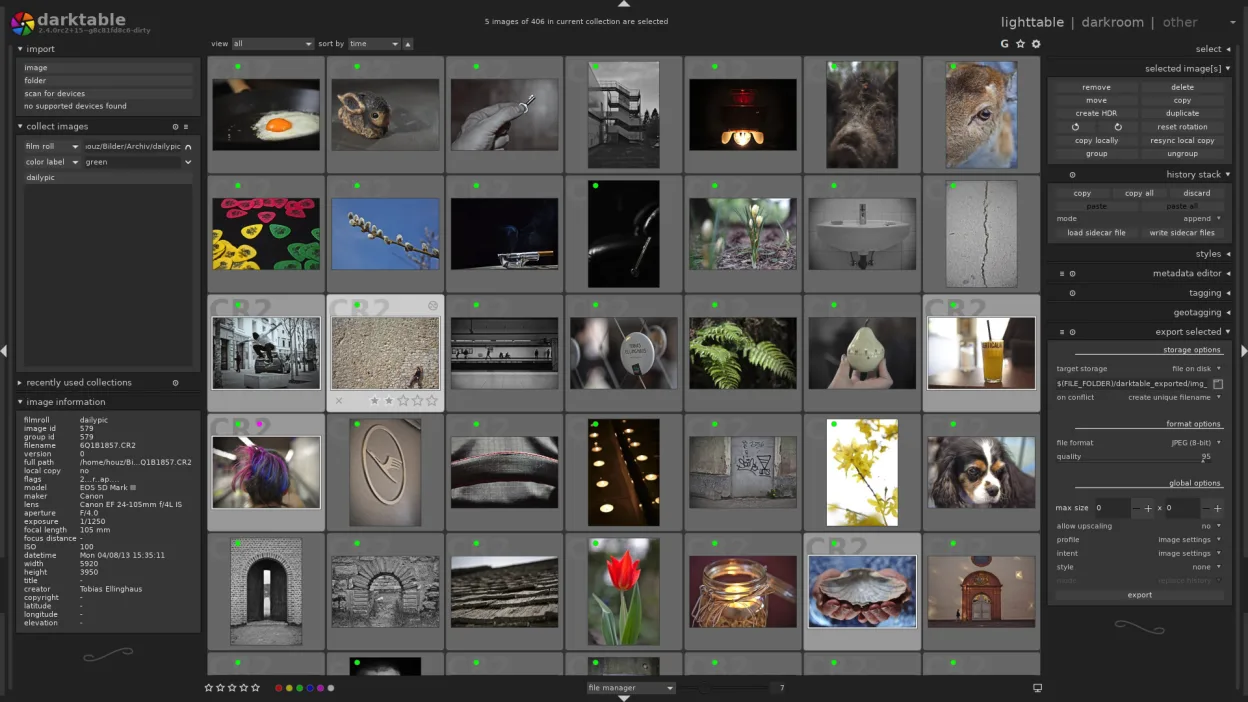
darktable can replace Luminar AI for users who need a free, open‑source, non‑destructive raw workflow and are comfortable with a more hands‑on editing process. It lacks the AI‑driven sky and portrait enhancement presets that Luminar AI offers, but it covers most core tasks like raw processing, batch editing, noise reduction, sharpening, and layer‑style adjustments. It is ideal for photographers who prefer manual control and scripting over automated AI tools.
- Lizenz
- GPL-3.0+
- Preis
- Kostenlos
- Aktuelle Version
- 5.6.2 (4. Oktober 2026)
- Bewertung
- —
Was gleich funktioniert
- Both support non‑destructive raw editing
- Both provide batch processing
- Both offer sharpening and noise reduction
- Both include layer‑based adjustments
- Both allow export to common image formats
Was anders ist
- darktable has no AI‑powered sky replacement or portrait enhancement presets
- darktable lacks a single‑click style automation panel
- darktable does not provide a dedicated AI portrait enhancement tool
- darktable’s interface is split into lighttable/darkroom rather than a single workspace
- darktable does not include a built‑in AI noise reduction module
- darktable requires manual adjustment of many parameters that Luminar AI automates
Ihre Luminar AI-Dateien öffnen
darktable does not open Luminar AI project files directly. Exporting from Luminar AI to a common format (e.g., JPEG, TIFF, or DNG) and then importing into darktable is the only reliable method. The reverse—importing darktable edits into Luminar AI—is not supported.
Von Luminar AI zu darktable wechseln – Schritt für Schritt
- Export all Luminar AI projects to TIFF or DNG with all adjustments applied.
- Create a new darktable database and import the exported files via the lighttable mode.
- Use darktable’s preset or develop modules to replicate any desired adjustments manually.
- Apply batch processing in darktable to process multiple images at once.
- Export final images from darktable to the desired format for sharing or printing.
Wichtige Funktionen von darktable
- Nicht destruktive Bearbeitung mit einem Verlaufsstapel
- Lighttable- und Darkroom-Modi
- Rohdatenverarbeitung mit hoher Präzision
- Geotagging-Kartenansicht
- Tethering-Unterstützung
- Druck- und Diashow-Modi
- Erweiterbar über Python-Skripte
darktable unter Linux installieren
flatpak install flathub org.darktable.Darktablesudo apt install darktablesudo apt install darktablesudo dnf install darktablesudo pacman -S darktablesudo zypper install darktableHäufige Fragen
Does darktable support AI sky replacement?
No, darktable does not have built‑in AI sky replacement. You would need to use external tools or manual compositing.
Can I use darktable for portrait enhancement like Luminar AI?
darktable offers portrait tools such as skin smoothing and detail enhancement, but they are manual and not AI‑driven.
Is darktable suitable for beginners?
It has a steeper learning curve than Luminar AI, but plenty of tutorials exist. It is best for users who want full control over every parameter.
4 weitere Alternativen zu Luminar AI
 RawTherapeeRawTherapee ist ein quelloffenes, plattformübergreifendes Programm zur Entwicklung von Raw-Fotos.Open SourceKostenlosFlatpakRawTherapee vs. Luminar AI
 GIMPGIMP ist ein kostenloser, quelloffener Rastergrafik‑Editor für Fotobearbeitung, digitale Malerei und…Open SourceKostenlosFlatpakGIMP vs. Luminar AI
 digiKamdigiKam ist ein umfassender KDE-Fotomanager zum Organisieren, Taggen und Bearbeiten digitaler Fotos mit…Open SourceKostenlosFlatpakdigiKam vs. Luminar AI
 LightZoneLightZone ist ein kostenloser, quelloffener RAW-Fotoeditor mit einem nicht-destruktiven Tool-Stack-Workflow.Open SourceKostenlosFlatpakLightZone vs. Luminar AI