
 FreeCADLinux
vs
AutoCADWindows
FreeCADLinux
vs
AutoCADWindows
FreeCAD als Linux-Alternative zu AutoCAD
Aktualisiert am
Unser Fazit
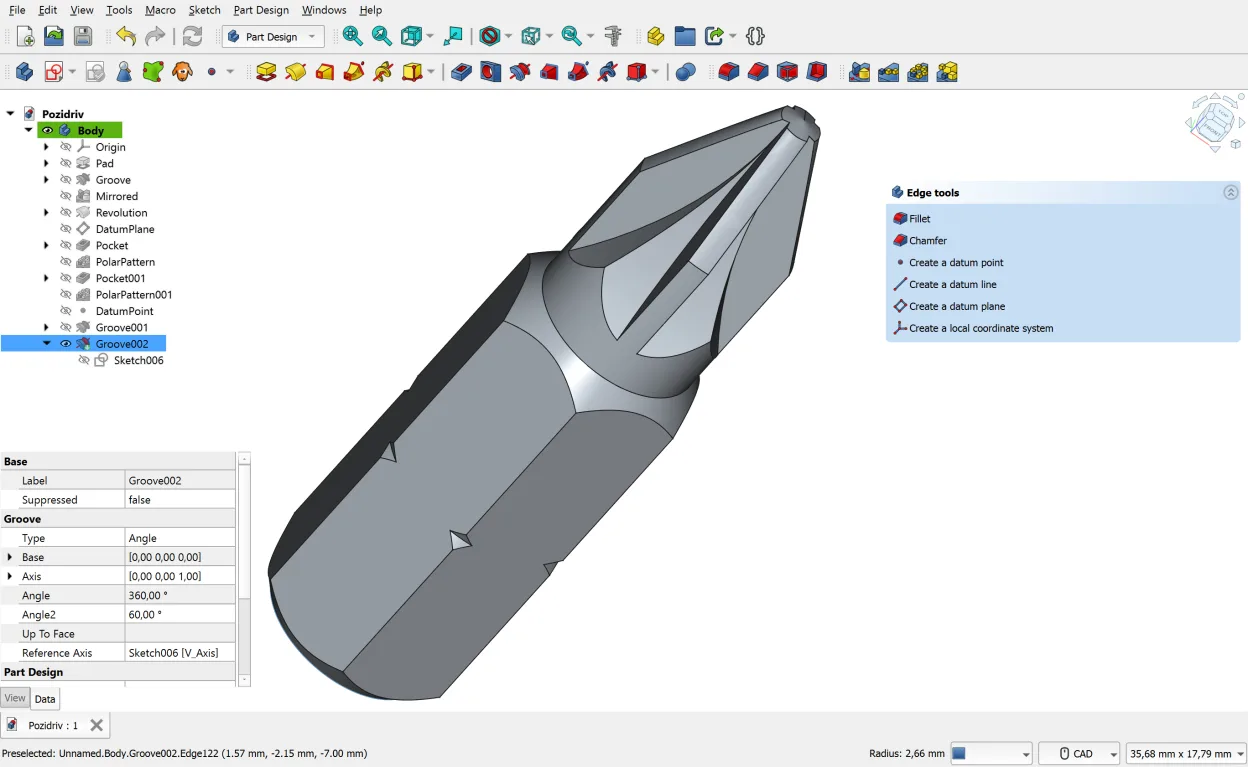
FreeCAD is a strong, free alternative for 3D parametric modeling and technical drawings, but it is not a direct drop-in replacement for AutoCAD. It excels in mechanical design and engineering workflows where parametric history is key. For pure 2D drafting, it feels less intuitive than AutoCAD. If you need DWG compatibility or heavy 2D layer management, you might struggle. However, for 3D solid modeling, FEA, and generating drawings from 3D models, FreeCAD is a capable, open-source choice that covers most engineering needs without a license fee.
- Lizenz
- LGPL-2.1
- Preis
- Kostenlos
- Aktuelle Version
- 1.1.4 (28. September 2026)
- Bewertung
- —
Was gleich funktioniert
- Supports 2D sketching with geometric constraints
- Generates 2D technical drawings from 3D models
- Offers Python scripting for automation and custom tools
- Handles complex 3D solid modeling operations
Was anders ist
- Lacks native DWG import/export; relies on DXF or ODA converters
- 2D drafting workflow is less mature and intuitive than AutoCAD
- No official commercial support or guaranteed SLA
- Interface is more complex for simple 2D tasks due to parametric focus
Ihre AutoCAD-Dateien öffnen
FreeCAD does not natively support the proprietary DWG format. You can import and export DXF files, which is a common workaround, but complex 2D drawings may lose layers or attributes during conversion. For 3D data, FreeCAD handles STEP, IGES, and STL well. If you must exchange DWG files, you will likely need a third-party converter like ODA File Converter or LibreCAD as an intermediary.
Von AutoCAD zu FreeCAD wechseln – Schritt für Schritt
- Install FreeCAD via your package manager or Flatpak
- Convert existing DWG files to DXF using a converter tool
- Import DXF files into FreeCAD and verify layer integrity
- Rebuild critical 2D sketches using the Sketcher workbench for constraints
- Set up a Python script to automate repetitive drawing tasks
Wichtige Funktionen von FreeCAD
- Parametrisches Modellieren mit Historienbaum
- Unterstützung für STEP, IGES, STL, DXF, OBJ, IFC, SVG
- Integrierter 2D‑Sketcher mit Einschränkungen
- Python‑Scripting für Automatisierung
- Arbeitsbänke für FEA, BIM, CAM, Robotersimulation
- Add‑Ons und Makros aus der Community
- Cross‑Platform‑Installation über Flatpak, AUR, Debian, OpenSUSE
FreeCAD unter Linux installieren
flatpak install flathub org.freecad.FreeCADsudo apt install freecadsudo pacman -S freecadsudo zypper install FreeCADHäufige Fragen
Can FreeCAD open DWG files directly?
No, FreeCAD does not natively support DWG. You must convert DWG to DXF first using an external tool before importing into FreeCAD.
Is FreeCAD good for 2D architectural drafting?
It is possible but not ideal. The 2D workflow is less streamlined than AutoCAD. For pure 2D drafting, LibreCAD or QCAD might be better suited.
Does FreeCAD have a parametric history tree?
Yes, FreeCAD is fully parametric. You can modify earlier steps in the design history, and the model updates automatically, which is a key advantage over non-parametric CAD.
4 weitere Alternativen zu AutoCAD
 LibreCADLibreCAD ist ein kostenloses, quelloffenes 2D-CAD-Programm zum Erstellen präziser Zeichnungen unter Linux.Open SourceKostenlosFlatpakLibreCAD vs. AutoCAD
 QCADQCAD ist ein Open-Source-2D-CAD-Programm zur Erstellung technischer Zeichnungen unter Linux.Open SourceKostenlosQCAD vs. AutoCAD
 OpenSCADOpenSCAD ist ein parametrischer 3D-CAD-Modeller, der feste Modelle aus textbasierten Skripten erzeugt…Open SourceKostenlosFlatpakOpenSCAD vs. AutoCAD
 BlenderBlender ist eine kostenlose, quelloffene 3D-Suite für Modellierung, Animation, Rendering und Videobearbeitung.Open SourceKostenlosFlatpakBlender vs. AutoCAD