
 GeanyLinux
vs
PyCharmWindows
GeanyLinux
vs
PyCharmWindows
Geany als Linux-Alternative zu PyCharm
Aktualisiert am
Unser Fazit
Geany is a lightweight, fast IDE that handles basic Python development well but lacks the deep integration of PyCharm. It is a good replacement only if you primarily need syntax highlighting, simple code completion, and a quick editing environment without heavy IDE overhead. It is not suitable for large-scale projects requiring advanced refactoring, integrated database tools, or complex web framework support. For casual scripting or small projects, Geany is efficient and responsive. For professional Python development involving Django, Flask, or extensive unit testing, it falls short of PyCharm's capabilities.
- Lizenz
- GPL-2.0+
- Preis
- Kostenlos
- Aktuelle Version
- 2.1.0 (6. Juli 2025)
- Bewertung
- —
Was gleich funktioniert
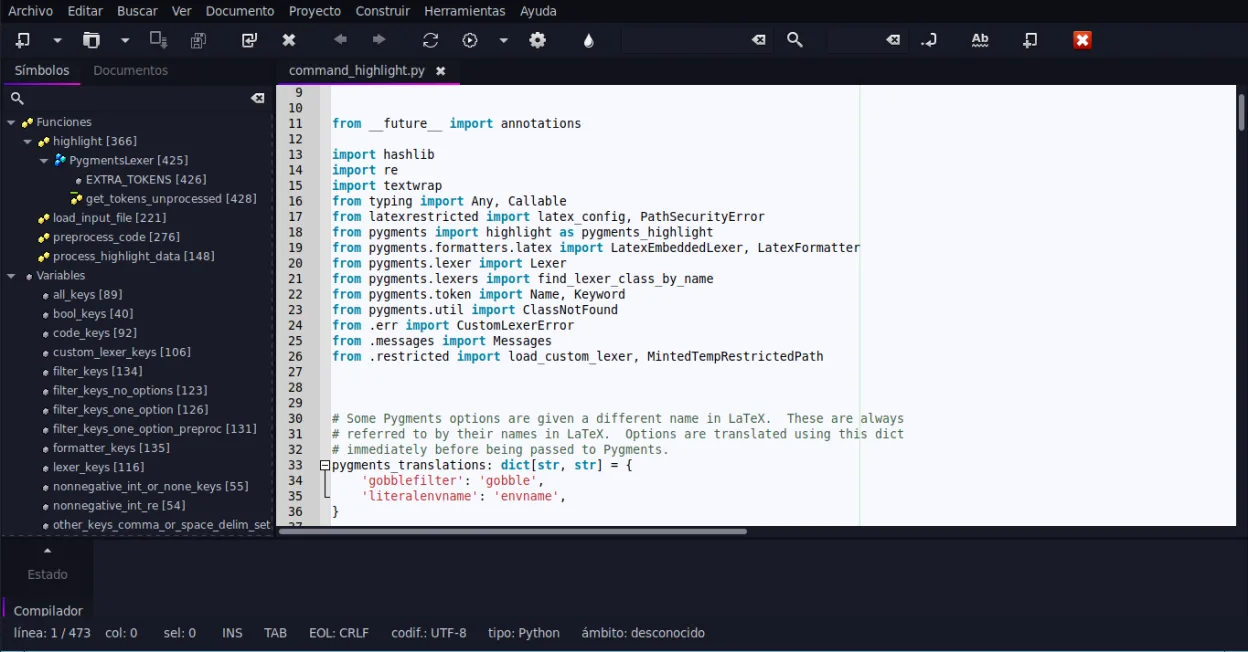
- Syntax highlighting for Python and other languages
- Basic code completion and auto-completion of common constructs
- Integrated terminal emulator for running commands
- Code folding and symbol lists for navigation
- Plugin system for extending functionality
Was anders ist
- Lacks integrated debugger and unit testing framework specific to Python
- No native support for web frameworks like Django or Flask
- Missing advanced project management and refactoring tools
- No built-in database tools
- Version control integration is basic compared to PyCharm's deep Git/SVN support
Ihre PyCharm-Dateien öffnen
Geany can open standard Python source files (.py) and project files used by other editors. However, it does not natively read or write PyCharm's proprietary project configuration files (.iml, .idea folders). You will need to manually recreate project settings, interpreter paths, and run configurations in Geany. The actual code files remain fully compatible as they are plain text.
Von PyCharm zu Geany wechseln – Schritt für Schritt
- Install Geany via your package manager or Flathub
- Open your Python source files directly in Geany
- Configure the Python interpreter path in Geany's preferences
- Set up any necessary plugins for additional language support
- Manually recreate run configurations for your scripts
- Test your code to ensure the environment is correctly set up
Wichtige Funktionen von Geany
- Syntaxhervorhebung für über 30 Sprachen
- Codevervollständigung und automatische Vervollständigung gängiger Konstrukte
- Eingebetteter Terminal-Emulator
- Plugin-Manager mit vorinstallierten Plugins
- Code-Faltung und Symbolverzeichnisse
- Unterstützung für XML/HTML-Tag-Vervollständigung
Geany unter Linux installieren
flatpak install flathub org.geany.Geanysudo apt install geanysudo apt install geanysudo dnf install geanysudo pacman -S geanysudo zypper install geanyHäufige Fragen
Can Geany run unit tests like PyCharm?
Geany does not have a built-in unit testing framework. You can run tests via the embedded terminal using command-line tools like pytest, but you lose the integrated test runner interface.
Does Geany support Django or Flask?
Geany provides syntax highlighting for Python, but it lacks specific support for web frameworks. You will not get features like template highlighting, framework-specific debugging, or project structure awareness.
Is Geany suitable for large projects?
Geany is lightweight and fast, which is great for small to medium-sized projects. For large projects with complex dependencies and extensive codebases, the lack of advanced navigation and refactoring tools may make it less efficient than PyCharm.
3 weitere Alternativen zu PyCharm
 Visual Studio CodeEin leichter, erweiterbarer Code-Editor, der Debugging, Git und viele Sprachen unterstützt.KostenlosFlatpakVisual Studio Code vs. PyCharm
 SpyderSpyder ist eine kostenlose, quelloffene Python‑IDE, die speziell für wissenschaftliches Rechnen, Datenanalyse…Open SourceKostenlosFlatpakSpyder vs. PyCharm
 ThonnyThonny ist eine leichtgewichtige Python-IDE für Einsteiger, die einen integrierten Debugger und Paketmanager…Open SourceKostenlosFlatpakThonny vs. PyCharm