
 GeoGebraLinux
vs
GeoGebraLinux
vs
 MathcadWindows
GeoGebra als Linux-Alternative zu Mathcad
Aktualisiert am
Unser Fazit
GeoGebra is a partial replacement for Mathcad, suitable for users focused on visual math, geometry, and basic symbolic algebra. It handles live equations and mixed content well but lacks Mathcad's depth in engineering documentation and unit management. If your work involves heavy numeric simulation, complex unit tracking, or generating formal engineering reports, GeoGebra will feel limiting. For students or engineers needing quick graphing and equation solving, it is a solid, free alternative. However, do not expect it to replace a full engineering calculator for detailed design documentation.
- Lizenz
- LicenseRef-proprietary
- Preis
- Kostenlos
- Aktuelle Version
- 6-0-804-0 (4. Oktober 2023)
- Bewertung
- —
Was gleich funktioniert
- Supports live, editable equations with automatic recomputation
- Mixes text, equations, and graphics in a single document
- Includes a Computer Algebra System for symbolic manipulation
- Offers scripting capabilities for automation and extension
Was anders ist
- Lacks robust, native unit handling and engineering constants library
- Not designed for detailed engineering documentation or report generation
- Scripting language (GeoGebraScript) is less powerful than Mathcad's scripting
- Focus is on dynamic geometry and education rather than industrial engineering analysis
Ihre Mathcad-Dateien öffnen
GeoGebra cannot open native Mathcad (.xmn) files. You will need to manually recreate your worksheets. For output, GeoGebra exports to PDF, PNG, and HTML, which covers common sharing needs, but it does not export to CSV in the same structured way Mathcad does for data tables.
Von Mathcad zu GeoGebra wechseln – Schritt für Schritt
- Install GeoGebra via your package manager or Flathub
- Create a new sheet and set up your variables and constants
- Re-enter your key equations, ensuring symbolic definitions are correct
- Add text regions to document your calculations and assumptions
- Use the graphing tools to visualize functions and data points
- Export the final result as a PDF for sharing
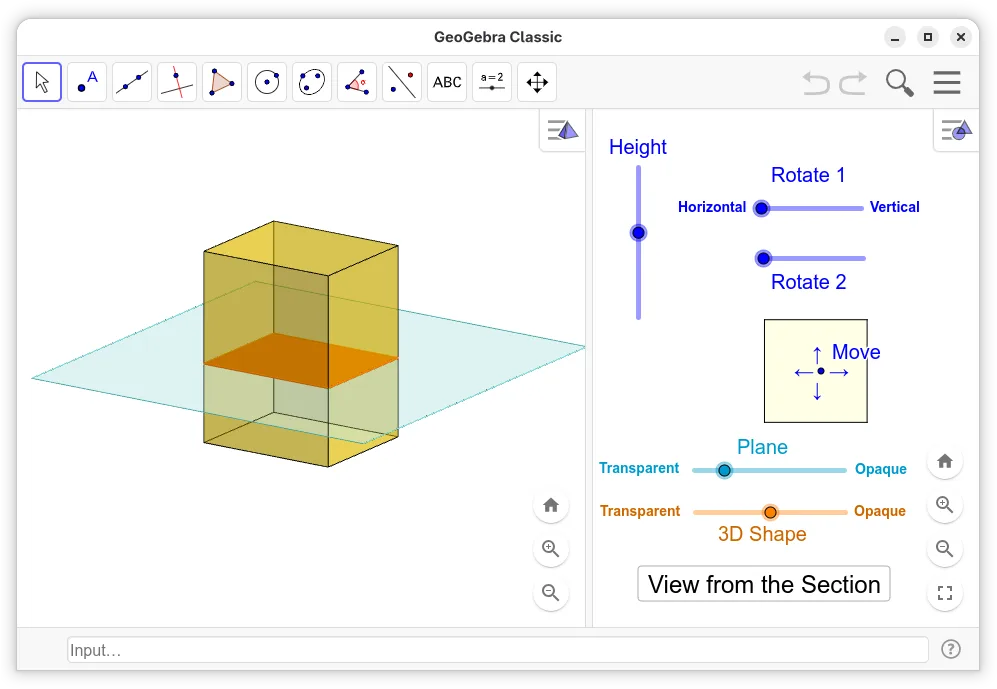
Wichtige Funktionen von GeoGebra
- Interaktive 2D- und 3D-Graphen von Funktionen
- Dynamische Geometrie-Konstruktionswerkzeuge
- Algebraische Gleichungslösung und Manipulation
- Tabellenansicht für Dateneingabe und Analyse
- Scripting-Fähigkeiten mit GeoGebraScript
- Export in PDF, PNG und HTML
- Unterstützung für CAS (Computer Algebra System)-Befehle
- Kompatibilität mit GeoGebra Tube zum Teilen
GeoGebra unter Linux installieren
flatpak install flathub org.geogebra.GeoGebrasudo apt install geogebrasudo apt install geogebrasudo pacman -S geogebraHäufige Fragen
Does GeoGebra handle units like meters or kg?
GeoGebra has basic unit support, but it is not as rigorous or integrated as Mathcad. You can define units, but complex unit conversions and dimensional analysis are not its primary strength.
Can I run complex simulations in GeoGebra?
You can perform basic numerical and symbolic calculations. However, for heavy-duty simulations or large-scale data processing, GeoGebra is not the right tool. It is better suited for interactive exploration and education.
Is GeoGebra free to use?
Yes, GeoGebra is free for personal and educational use. The license is proprietary, but it is widely available and does not require a paid subscription for standard features.