

Linux · Sound & Video
Xine
Xine is a free, open‑source multimedia player engine and frontend for Linux that supports a wide range of audio and video formats.
- Lizenz
- GPL-2.0
- Aktuelle Version
- —
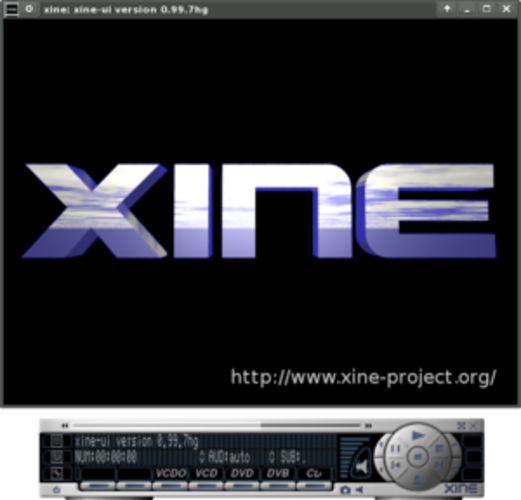
Was ist Xine?
Xine began in the early 2000s as a lightweight playback engine for Unix‑like systems. It grew from a simple library into a full‑featured player that can run on many distributions. Over the years it has been maintained by a small community, keeping it stable but not as actively developed as newer players.
Xine is aimed at users who want a single, low‑resource application that can play almost any media file without installing a lot of extra codecs. It is especially useful on older hardware or minimal installations.
Compared with Windows tools such as CyberLink PowerDVD or Zoom Player, Xine is less polished in terms of UI and lacks some of the advanced DVD‑rental or Blu‑ray features. However, it can play the same formats if the necessary libraries are present, and it does so without the bloat or licensing fees that come with commercial Windows players.
Ideal für: Users who need a lightweight, all‑format player on older hardware or minimal Linux setups.
Wichtige Funktionen von Xine
- Supports over 200 audio and video formats via liba52, libmpeg2, FFmpeg, libmad, FAAD2, and Ogle
- Uses a shared library (xine‑lib) that allows multiple frontends
- Can run Windows codecs through the w32codecs wrapper
- Includes a command‑line interface for scripting
- Offers basic playback controls and playlist support
- Can be extended with plugins for additional functionality
Vorteile
- Free and open source
- Runs on a wide range of Linux distributions
- Low system requirements
- Supports a broad spectrum of formats
Nachteile
- UI is basic and not as user‑friendly as modern players
- Limited support for Blu‑ray and DVD‑rental features
- Development activity has slowed
- No built‑in streaming support
Windows-Programme, die Xine ersetzt
 CyberLink PowerDVD
 Zoom Player
Tipps für Windows-Umsteiger
When moving from PowerDVD or Zoom Player, note that Xine will not automatically recognize DRM‑protected DVDs or Blu‑ray discs; you may need to install libdvdcss or use a separate tool. File formats are handled automatically if the required libraries are installed. Keyboard shortcuts differ: use the standard media keys or configure them via the Xine settings. Workflow is simpler: open files directly or drag‑and‑drop them into the window; playlists can be created by saving a text file with file paths.
Xine: häufige Fragen
Does Xine play DVDs?
Yes, Xine can play DVDs if libdvdcss is installed, but it may not support all DVD‑rental features.
Can I use Xine on Ubuntu?
Xine is available in Ubuntu’s official repositories and can be installed with apt.
Is Xine still maintained?
Development is sporadic; the latest stable release is several years old, but the project remains functional.
How do I add new codecs?
Install the relevant libraries (e.g., libfaad2, libmpeg2) via your package manager; Xine will detect them automatically.
Aktualisiert am