
 LogseqLinux
vs
Microsoft OneNoteWindows
LogseqLinux
vs
Microsoft OneNoteWindows
Logseq als Linux-Alternative zu Microsoft OneNote
Aktualisiert am
Unser Fazit
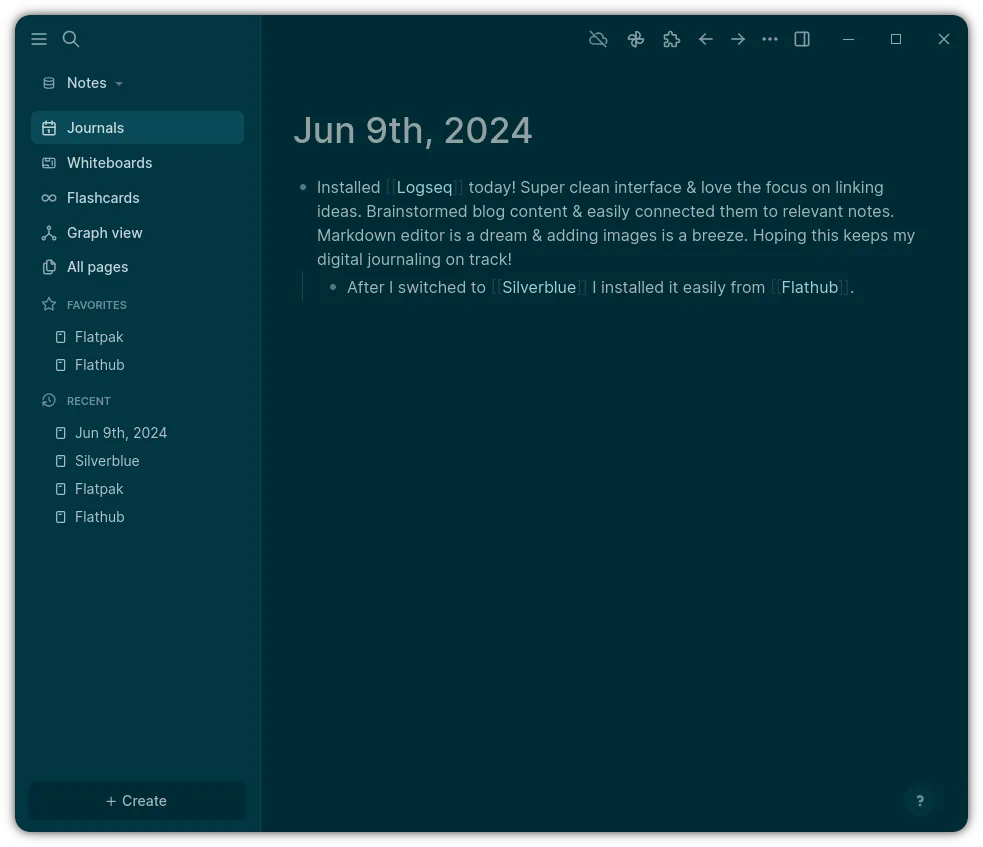
Logseq is a good replacement for Microsoft OneNote only if you prioritize plain text, local storage, and structured knowledge over rich media and seamless collaboration. It excels for users who want full control over their data and prefer keyboard-driven, non-linear note-taking. However, it lacks native support for audio, drawings, and .one files, and its collaboration relies on technical workflows like Git. If you rely on rich formatting, real-time co-editing, or cloud sync with minimal setup, Logseq will feel limiting. It suits privacy-focused, tech-savvy users, not typical OneNote users.
- Lizenz
- AGPL-3.0-or-later
- Preis
- Kostenlos
- Aktuelle Version
- 0.10.15 (5. Dezember 2025)
- Bewertung
- —
Was gleich funktioniert
- Both allow hierarchical organization of notes, similar to notebooks, pages, and sub-pages
- Support text and image content within notes
- Enable search and tagging for note discovery
- Work offline by design
- Allow export to PDF and plain text formats
Was anders ist
- Logseq uses plain text Markdown/Org files; OneNote uses proprietary .one format
- Logseq has no built-in audio recording or drawing tools
- Logseq syncs via Git or file sync tools, not built-in cloud collaboration
- OneNote supports real-time co-editing; Logseq collaboration requires manual setup
- Logseq emphasizes graph views and bidirectional linking, which OneNote lacks
Ihre Microsoft OneNote-Dateien öffnen
Logseq cannot open Microsoft OneNote .one files directly. There is no built-in import or conversion tool for .one files. Users must rely on third-party tools or manual export from OneNote to PDF or plain text, then import into Logseq. This limits direct migration of existing notebooks. Support for importing from OneNote is not listed in Logseq's documentation or community resources.
Von Microsoft OneNote zu Logseq wechseln – Schritt für Schritt
- Export important OneNote content to PDF or plain text from within OneNote
- Install Logseq on Linux via Flathub or official site
- Manually recreate notebooks as pages in Logseq, using namespaces for structure
- Import exported text and PDFs as attachments or pasted content
- Set up Git or a cloud folder (e.g., Nextcloud) for syncing across devices
- Use daily notes or page hierarchies to mirror OneNote's section-page model
Wichtige Funktionen von Logseq
- Lokale Speicherung in Markdown/Org-Dateien
- Grafik-Ansicht zur Visualisierung von Verbindungen
- Tägliche Notizen und Agenda-Integration
- Tastaturbasierte Navigation
- Zusammenarbeit über Git oder gemeinsame Ordner
- Anpassbare Themen und Plugins
Logseq unter Linux installieren
flatpak install flathub com.logseq.LogseqHäufige Fragen
Can I sync Logseq across devices like OneNote?
Yes, but not natively through Logseq. You must use external tools like Git, Nextcloud, or Syncthing to sync the local folder where Logseq stores your notes.
Does Logseq support handwriting or audio notes?
No. Logseq is text-focused and does not support audio recording or handwritten ink input. Images can be inserted, but not drawn or recorded within the app.
Is Logseq secure and private?
Yes. Since notes are stored locally as plain text files and not uploaded by default, Logseq offers strong privacy and control. You decide where and how to back up or sync data.
5 weitere Alternativen zu Microsoft OneNote
 JoplinJoplin ist eine quelloffene, plattformübergreifende Notiz- und To-do-App, die Daten in Markdown speichert.Open SourceKostenlosFlatpakJoplin vs. Microsoft OneNote
 Standard NotesStandard Notes ist eine plattformübergreifende, Ende-zu-Ende-verschlüsselte Notiz-App, die Ihre Daten sicher…Open SourceKostenlosFlatpakStandard Notes vs. Microsoft OneNote
 ZettlrZettlr ist ein schneller, quelloffener Markdown-Editor mit Zettelkasten- und Zitationsunterstützung.Open SourceKostenlosFlatpakZettlr vs. Microsoft OneNote
 ObsidianObsidian ist eine auf Markdown basierende Wissensdatenbank-App, die Notizen als reine Textdateien in einem…FlatpakObsidian vs. Microsoft OneNote
 SimplenoteSimplenote ist eine kostenlose, plattformübergreifende Notiz-App, die Markdown-Notizen über die Cloud…Open SourceKostenlosFlatpakSimplenote vs. Microsoft OneNote