
Windows · Sound & Video
Die besten Linux-Alternativen zu Movavi Screen Recorder
OBS Studio and similar tools let you record screen, audio, and webcam on Linux, with options for basic editing and live streaming.
Aktualisiert am
Kurz gesagt
Die beste Linux-Alternative zu Movavi Screen Recorder ist OBS Studio. Weitere gute Optionen: SimpleScreenRecorder, vokoscreenNG, Xournal++.
5 Linux-Alternativen zu Movavi Screen Recorder
-

Kostenlose, quelloffene Software zum Aufnehmen, Aufzeichnen und Live-Streaming von Video aus verschiedenen Quellen.
OBS Studio is a strong replacement for Movavi Screen Recorder if you're comfortable with a steeper learning curve. It excels at screen, audio, and webcam capture with superior customization and live streaming support. While it lacks built-in basic editing like trimming or annotations, it records…
Funktionsabdeckung80% -
SimpleScreenRecorder ist ein leichtgewichtiges, einfach zu bedienendes Bildschirmaufnahme-Tool für Linux.
-

VokoscreenNG ist ein kostenloses, quelloffenes Bildschirmaufnahmeprogramm für Linux und Windows, das Wayland, X11 und mehrsprachige Audioaufnahmen unterstützt.
-
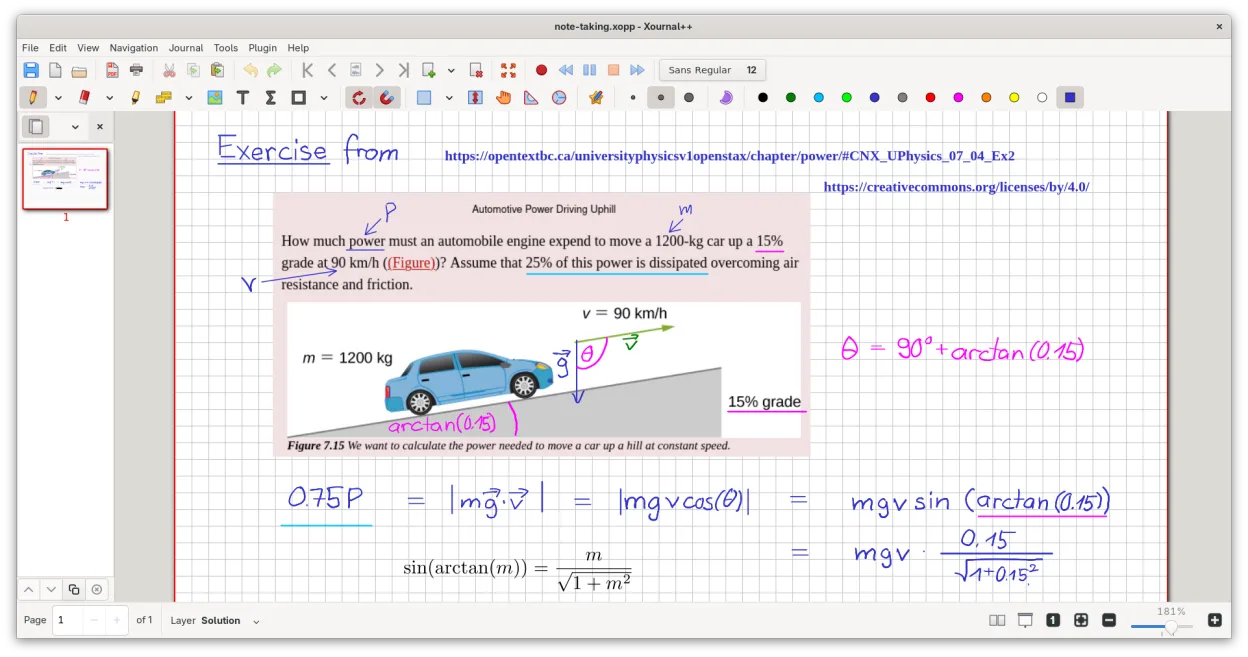
Eine plattformübergreifende, quelloffene Notizen-App für handschriftliche Aufzeichnungen, PDF-Anmerkungen und digitale Whiteboards mit Stiftunterstützung.
-
Kazam ist ein unkompliziertes Tool zur Bildschirmaufnahme und zum Erstellen von Screenshots für Linux, ideal für schnelle Aufnahmen mit minimalem Setup.



Was ist Movavi Screen Recorder?
Movavi Screen Recorder is used to capture screen activity, system audio, microphone input, and webcam video—commonly by educators, content creators, and professionals making tutorials or presentations. It includes basic editing features like trimming, annotations, and exporting in common formats.
The Windows version is commercial software, sold as a one-time purchase or subscription. It's not free, and there's no native Linux version. The interface is designed for ease of use, targeting users who may not be technically experienced.
People seek Linux alternatives because Movavi is Windows-only and closed-source. Linux users want similar screen recording and editing capabilities without relying on compatibility layers. Privacy-conscious and open-source advocates also prefer transparent, auditable tools.
Was ein Ersatz für Movavi Screen Recorder können muss
- Record full or partial screen
- Capture system audio and microphone
- Webcam overlay support
- Basic editing (trim, cut, annotate)
- Scheduled or timed recordings
- Export to MP4 or other common formats
- Simple, intuitive interface
Läuft Movavi Screen Recorder unter Linux?
There is no native Linux version of Movavi Screen Recorder, nor a web-based version. It does not run reliably under Wine or Proton—some users report partial functionality with Bottles, but recording and encoding often fail or are unstable. No known workarounds provide full feature parity.
Welche Alternative passt zu Ihnen?
OBS Studio fits users needing advanced recording and live streaming with scene composition. SimpleScreenRecorder is ideal for straightforward desktop capture with minimal setup. Kazam suits beginners wanting a simple interface. vokoscreenNG offers extra features like camera preview and annotations. Xournal++ isn't a screen recorder—it's for annotating PDFs, so use it alongside a recorder.
Dateien und Gewohnheiten aus Movavi Screen Recorder mitnehmen
Since Movavi projects (.movprj) can't be opened on Linux, export your recordings as MP4 or WebM first. Most Linux tools accept these formats. Editable project files don't transfer—re-edit from source videos if needed. Use standard containers like MP4 for compatibility across platforms.
Direkter Vergleich
| Programm | Lizenz | Flatpak | Aktuelle Version | Funktionsabdeckung | Bewertung |
|---|---|---|---|---|---|
| OBS Studio | GPL-2.0-or-later | ✓ | 33.0.3 | 80% | — |
| SimpleScreenRecorder | GPL-3.0 | — | 0.4.4 | — | — |
| vokoscreenNG | GPL-2.0-only | ✓ | 4.11.1 | — | — |
| Xournal++ | GPL-2.0 | ✓ | 1.3.8 | — | — |
| Kazam | GPL-2.0 | — | 1.5.7 | — | — |
Movavi Screen Recorder: häufige Fragen
Can I use Movavi Screen Recorder on Linux with Wine?
Generally no. It may launch but often crashes or fails to record properly. Audio and video capture are unreliable. Not recommended.
Which Linux tool records screen and webcam at the same time?
OBS Studio and vokoscreenNG both support screen and webcam recording simultaneously, with layout customization.
Is there a simple alternative like Movavi for beginners?
Kazam is the most straightforward. It lacks editing but records screen and audio with one click. vokoscreenNG also has a friendly interface.
Can I edit recordings after capturing them?
Yes. Use OBS for capture and OpenShot or Kdenlive for editing. Some tools like vokoscreenNG include basic cut/trim functions.
Wie wichtig ist Ihnen Movavi Screen Recorder?
Kennen Sie eine bessere Alternative? Alternative vorschlagen