
 OpenRGBLinux
vs
SteelSeries EngineWindows
OpenRGBLinux
vs
SteelSeries EngineWindows
OpenRGB als Linux-Alternative zu SteelSeries Engine
Aktualisiert am
Unser Fazit
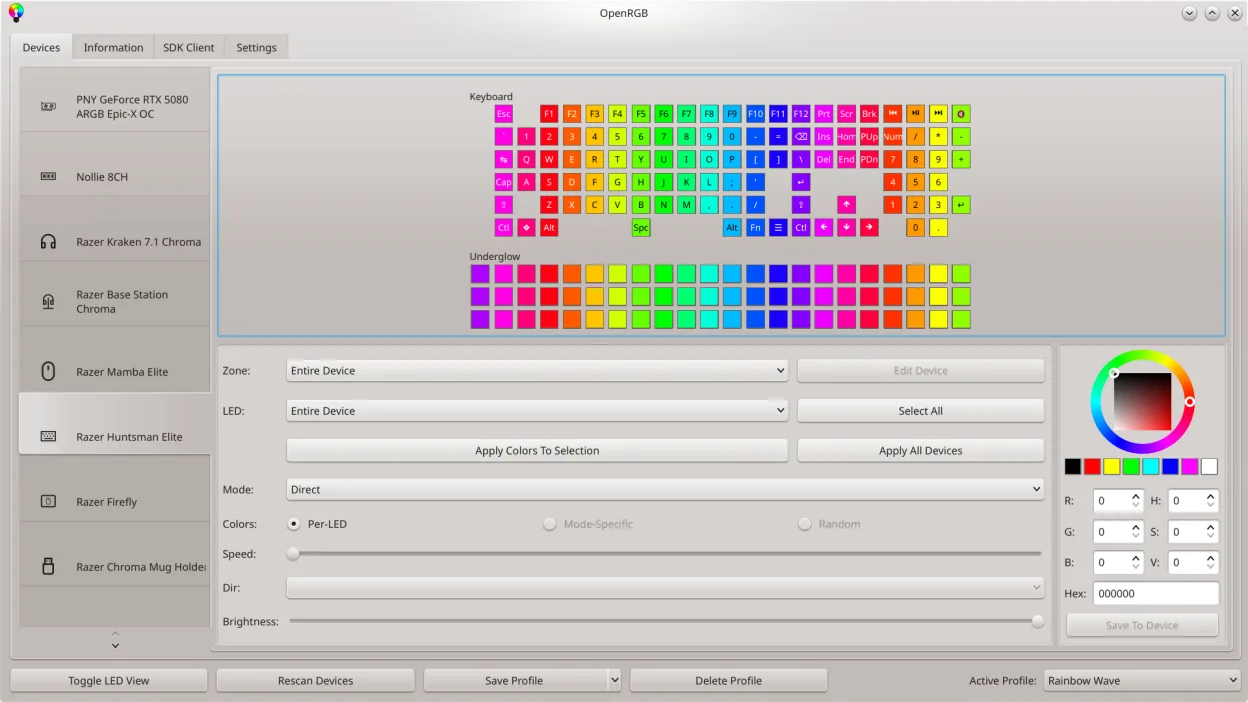
OpenRGB is a solid replacement for SteelSeries Engine if your main goal is RGB lighting control across multiple devices, especially on Linux. It unifies lighting management without bloat or vendor lock-in. However, it does not handle DPI, polling rate, or key remapping for SteelSeries devices—those require other tools like libratbag or custom udev rules. So while OpenRGB excels at RGB, it’s only part of the full SteelSeries Engine replacement. Use it alongside input configuration tools for a complete setup.
- Lizenz
- GPL-2.0-or-later
- Preis
- Kostenlos
- Aktuelle Version
- 1.1 (16. Oktober 2026)
- Bewertung
- —
Was gleich funktioniert
- Both support RGB lighting customization on SteelSeries devices
- Allow saving and loading of lighting profiles
- Offer a graphical interface for visual control
- Support multiple SteelSeries hardware types
- Enable effects like breathing, wave, and static lighting
Was anders ist
- OpenRGB does not adjust DPI or polling rate
- No built-in button remapping or macro programming
- Relies on community reverse-engineering, not official SteelSeries support
- Lacks firmware update capabilities
- No cloud profiles or account integration
Ihre SteelSeries Engine-Dateien öffnen
OpenRGB cannot import or export SteelSeries Engine profile files (.sse or similar). Profile formats are proprietary and not supported. You’ll need to recreate lighting settings manually in OpenRGB. There’s no known converter tool, and file compatibility is unlikely due to fundamental differences in how each app stores configuration.
Von SteelSeries Engine zu OpenRGB wechseln – Schritt für Schritt
- Install OpenRGB from your distro’s package manager or Flathub
- Update your system firmware and ensure HID modules are loaded
- Launch OpenRGB and detect your SteelSeries devices
- Recreate lighting effects and save them as profiles
- Use ratbagctl or Piper for DPI, button remaps, and polling rate
- Optionally set up OpenRGB server mode for multi-PC sync
Wichtige Funktionen von OpenRGB
- Farben und Effekte für viele RGB‑Geräte steuern
- Eigene Profile speichern und laden
- SDK für Drittanbieter‑Integration
- Befehlszeilenschnittstelle für Skripting
- Mehrfachinstanz‑Synchronisation über PCs
- Eigenständiger Client/Server‑Modus
- Grafische LED‑Karte für Musterdesign
- Geräte‑Info‑Viewer
OpenRGB unter Linux installieren
flatpak install flathub org.openrgb.OpenRGBsudo dnf install openrgbsudo pacman -S openrgbsudo zypper install OpenRGBHäufige Fragen
Can OpenRGB control my SteelSeries mouse DPI?
No. OpenRGB only manages RGB lighting. For DPI and button settings, use libratbag with a GUI like Piper or command-line ratbagctl.
Does OpenRGB support all SteelSeries keyboards?
Most are supported, but check the OpenRGB compatibility list. Newer models may need firmware updates or kernel patches to work.
Can I run OpenRGB at startup without a GUI?
Yes. Run it in server mode headless and connect via client, or use systemctl to start the daemon automatically.
2 weitere Alternativen zu SteelSeries Engine
 PiperPiper ist eine Linux-GUI zur Konfiguration von Gaming-Mäusen über ratbagd.Open SourceKostenlosFlatpakPiper vs. SteelSeries Enginelibratbaglibratbag ist eine Linux-Bibliothek und ein CLI-Tool zur Verwaltung von Gaming-Maus-Profilen, das Logitech G…Open SourceKostenloslibratbag vs. SteelSeries Engine