
 Pencil2DLinux
vs
Adobe FrescoWindows
Pencil2D als Linux-Alternative zu Adobe Fresco
Aktualisiert am
Unser Fazit
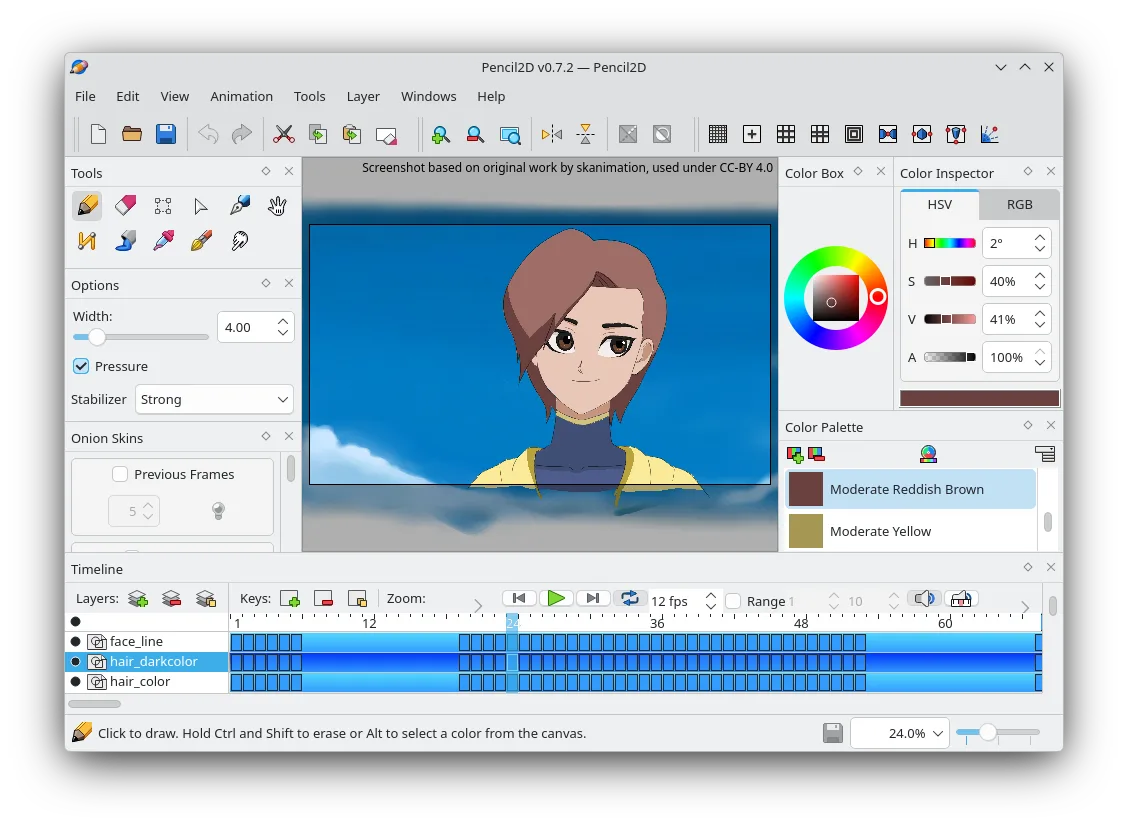
Pencil2D can replace Adobe Fresco for users who mainly need a simple 2D animation workflow with basic bitmap and vector layers, onion‑skin, and export to PNG or GIF. It is suitable for hobbyists, animators, and educators who do not require advanced brush pressure, vector shape tools, or PSD interoperability. For professional digital painters or illustrators who rely on pressure‑sensitive brushes, complex blending modes, or non‑destructive vector editing, Pencil2D will fall short.
Funktionsabdeckung
- Lizenz
- GPL-2.0-only
- Preis
- Kostenlos
- Aktuelle Version
- 0.7.2 (13. März 2025)
- Bewertung
- —
Was gleich funktioniert
- Both run natively on Linux and support bitmap and vector layers
- Both provide a layer system with basic blending
- Both allow custom brushes and tools
- Both are cross‑platform (Linux, Windows, macOS)
- Both are open‑source or free
- differences
Was anders ist
Wichtige Funktionen von Pencil2D
- Zeitleiste mit Keyframes und Onion-Skin
- Unterstützung für Bitmap- und Vektorebenen
- Export in PNG, GIF und Videoformate
- Anpassbare Pinsel und Werkzeuge
- Plattformübergreifend (Linux, Windows, macOS)
- Open Source und community-getrieben
Pencil2D unter Linux installieren
Flatpak (Flathub)
flatpak install flathub org.pencil2d.Pencil2DUbuntu / Mint
sudo apt install pencil2dDebian
sudo apt install pencil2dFedora
sudo dnf install Pencil2DArch / Manjaro
sudo pacman -S pencil2d5 weitere Alternativen zu Adobe Fresco
 KritaKrita ist ein vollwertiges Open‑Source-Programm für digitales Malen und Illustration.Open SourceKostenlosFlatpakKrita vs. Adobe Fresco
 MyPaintMyPaint ist ein schnelles, kostenloses Open-Source-Rasterprogramm, das sich auf Pinseldynamik und die Nutzung…Open SourceKostenlosFlatpakMyPaint vs. Adobe Fresco
 GIMPGIMP ist ein kostenloser, quelloffener Rastergrafik‑Editor für Fotobearbeitung, digitale Malerei und…Open SourceKostenlosFlatpakGIMP vs. Adobe Fresco
 InkscapeInkscape ist ein kostenloser, quelloffener Vektorgrafikeditor, der Adobe Illustrator und CorelDRAW Konkurrenz…Open SourceKostenlosFlatpakInkscape vs. Adobe Fresco
 PixeloramaPixelorama is a free, open-source pixel art editor and animation tool for Linux, suitable for sprites and…Open SourceKostenlosFlatpakPixelorama vs. Adobe Fresco
Pencil2D bewerten
Als Erste(r) bewerten
Guter Ersatz für Adobe Fresco?
6