
 Pencil2DLinux
vs
Adobe FrescoWindows
Pencil2D as a Linux alternative to Adobe Fresco
Updated
Our verdict
Pencil2D can replace Adobe Fresco for users who mainly need a simple 2D animation workflow with basic bitmap and vector layers, onion‑skin, and export to PNG or GIF. It is suitable for hobbyists, animators, and educators who do not require advanced brush pressure, vector shape tools, or PSD interoperability. For professional digital painters or illustrators who rely on pressure‑sensitive brushes, complex blending modes, or non‑destructive vector editing, Pencil2D will fall short.
Feature parity
- License
- GPL-2.0-only
- Price
- Free
- Latest version
- 0.7.2 (March 13, 2025)
- Rating
- —
What works the same
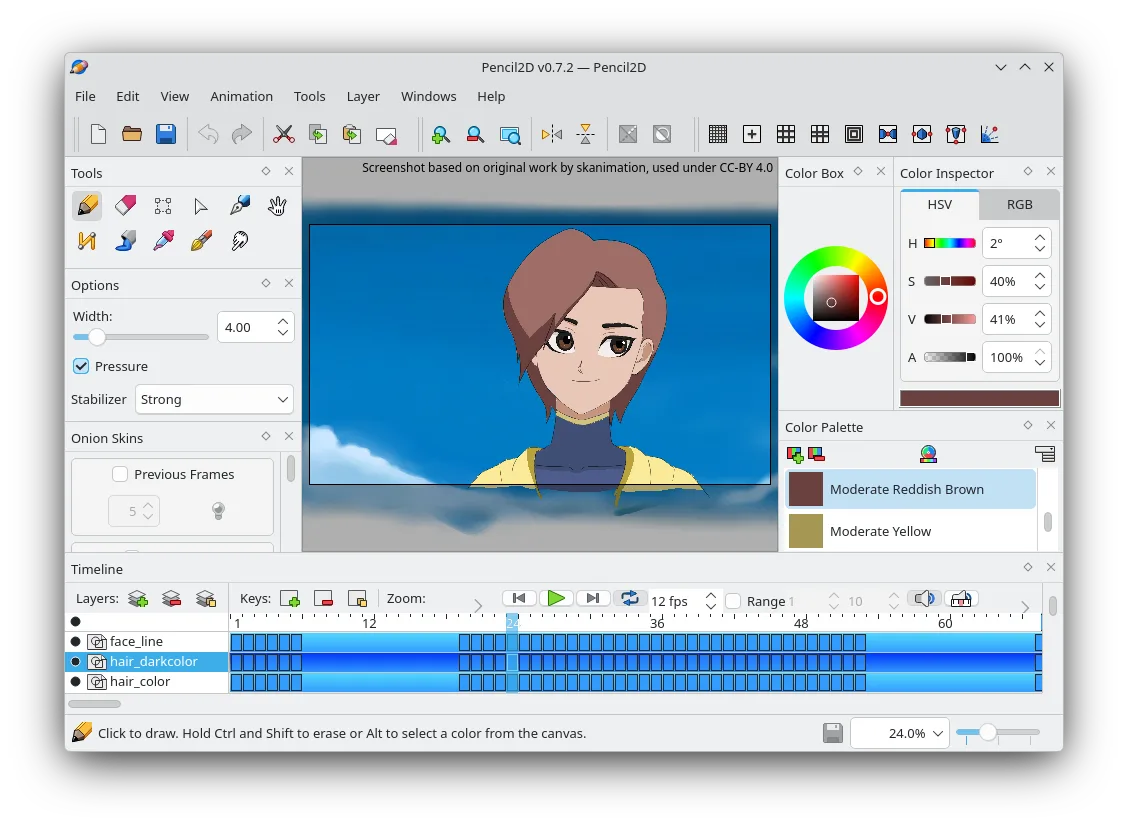
- Both run natively on Linux and support bitmap and vector layers
- Both provide a layer system with basic blending
- Both allow custom brushes and tools
- Both are cross‑platform (Linux, Windows, macOS)
- Both are open‑source or free
- differences
What is different
Key features of Pencil2D
- Timeline with keyframes and onion‑skin
- Supports bitmap and vector layers
- Export to PNG, GIF, and video formats
- Customizable brushes and tools
- Cross‑platform (Linux, Windows, macOS)
- Open‑source and community‑maintained
How to install Pencil2D on Linux
Flatpak (Flathub)
flatpak install flathub org.pencil2d.Pencil2DUbuntu / Mint
sudo apt install pencil2dDebian
sudo apt install pencil2dFedora
sudo dnf install Pencil2DArch / Manjaro
sudo pacman -S pencil2d5 other alternatives to Adobe Fresco
 KritaKrita is a full‑featured open‑source digital painting and illustration program.Open sourceFreeFlatpakKrita vs Adobe Fresco
 MyPaintMyPaint is a fast, free, open‑source raster painting program focused on brush dynamics and tablet use.Open sourceFreeFlatpakMyPaint vs Adobe Fresco
 GIMPGIMP is a free, open-source raster graphics editor for photo editing, digital painting, and image composition.Open sourceFreeFlatpakGIMP vs Adobe Fresco
 InkscapeInkscape is a free, open‑source vector graphics editor that rivals Adobe Illustrator and CorelDRAW.Open sourceFreeFlatpakInkscape vs Adobe Fresco
 PixeloramaPixelorama is a free, open-source pixel art editor and animation tool for Linux, suitable for sprites and…Open sourceFreeFlatpakPixelorama vs Adobe Fresco
Rate Pencil2D
Be the first to rate
Is it a good replacement for Adobe Fresco?
6