
 pgAdmin 4Linux
vs
Microsoft Azure Data StudioWindows
pgAdmin 4 als Linux-Alternative zu Microsoft Azure Data Studio
Aktualisiert am
Unser Fazit
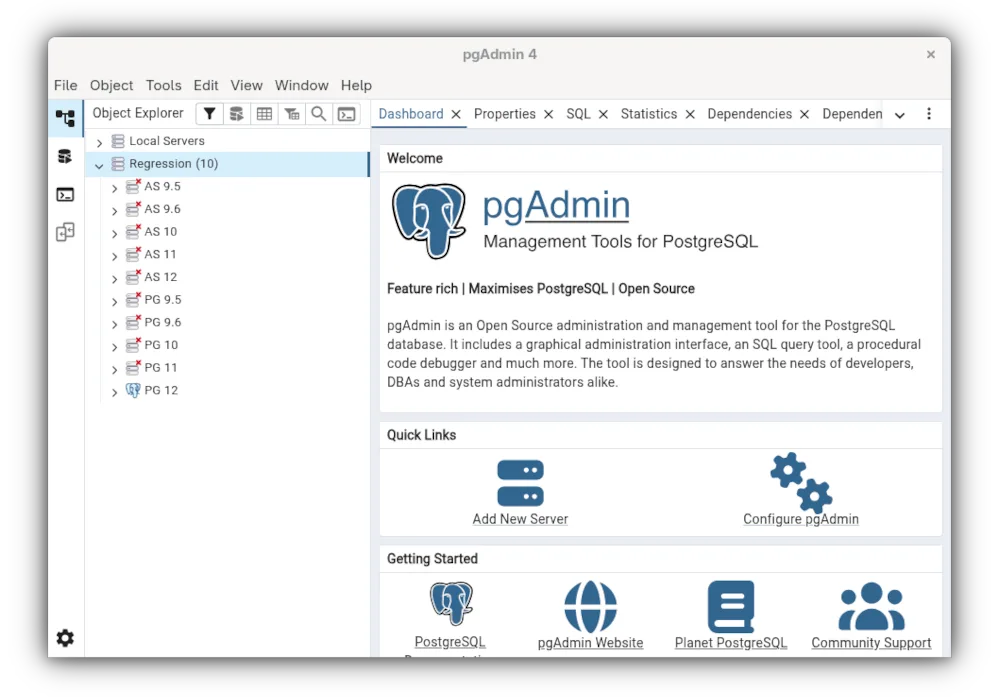
pgAdmin 4 is not a general-purpose replacement for Azure Data Studio if you manage SQL Server or Azure SQL. It is strictly a PostgreSQL tool. If your work focuses exclusively on PostgreSQL, it is a strong, mature alternative with excellent query editing and schema tools. However, it lacks support for other engines like MySQL or SQL Server, which are core to Azure Data Studio. Choose pgAdmin only if you are migrating your entire stack to PostgreSQL; otherwise, it will not meet your multi-engine requirements.
- Lizenz
- PostgreSQL
- Preis
- Kostenlos
- Aktuelle Version
- 9.19 (29. Oktober 2026)
- Bewertung
- —
Was gleich funktioniert
- Advanced SQL query editor with syntax highlighting and code completion
- Tools for managing database objects such as tables, views, and indexes
- Tabular result sets for viewing query output
- Support for scripting and automating database maintenance tasks
- Cross-platform availability including native Linux builds
Was anders ist
- pgAdmin 4 supports only PostgreSQL, whereas Azure Data Studio supports SQL Server, Azure SQL, MySQL, and PostgreSQL
- Azure Data Studio offers integrated graphical data visualization and charting for query results, which pgAdmin lacks
- Azure Data Studio includes specific Azure cloud integration features and extensions for cloud resource management
- pgAdmin uses a web-based interface architecture, while Azure Data Studio is a desktop Electron app
- Azure Data Studio has a more extensive extension marketplace for adding new features and connections
Ihre Microsoft Azure Data Studio-Dateien öffnen
There is no direct file format compatibility between the two. Azure Data Studio saves queries as plain text files (.sql), which pgAdmin 4 can open and execute without issue. However, any Azure Data Studio-specific configuration files, connection profiles, or extension settings are not portable. You will need to manually recreate your database connections and user preferences within the pgAdmin interface.
Von Microsoft Azure Data Studio zu pgAdmin 4 wechseln – Schritt für Schritt
- Install pgAdmin 4 via your Linux package manager or Flathub
- Export your SQL query files from Azure Data Studio as plain text
- Launch pgAdmin 4 and register your PostgreSQL server instances
- Import your .sql files into the pgAdmin query tool
- Reconfigure any automated scripts or cron jobs to use pgAdmin’s command-line tools if needed
- Test all critical queries and verify result sets match your previous environment
Wichtige Funktionen von pgAdmin 4
- Webbasierte Oberfläche, die aus jedem Browser zugänglich ist
- Erweiterter Query-Editor mit Syntax-Hervorhebung und Code-Vervollständigung
- ERD-Tool für das Schema-Design
- Auto-Vacuum-, Backup- und Restore-Utilities
- Monitoring-Dashboard für Leistungskennzahlen
- Feingranulare Verwaltung von Benutzern und Berechtigungen
pgAdmin 4 unter Linux installieren
flatpak install flathub org.pgadmin.pgadmin4sudo dnf install pgadmin4sudo zypper install pgadmin4Häufige Fragen
Can pgAdmin 4 connect to Microsoft SQL Server?
No. pgAdmin 4 is designed exclusively for PostgreSQL. It cannot connect to SQL Server, Azure SQL, or MySQL databases.
Does pgAdmin 4 have a graphical data visualization tool?
No. It displays query results in a tabular grid but does not include built-in tools for creating charts or graphs directly from the query editor.
Is pgAdmin 4 free to use?
Yes. pgAdmin 4 is open-source software licensed under the PostgreSQL License, meaning it is free for both personal and commercial use.
4 weitere Alternativen zu Microsoft Azure Data Studio
 DBeaver CommunityKostenloses, plattformübergreifendes Datenbanktool für Entwickler und Administratoren mit Unterstützung für…Open SourceKostenlosFlatpakDBeaver Community vs. Microsoft Azure Data Studio
 DataGripJetBrains' Multi‑Database‑IDE für SQL‑Entwickler, unterstützt JDBC‑Verbindungen zu gängigen DBMS mit…FlatpakDataGrip vs. Microsoft Azure Data Studio
 Beekeeper StudioEin plattformübergreifender SQL‑Editor, der HeidiSQL unter Linux durch ein modernes UI und erweiterte…Open SourceKostenlosFlatpakBeekeeper Studio vs. Microsoft Azure Data Studio
 SQuirreL SQL ClientEin Java-basierter GUI-SQL-Client zum Durchsuchen von Daten und Ausführen von Abfragen in jeder…Open SourceKostenlosFlatpakSQuirreL SQL Client vs. Microsoft Azure Data Studio