
 Prism LauncherLinux
vs
Lunar ClientWindows
Prism LauncherLinux
vs
Lunar ClientWindows
Prism Launcher als Linux-Alternative zu Lunar Client
Aktualisiert am
Unser Fazit
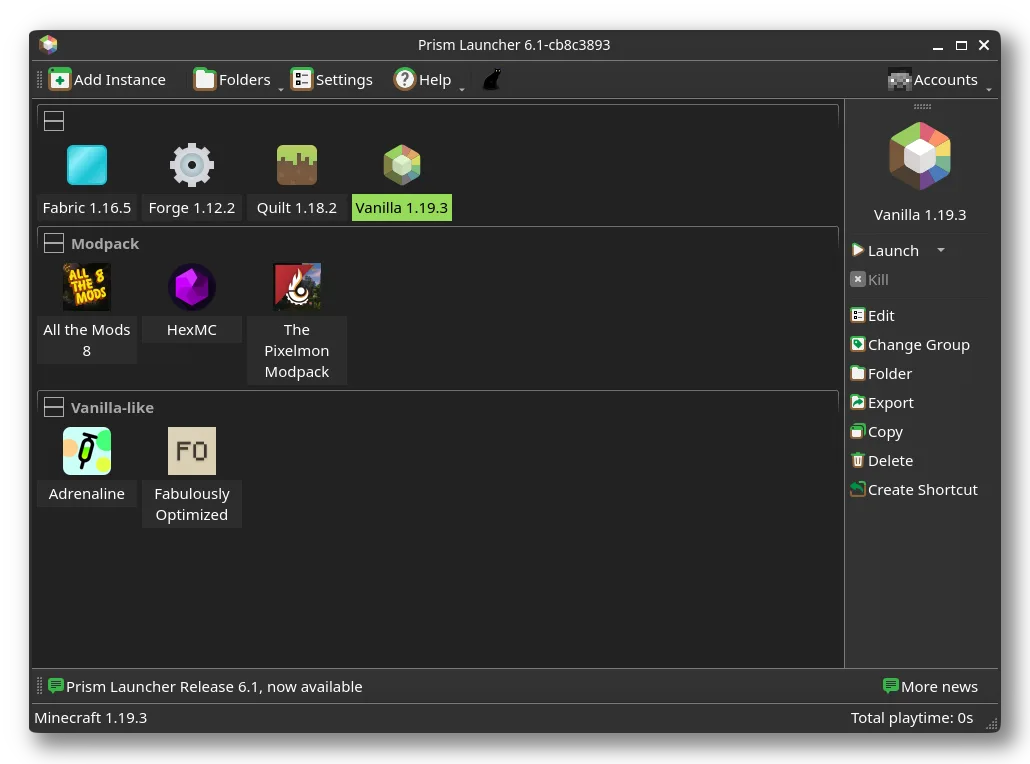
Prism Launcher is a solid replacement for Lunar Client on Linux, especially for users who manage modded Minecraft instances. It supports Forge, Fabric, and Quilt, allows fine-grained Java and performance settings, and handles modpacks reliably. The ability to isolate instances and toggle tools like Mangohud or Gamemode matches Lunar Client’s optimization focus. While the interface is less flashy, it’s stable and functional. Recommended for intermediate to advanced Minecraft players on Linux who prioritize control and reliability over visual polish.
- Lizenz
- GPL-3.0-only
- Preis
- Kostenlos
- Aktuelle Version
- 11.1.1 (11. November 2011)
- Bewertung
- —
Was gleich funktioniert
- Supports mod loaders like Forge, Fabric, and Quilt
- Performance optimization via Mangohud and Gamemode integration
- Mod and shader management with direct mod installation
- Customizable launcher interface with theme support
- Profile and instance management for different Minecraft versions
Was anders ist
- Prism Launcher lacks built-in multiplayer server browsing, which Lunar Client offers
- No integrated in-launcher news or community feed
- Less emphasis on social features and friend integration
- No native support for Lunar-specific tweaks or configs
- Interface is functional but less polished than Lunar Client
Ihre Lunar Client-Dateien öffnen
Prism Launcher cannot directly open Lunar Client configuration files or profiles, as they use different formats and structures. However, you can manually export worlds and modpacks from Lunar Client and import them into Prism as custom instances. Modpacks in standard formats (like those from CurseForge or Modrinth) transfer easily. Any Lunar Client-specific settings or performance tweaks won’t carry over and must be reconfigured.
Von Lunar Client zu Prism Launcher wechseln – Schritt für Schritt
- Install Prism Launcher via Flathub or your distro’s package manager
- Export modpacks or worlds from Lunar Client as ZIPs or folders
- Import them into Prism as custom instances or modpacks
- Reinstall mods and configure Java settings per instance
- Enable Mangohud or Gamemode in Prism settings for performance
Wichtige Funktionen von Prism Launcher
- Mehrere isolierte Minecraft‑Instanzen verwalten
- Fabric, Forge und Quilt installieren und aktualisieren
- Modpacks direkt importieren und aktualisieren
- Java‑Version pro Instanz steuern
- Integriertes Log‑Dashboard für Debugging
- Mangohud oder Gamemode für Performance umschalten
- Anpassbare Themes und UI
- Direkte Mod‑Installation aus dem Launcher
Prism Launcher unter Linux installieren
flatpak install flathub org.prismlauncher.PrismLaunchersudo pacman -S prismlaunchersudo zypper install prismlauncherHäufige Fragen
Can Prism Launcher run Lunar Client modpacks?
Yes, if they’re based on standard mod loaders like Forge or Fabric. You can import them manually or via Modrinth/CurseForge links.
Does Prism Launcher support multiplayer servers?
Yes, you can add and connect to multiplayer servers directly in Minecraft, but Prism doesn’t have a built-in server browser like Lunar.
Is Mangohud required for performance monitoring?
No, but it’s optional and useful. Prism can toggle it on/off; it doesn’t replace in-game performance mods like Lithium or Sodium.
2 weitere Alternativen zu Lunar Client
 PolyMCPolyMC ist ein kostenloses, quelloffenes Minecraft-Launcher-Tool, das die Verwaltung mehrerer modifizierter…Open SourceKostenlosFlatpakPolyMC vs. Lunar Client
 Minecraft LauncherDer offizielle Minecraft-Launcher für Linux, mit dem Sie das beliebte Sandbox-Spiel mit vollständiger…FlatpakMinecraft Launcher vs. Lunar Client