
 Prism LauncherLinux
vs
Lunar ClientWindows
Prism LauncherLinux
vs
Lunar ClientWindows
Prism Launcher as a Linux alternative to Lunar Client
Updated
Our verdict
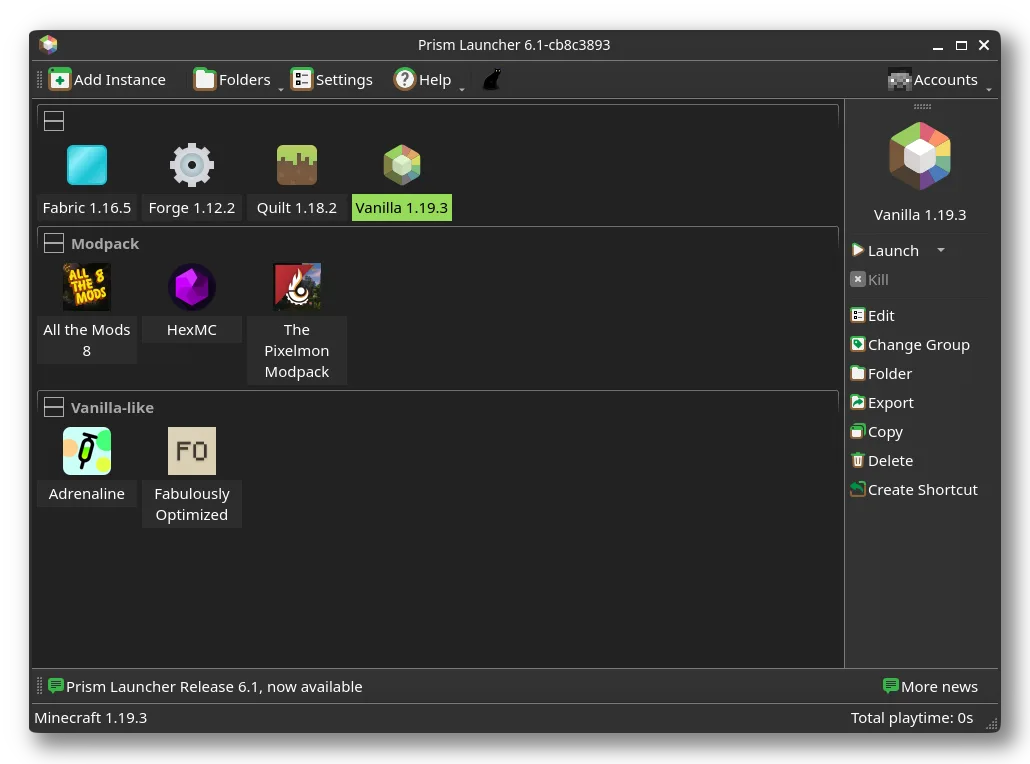
Prism Launcher is a solid replacement for Lunar Client on Linux, especially for users who manage modded Minecraft instances. It supports Forge, Fabric, and Quilt, allows fine-grained Java and performance settings, and handles modpacks reliably. The ability to isolate instances and toggle tools like Mangohud or Gamemode matches Lunar Client’s optimization focus. While the interface is less flashy, it’s stable and functional. Recommended for intermediate to advanced Minecraft players on Linux who prioritize control and reliability over visual polish.
- License
- GPL-3.0-only
- Price
- Free
- Latest version
- 11.1.1 (November 11, 2011)
- Rating
- —
What works the same
- Supports mod loaders like Forge, Fabric, and Quilt
- Performance optimization via Mangohud and Gamemode integration
- Mod and shader management with direct mod installation
- Customizable launcher interface with theme support
- Profile and instance management for different Minecraft versions
What is different
- Prism Launcher lacks built-in multiplayer server browsing, which Lunar Client offers
- No integrated in-launcher news or community feed
- Less emphasis on social features and friend integration
- No native support for Lunar-specific tweaks or configs
- Interface is functional but less polished than Lunar Client
Opening your Lunar Client files
Prism Launcher cannot directly open Lunar Client configuration files or profiles, as they use different formats and structures. However, you can manually export worlds and modpacks from Lunar Client and import them into Prism as custom instances. Modpacks in standard formats (like those from CurseForge or Modrinth) transfer easily. Any Lunar Client-specific settings or performance tweaks won’t carry over and must be reconfigured.
Switching from Lunar Client to Prism Launcher, step by step
- Install Prism Launcher via Flathub or your distro’s package manager
- Export modpacks or worlds from Lunar Client as ZIPs or folders
- Import them into Prism as custom instances or modpacks
- Reinstall mods and configure Java settings per instance
- Enable Mangohud or Gamemode in Prism settings for performance
Key features of Prism Launcher
- Manage multiple isolated Minecraft instances
- Install and update Fabric, Forge, and Quilt
- Import and update modpacks directly
- Per-instance Java version control
- Integrated log dashboard for debugging
- Toggle Mangohud or Gamemode for performance
- Customizable themes and UI
- Direct mod installation from the launcher
How to install Prism Launcher on Linux
flatpak install flathub org.prismlauncher.PrismLaunchersudo pacman -S prismlaunchersudo zypper install prismlauncherFrequently asked questions
Can Prism Launcher run Lunar Client modpacks?
Yes, if they’re based on standard mod loaders like Forge or Fabric. You can import them manually or via Modrinth/CurseForge links.
Does Prism Launcher support multiplayer servers?
Yes, you can add and connect to multiplayer servers directly in Minecraft, but Prism doesn’t have a built-in server browser like Lunar.
Is Mangohud required for performance monitoring?
No, but it’s optional and useful. Prism can toggle it on/off; it doesn’t replace in-game performance mods like Lithium or Sodium.
2 other alternatives to Lunar Client
 PolyMCPolyMC is a free, open-source Minecraft launcher that simplifies managing multiple modded and vanilla…Open sourceFreeFlatpakPolyMC vs Lunar Client
 Minecraft LauncherThe official Minecraft launcher for Linux, letting you play the popular sandbox game with full online support.FlatpakMinecraft Launcher vs Lunar Client