
 RKWardLinux
vs
RStudioWindows
RKWard als Linux-Alternative zu RStudio
Aktualisiert am
Unser Fazit
RKWard can replace RStudio for users who prefer a point‑and‑click workflow and are comfortable with a KDE‑styled interface. It offers a code editor with syntax highlighting, an integrated R console, basic plotting, package management, debugging, and project organization, so it meets most of the core needs of RStudio users. It is best suited for those who need a lightweight, open‑source IDE without the extensive plug‑in ecosystem of RStudio.
- Lizenz
- GPL-2.0+
- Preis
- Kostenlos
- Aktuelle Version
- 0.8.3
- Bewertung
- —
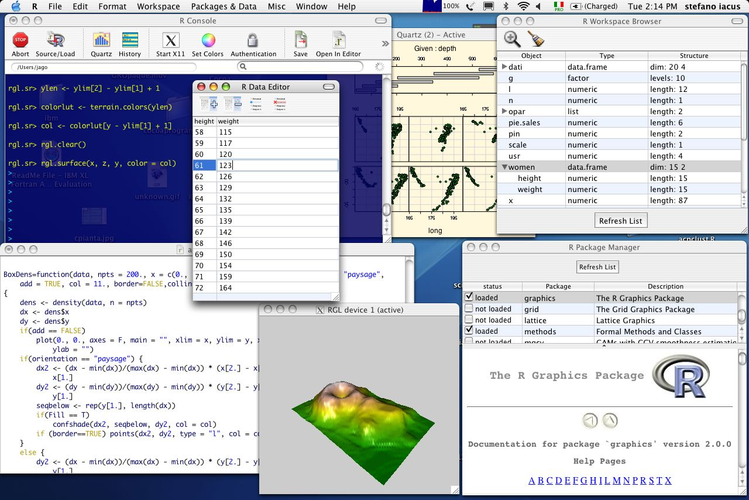
Was gleich funktioniert
- Integrated R console for script execution
- Syntax highlighting in the code editor
- Package management interface
- Plotting panel for visualizing results
- Project organization features
Was anders ist
- RKWard relies heavily on point‑and‑click dialogs; scripting is less central than in RStudio
- Limited advanced debugging tools compared to RStudio’s breakpoint and step‑through capabilities
- No native support for R Markdown or Shiny app development
- Plugin architecture is less mature; fewer community extensions
- RKWard’s UI is KDE‑centric and may not match GNOME or other desktop environments
Ihre RStudio-Dateien öffnen
RKWard can open R scripts (.R) and RData files directly, but it does not natively read RStudio’s project files (.Rproj). Exporting results is supported to HTML, LaTeX, or CSV, which can be imported into RStudio. For R Markdown or Shiny project files, manual conversion may be required.
Von RStudio zu RKWard wechseln – Schritt für Schritt
- Export your current RStudio project as a plain folder of scripts and data files.
- Open the folder in RKWard via File → Open Project and create a new RKWard project.
- Recreate any custom R packages or libraries in RKWard’s package manager.
- Rebuild plots and dashboards using RKWard’s point‑and‑click tools or by running scripts in the console.
- Adjust any R Markdown or Shiny code to run in RKWard’s console, then export to HTML if needed.
Wichtige Funktionen von RKWard
- Point‑and‑click‑Dialoge für Datenimport, Transformation und Visualisierung
- Integrierte R-Konsole für Skriptbearbeitung und Ausführung
- Unterstützung für gängige statistische Tests und lineare Modelle
- Export von Ergebnissen nach HTML, LaTeX oder CSV
- Plugin-Architektur zur Erweiterung der Funktionalität
- KDE‑gestylte UI, die dem Host-Desktop-Thema folgt
RKWard unter Linux installieren
sudo apt install rkwardsudo apt install rkwardsudo dnf install rkwardsudo pacman -S rkwardsudo zypper install rkwardHäufige Fragen
Does RKWard support R Markdown?
RKWard does not have built‑in R Markdown rendering. You can still run R Markdown scripts in the console and export the output manually, but the IDE lacks a dedicated editor for .Rmd files.
Can I use RKWard on GNOME?
RKWard is KDE‑styled but works on other desktops. The UI will follow the host theme, though some visual elements may look out of place on non‑KDE environments.
Is RKWard actively maintained?
Yes, RKWard is actively maintained and available in major Linux distributions. It receives regular updates and bug fixes through the standard package managers.
2 weitere Alternativen zu RStudio
 Visual Studio CodeEin leichter, erweiterbarer Code-Editor, der Debugging, Git und viele Sprachen unterstützt.KostenlosFlatpakVisual Studio Code vs. RStudio