
 RustDeskLinux
vs
Quick AssistWindows
RustDeskLinux
vs
Quick AssistWindows
RustDesk als Linux-Alternative zu Quick Assist
Aktualisiert am
Unser Fazit
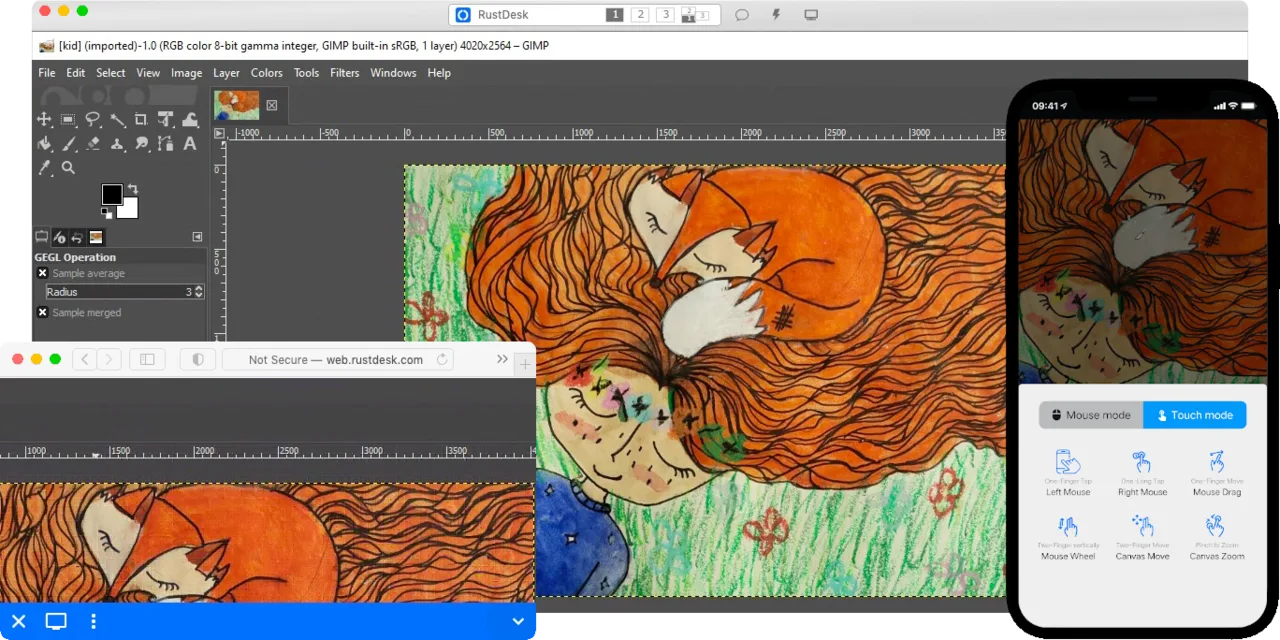
RustDesk can replace Quick Assist for most users who need a free, cross‑platform remote‑desktop tool. It offers the same core functions—screen sharing, mouse/keyboard control, and end‑to‑end encryption—while adding the option to self‑host for full data control. It is ideal for small teams, developers, or home users who want a lightweight, open‑source alternative. Users who rely on Windows‑only features such as built‑in RDP support or tight integration with Windows Security Center may find it less convenient.
- Lizenz
- AGPL-3.0-only
- Preis
- Kostenlos
- Aktuelle Version
- 1.5.0 (30. September 2026)
- Bewertung
- —
Was gleich funktioniert
- Cross‑platform clients (Windows, macOS, Linux, Android, iOS)
- Remote screen viewing and input control
- End‑to‑end encryption (NaCl)
- Peer‑to‑peer connection with relay fallback
- Free and open‑source
Was anders ist
- RustDesk does not use the native RDP protocol; it relies on its own protocol and optional VNC compatibility
- No built‑in Windows‑only features like Windows Security Center integration
- Requires a self‑hosted relay or server for full control over data (though a public relay is available)
- No direct support for Windows‑specific clipboard or file transfer protocols used by Quick Assist
- No official Windows‑only installer—portable binary is used
Ihre Quick Assist-Dateien öffnen
Quick Assist does not produce portable files that can be opened by other remote‑desktop tools. Sessions are created on the fly and managed through the Windows UI. Therefore, there is no file format to import or export into RustDesk.
Von Quick Assist zu RustDesk wechseln – Schritt für Schritt
- 1. Download the latest RustDesk release from the official site or Flathub.
- 2. Install the Linux package (deb, rpm, or flatpak) or run the portable binary on Windows.
- 3. On the target machine, open RustDesk, note the ID and password, and share them with the helper.
- 4. On the helper’s machine, enter the ID and password in RustDesk to start the session.
- 5. If you want end‑to‑end encryption, keep the default settings; for additional security, set up a self‑hosted relay server and configure both clients to use it.
Wichtige Funktionen von RustDesk
- Cross‑Platform-Unterstützung (Windows, Linux, macOS, Android, iOS, Web)
- Unterstützt VP8, VP9, AV1, H.264 und H.265 Video-Codecs
- Ende‑zu‑Ende-Verschlüsselung mit NaCl (Networking and Cryptography library)
- Peer‑to‑Peer-Verbindungen mit optionalem Relay-Fallback
- Selbsthostbarer Server für vollständige Datenkontrolle
- Kein Installationsaufwand unter Windows (portabler Modus)
- Lokale oder remote Privilegienerweiterung
- Einfache Einrichtung mit Fokus auf Benutzerfreundlichkeit
RustDesk unter Linux installieren
flatpak install flathub com.rustdesk.RustDeskHäufige Fragen
Is RustDesk safe to use over the internet?
Yes. All traffic is encrypted with NaCl end‑to‑end encryption. Peer‑to‑peer connections are used when possible, and a relay server can be self‑hosted for privacy.
Can I use RustDesk without installing anything on Windows?
Yes. The Windows portable binary does not require admin rights and can be run from a USB stick.
Does RustDesk support file transfer between hosts?
Yes, it supports drag‑and‑drop and clipboard sharing, but it uses its own protocol rather than the Windows RDP file transfer mechanism.
3 weitere Alternativen zu Quick Assist
 RemminaRemmina ist ein Linux-Remote-Desktop-Client, der RDP, VNC, SSH und X2Go unterstützt, um von GTK-basierten…Open SourceKostenlosFlatpakRemmina vs. Quick Assist
 KRDCKRDC ist ein KDE-Remote-Desktop-Client, der sich über RDP oder VNC mit Windows- oder Linux-Computern…Open SourceKostenlosFlatpakKRDC vs. Quick Assist
 VinagreVinagre ist ein GNOME‑Remote‑Desktop‑Betrachter für VNC, RDP, SSH und SPICE, der jetzt eingestellt wurde.Open SourceKostenlosEingestelltVinagre vs. Quick Assist