
 Standard NotesLinux
vs
AnytypeWindows
Standard NotesLinux
vs
AnytypeWindows
Standard Notes als Linux-Alternative zu Anytype
Aktualisiert am
Unser Fazit
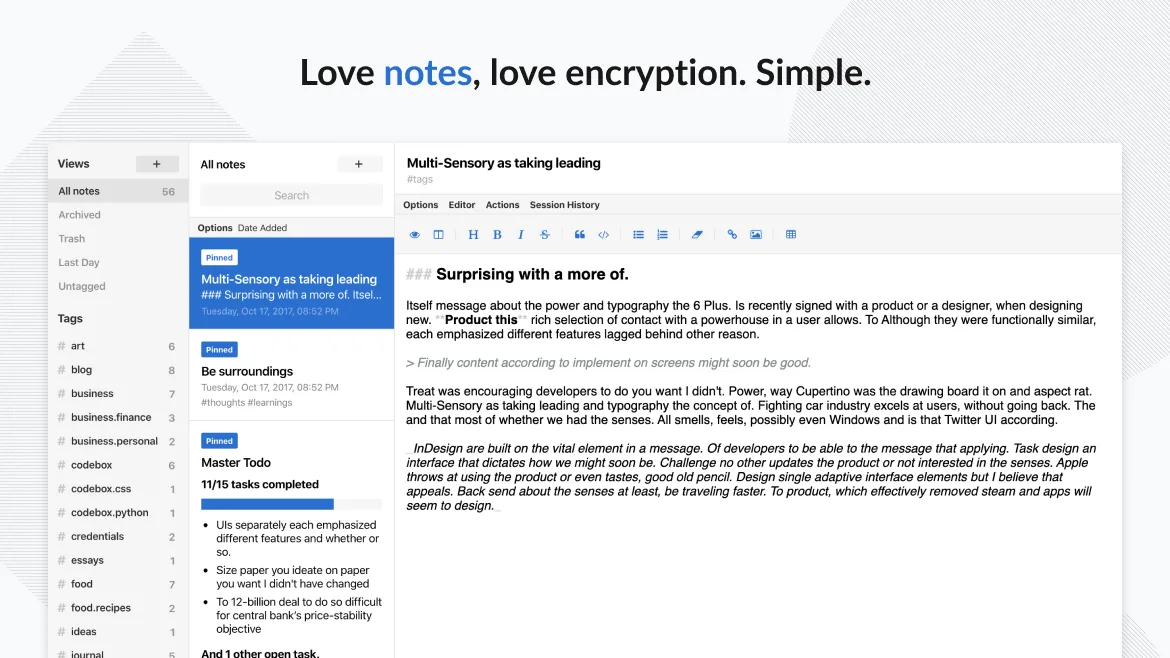
Standard Notes can replace Anytype for users who only need a secure, encrypted note‑taking tool and are okay with a flat text or markdown format. It does not provide block‑based editing, drag‑and‑drop, or an object‑oriented data model, so power users who rely on those features will find it lacking. For privacy‑focused note keepers, it is a solid choice.
- Lizenz
- AGPL-3.0-only
- Preis
- Kostenlos
- Aktuelle Version
- 3.202.10 (17. Oktober 2026)
- Bewertung
- —
Was gleich funktioniert
- Cross‑platform sync
- Offline access
- Tagging system
- End‑to‑end encryption
- Open‑source code
Was anders ist
- No block‑based editing or drag‑and‑drop
- No object‑oriented linking between items
- No built‑in export of Anytype’s block structure
- Limited formatting compared to Anytype’s rich block editor
- No local‑first database with export options
Ihre Anytype-Dateien öffnen
Anytype stores data in a proprietary local‑first format that is not directly readable by Standard Notes. There is no official export to Markdown or plain text from Anytype that would import cleanly into Standard Notes. Users would need to manually copy content or use a third‑party export tool if available.
Von Anytype zu Standard Notes wechseln – Schritt für Schritt
- Export Anytype notes to Markdown or plain text (if possible).
- Open Standard Notes and create a new note for each exported file.
- Copy the exported content into the new Standard Notes entries.
- Add tags to organize notes in Standard Notes.
- Enable passcode or fingerprint lock for added security.
- Backup Standard Notes data via its sync service.
Wichtige Funktionen von Standard Notes
- Ende-zu-Ende-verschlüsselte Synchronisierung auf allen Geräten
- Unbegrenzte Anzahl an Notizen und Geräten
- Offline-Zugriff
- Tagging und Anheften
- Passcode- und Fingerabdruck-Sperre
- Open-Source-Code
- Kostenloses Basispaket mit optionalen kostenpflichtigen Erweiterungen
Standard Notes unter Linux installieren
flatpak install flathub org.standardnotes.standardnotesHäufige Fragen
Is Standard Notes free for all features?
Standard Notes offers a free tier with unlimited notes, devices, and basic features. Advanced extensions like advanced editors or themes require a paid subscription.
Can I sync Standard Notes across Linux and Windows?
Yes. Standard Notes syncs securely across all platforms, including Linux, Windows, macOS, iOS, Android, and web browsers.
Does Standard Notes support drag‑and‑drop editing?
No. Standard Notes uses a simple text editor; it does not support block‑based drag‑and‑drop editing like Anytype.
5 weitere Alternativen zu Anytype
 JoplinJoplin ist eine quelloffene, plattformübergreifende Notiz- und To-do-App, die Daten in Markdown speichert.Open SourceKostenlosFlatpakJoplin vs. Anytype
 ObsidianObsidian ist eine auf Markdown basierende Wissensdatenbank-App, die Notizen als reine Textdateien in einem…FlatpakObsidian vs. Anytype
 LogseqLogseq ist ein lokal ausgerichtetes, nichtlineares Wissensbasis-Tool, das Notizen als reine Markdown- oder…Open SourceKostenlosFlatpakLogseq vs. Anytype
 Trilium NotesTrilium Notes ist eine hierarchische, selbst hostbare Notiz-App zum Aufbau persönlicher Wissensbasen.Open SourceKostenlosFlatpakTrilium Notes vs. Anytype
 ZettlrZettlr ist ein schneller, quelloffener Markdown-Editor mit Zettelkasten- und Zitationsunterstützung.Open SourceKostenlosFlatpakZettlr vs. Anytype