
 Tryton 8.0Linux
vs
Microsoft Dynamics 365Windows
Tryton 8.0Linux
vs
Microsoft Dynamics 365Windows
Tryton 8.0 als Linux-Alternative zu Microsoft Dynamics 365
Aktualisiert am
Unser Fazit
Tryton 8.0 can serve as a practical alternative to Microsoft Dynamics 365 for small‑to‑medium businesses that need basic ERP and CRM functions without a cloud subscription. It covers core accounting, inventory, sales, and workflow features, and its modular design lets you add only what you need. Users who rely heavily on advanced manufacturing, advanced analytics, or deep integration with other Microsoft services may find it lacking, but for companies looking for an open‑source, on‑premise solution, Tryton is a solid fit.
- Lizenz
- GPL-3.0-or-later
- Preis
- Kostenlos
- Aktuelle Version
- 8.0.9 (16. September 2026)
- Bewertung
- —
Was gleich funktioniert
- Both provide double‑entry accounting with multi‑currency support
- Both allow inventory and warehouse management with order processing
- Both support custom workflows and role‑based security
- Both offer reporting tools and data export options
- Both can be deployed in multi‑user environments
Was anders ist
- Tryton is open‑source and self‑hosted; Dynamics 365 is a cloud SaaS
- Tryton lacks built‑in advanced manufacturing and production planning modules present in Dynamics 365
- Dynamics 365 offers tighter integration with Microsoft Office and Azure services
- Tryton’s HR and payroll features are basic compared to Dynamics 365’s full HR suite
- Dynamics 365 provides out‑of‑the‑box mobile apps and AI‑driven analytics that Tryton does not
- Tryton requires manual installation and configuration, whereas Dynamics 365 is managed by Microsoft
Ihre Microsoft Dynamics 365-Dateien öffnen
There is no direct support for opening Dynamics 365 native files in Tryton. Data migration would need to export from Dynamics 365 (e.g., CSV, Excel, or OData feeds) and import into Tryton using its import tools. Exact compatibility depends on the format exported; no automated conversion exists.
Von Microsoft Dynamics 365 zu Tryton 8.0 wechseln – Schritt für Schritt
- Export accounting, inventory, and customer data from Dynamics 365 to CSV or Excel
- Clean and map the data to match Tryton’s field names and formats
- Install Tryton 8.0 on a Linux server and set up required modules
- Use Tryton’s import wizard to load the cleaned data into the corresponding modules
- Configure users, roles, and security settings in Tryton
- Test critical processes (sales, purchase, reporting) before decommissioning Dynamics 365
Wichtige Funktionen von Tryton 8.0
- Modulare Architektur, die die selektive Installation von Buchhaltungs-, HR- oder Lagermodulen ermöglicht
- Vollständiges doppelte Buchführungssystem mit Unterstützung für Mehrwährungen und Mehrfirmen
- Lager- und Warenhausverwaltung mit Unterstützung für Barcode-Scanning
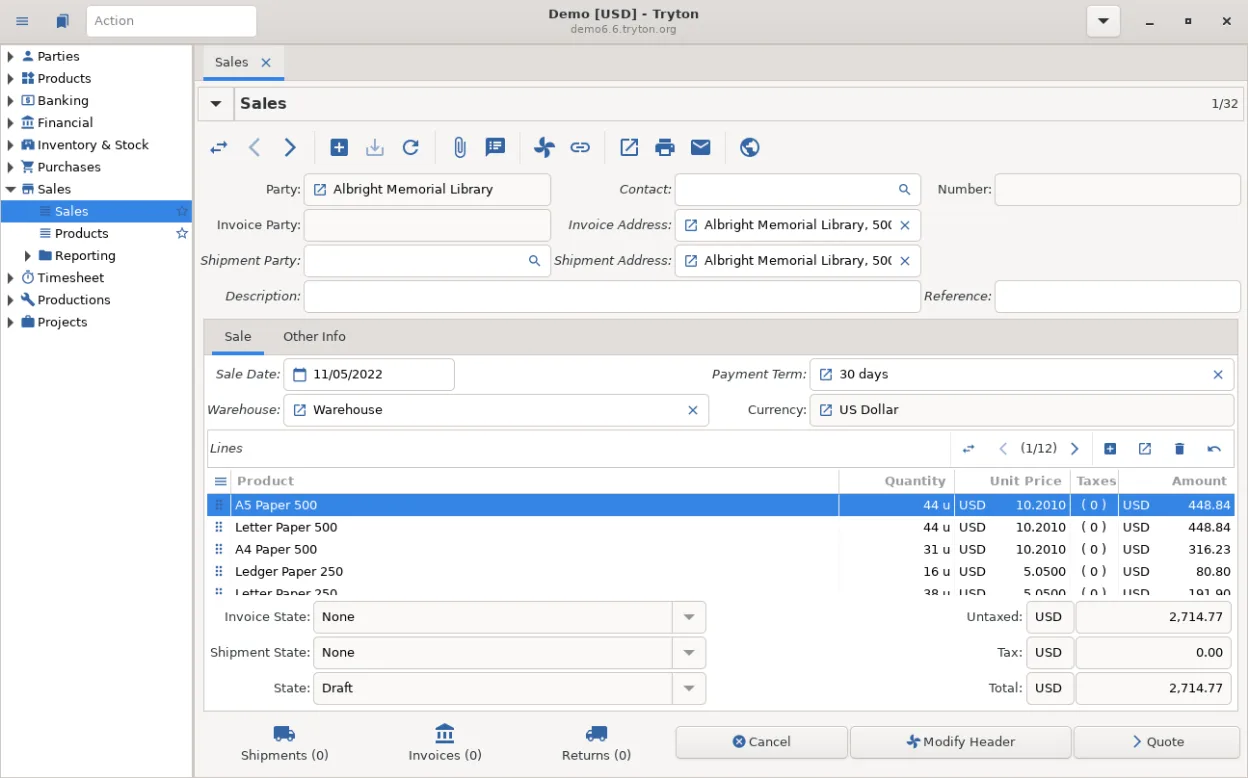
- Bearbeitung von Verkaufs- und Einkaufsaufträgen mit anpassbaren Genehmigungs-Workflows
- Personalmodul für Mitarbeiterdaten, Verträge und grundlegende Gehaltsabrechnung
- Erweiterbar über Python, ermöglicht benutzerdefinierte Module und Integrationen
- Client-Server-Architektur, die mehrere Benutzer und Remote-Zugriff unterstützt
- Umfassende Berichtswerkzeuge mit anpassbaren Abfragen und Exportoptionen
Tryton 8.0 unter Linux installieren
flatpak install flathub org.tryton.Tryton-80sudo zypper install trytonHäufige Fragen
Is Tryton suitable for large enterprises?
Tryton scales well for small to medium deployments, but very large enterprises may need additional modules or custom development to match the breadth of Dynamics 365.
Can I run Tryton on Windows?
Yes, Tryton is cross‑platform; it can be installed on Windows, macOS, or Linux, but the recommendation for a replacement is to run it natively on Linux.
What about support and updates?
Tryton is community‑driven; updates are released regularly, and commercial support can be obtained from third‑party vendors if needed.