
Windows · Wissenschaft & Bildung
Die besten Linux-Alternativen zu Zotero
Zotero is a free, open-source reference manager for organizing citations, PDFs, and research notes with browser integration.
Aktualisiert am
2 Linux-Alternativen zu Zotero
-
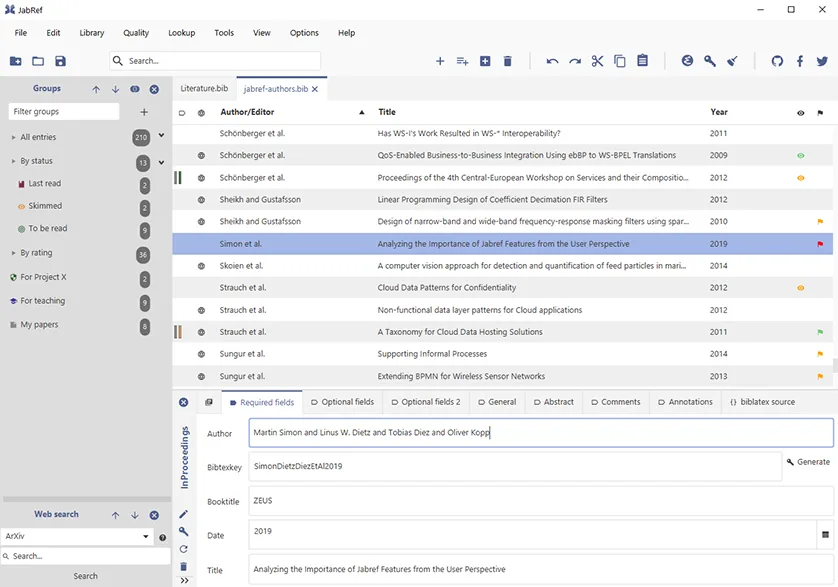
JabRef ist eine plattformübergreifende Java-Anwendung zur Verwaltung von BibTeX- und biblatex-Datenbanken, entwickelt für die akademische Zitierverwaltung.
JabRef can replace Zotero for users who work mainly with BibTeX/BibLaTeX and are comfortable with a more technical workflow. It handles bibliography databases, DOI/ISBN lookup, PDF storage and annotation, and offers CSL‑based citation styles, so it covers the core reference‑management tasks…
Funktionsabdeckung78% -
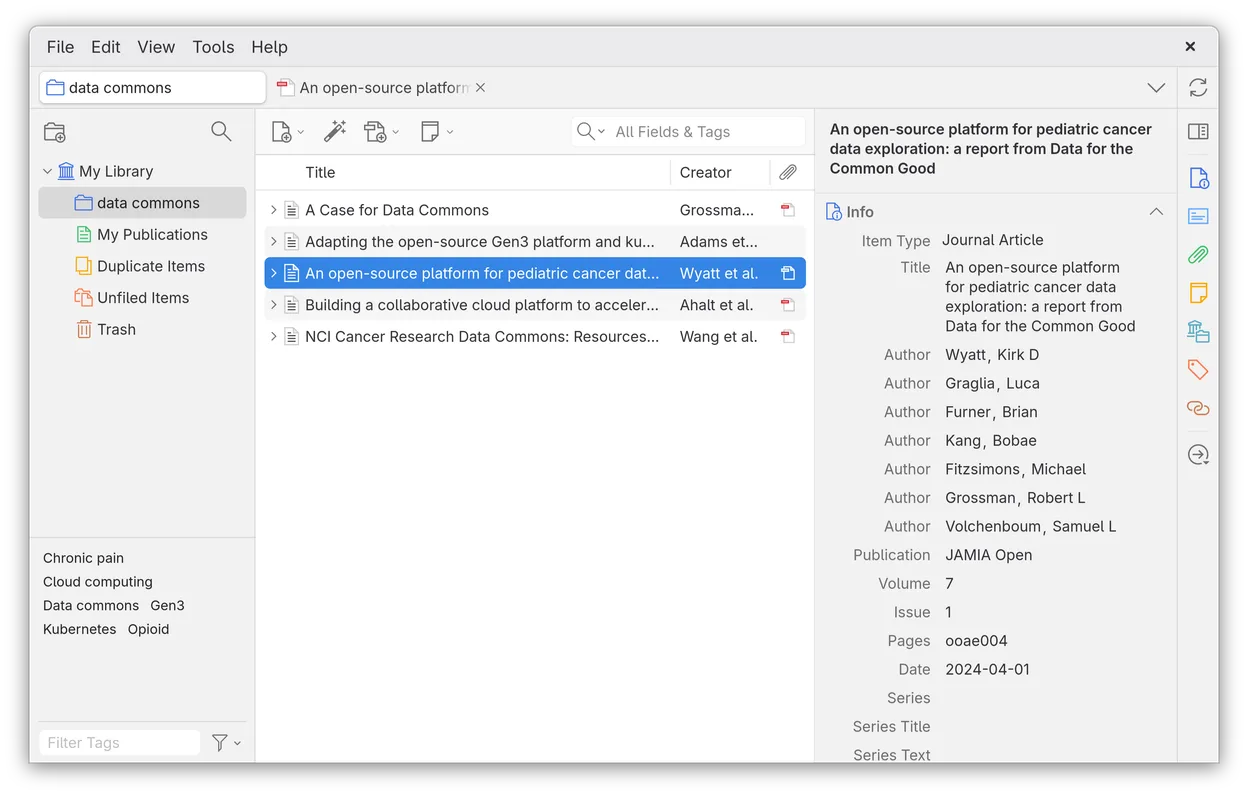
Zotero is a reference manager that lets you collect, organize, and cite research materials across multiple formats.
Zotero on Linux is the same product as the Windows version, so it is an excellent replacement for Windows users who want to keep using Zotero. It runs natively on most distributions via native packages, Flatpak, or Snap, and offers the full feature set: web‑capture, PDF storage, in‑text citation…
Funktionsabdeckung95%


Was ist Zotero?
Zotero is a reference management tool used by academics, researchers, and students to collect bibliographic data and related files like PDFs and ePUBs. It helps users organize sources, generate in-text citations, and create bibliographies for papers. The software integrates with web browsers to capture metadata automatically and includes a reader for annotating documents directly within the application.
The software is free and open-source, developed by the non-profit Corporation for Digital Scholarship. There are no license fees for individual use, and the core functionality is available to everyone. While there is a paid cloud storage option for syncing large libraries, the local application itself remains free, making it accessible for both personal and institutional use without proprietary restrictions.
Many users seek a Linux alternative because Zotero is cross-platform and already runs natively on Linux. However, some users may prefer a different open-source tool that integrates more tightly with their specific workflow or word processor. Additionally, users might look for alternatives if they want a different interface or if they are using a Linux distribution where they prefer software from specific repositories rather than direct downloads.
Was ein Ersatz für Zotero können muss
- Bibliographic data management
- PDF and ePUB file storage
- In-text citation generation
- Bibliography export in multiple styles
- Web browser integration for capturing sources
- Word processor integration
- Note-taking and annotation capabilities
Läuft Zotero unter Linux?
Zotero has a native Linux application that runs directly on the system without the need for Wine or Proton. You can download the installer from the official website, which provides packages for various Linux distributions. Since it is a native app, it integrates well with the desktop environment and does not rely on Windows compatibility layers, ensuring stable performance and proper file system access.
Welche Alternative passt zu Ihnen?
If you are already using Zotero, sticking with it is often the simplest path since it is a native Linux app with robust features. JabRef is a strong alternative if you prefer a tool that is deeply integrated with LaTeX workflows, as it is a staple in the academic LaTeX community. Choose JabRef if you primarily work in LaTeX and want a dedicated BibTeX editor, or stick with Zotero if you need a more general-purpose reference manager with strong PDF annotation and web capture features that works well with word processors like LibreOffice.
Dateien und Gewohnheiten aus Zotero mitnehmen
Migrating between these tools is straightforward because both support standard formats. You can export your library from Zotero as a BibTeX file, which JabRef can import directly. Conversely, you can export from JabRef to BibTeX and import it into Zotero. Ensure you back up your original PDFs and notes, as file attachments may need to be manually re-linked or imported depending on the specific export settings you choose during the transfer process.
Direkter Vergleich
Zotero: häufige Fragen
Does Zotero work natively on Linux?
Yes, Zotero provides a native Linux installer that does not require Wine or other compatibility layers.
Can I import my Zotero library into JabRef?
Yes, you can export your Zotero data as a BibTeX file and import it into JabRef to maintain your citation data.
Is the cloud storage free?
Zotero offers a limited amount of free cloud storage for syncing. For larger libraries, a paid subscription is required, but local use is free.
Does JabRef support PDF annotation like Zotero?
JabRef focuses primarily on BibTeX management and has limited built-in PDF annotation capabilities compared to Zotero's dedicated reader.
Wie wichtig ist Ihnen Zotero?
Kennen Sie eine bessere Alternative? Alternative vorschlagen