
 CalligraLinux
vs
Adobe InCopyWindows
CalligraLinux
vs
Adobe InCopyWindows
Calligra como alternativa Linux a Adobe InCopy
Actualizado el
Nuestra opinión
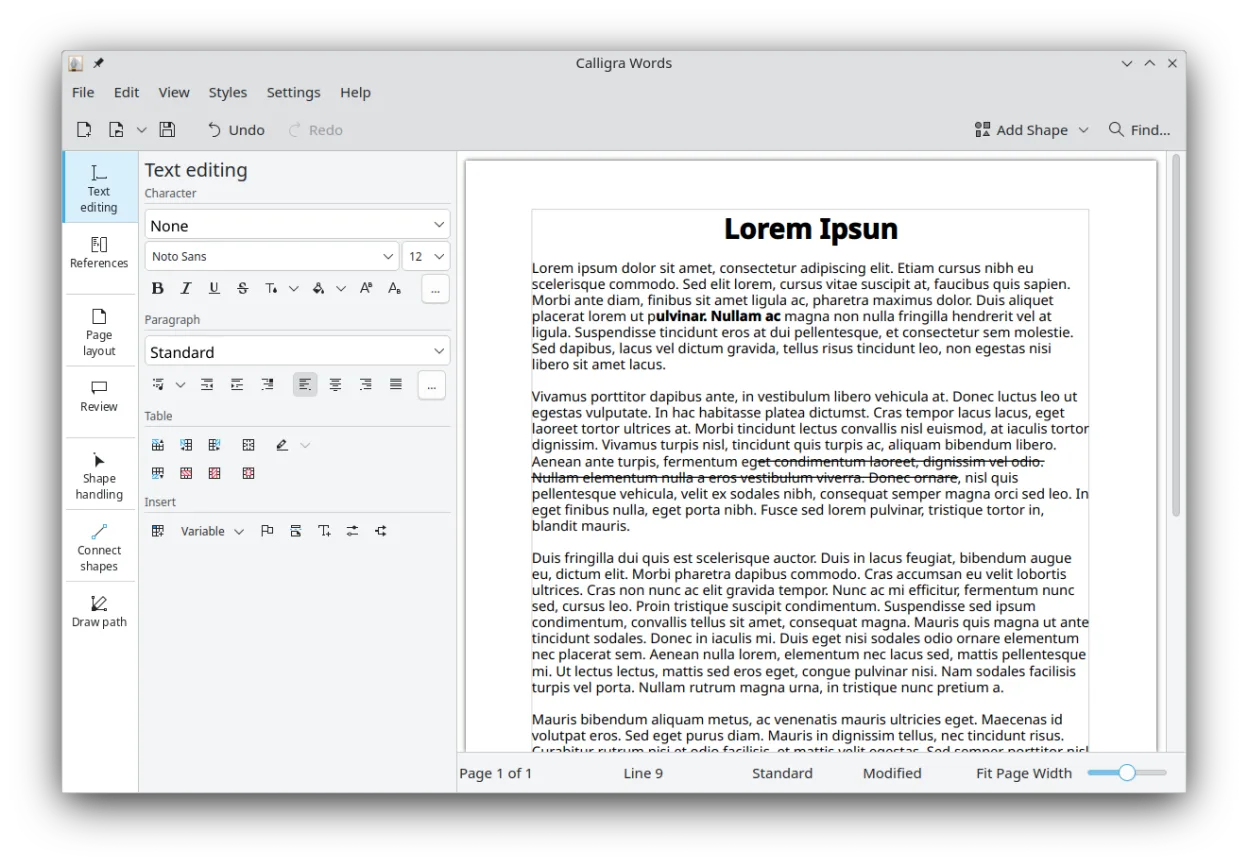
Calligra Words can replace Adobe InCopy for basic editorial work that relies on word processing and simple desktop publishing. It offers track changes, spell check, word count, and PDF export, and can open DOCX and ODT files. However, it lacks the tight integration with InDesign, advanced layout preview, and some of InCopy’s editorial workflow features. It is suitable for small teams or freelancers who need a free, open‑source tool for text editing and occasional page layout, but not for large publishing houses that depend on InCopy’s specialized workflow.
- Licencia
- GPL-2.0-or-later
- Precio
- Gratis
- Última versión
- 26.04.3 (2 de julio de 2026)
- Valoración
- —
Lo que funciona igual
- Both support track changes and revision history
- Both provide spell checking and word count
- Both can import DOCX and ODT files
- Both allow export to PDF for proofing
Lo que cambia
- Calligra Words does not integrate with InDesign or other layout programs
- It lacks advanced layout preview of complex page elements
- It does not offer the same level of editorial workflow tools such as inline comments tied to layout
- It does not support some InCopy‑specific file formats or metadata
- Its reflow behavior may differ when editing large documents
Abrir tus archivos de Adobe InCopy
Calligra Words can open DOCX and ODT files, but it does not natively read Adobe InCopy (.icn) files. Users would need to export InCopy documents to PDF or another common format before opening them in Calligra. Exporting from Calligra to InCopy is not supported; the best practice is to use PDF or DOCX as the interchange format.
Pasar de Adobe InCopy a Calligra, paso a paso
- Export the InCopy document to PDF or DOCX from InDesign or InCopy.
- Install Calligra Words from your distribution’s package manager or Flathub.
- Open the exported file in Calligra Words and review formatting.
- Use Calligra’s track changes and spell check to edit the text.
- Export the final version back to PDF for proofing or to DOCX for further use.
Funciones clave de Calligra
- Calligra Words para procesamiento de textos y publicación de escritorio
- Calligra Sheets para hojas de cálculo y cálculos
- Calligra Stage para crear presentaciones con complementos
- Karbon para gráficos vectoriales y dibujo
- Integración entre todos los componentes de la suite
- Soporte para formatos de archivo de oficina comunes
- Sistema de complementos extensible para Stage y Karbon
Cómo instalar Calligra en Linux
flatpak install flathub org.kde.calligrasudo apt install calligrasudo apt install calligrasudo dnf install calligrasudo pacman -S calligraPreguntas frecuentes
Can Calligra Words edit an InCopy file directly?
No, Calligra Words does not support the proprietary .icn format. You must export the document to a common format first.
Does Calligra Words support collaborative editing like InCopy?
It supports track changes and revision history, but it does not provide real‑time collaboration or integration with a layout program like InDesign.
Will Calligra Words preserve the layout when opening a PDF exported from InCopy?
PDFs are read as static images; Calligra Words can extract text but will not preserve complex layout or page formatting. For layout fidelity, use the original InDesign file.
Otras 2 alternativas a Adobe InCopy
 ScribusScribus es un programa de maquetación de escritorio gratuito y de código abierto para la composición de…Código abiertoGratisFlatpakScribus vs Adobe InCopy
 LibreOffice WriterLibreOffice Writer es un procesador de textos gratuito y de código abierto, parte de la suite de oficina…Código abiertoGratisFlatpakLibreOffice Writer vs Adobe InCopy