
 Delta ChatLinux
vs
Microsoft Teams (newest version with AI integration)Windows
Delta ChatLinux
vs
Microsoft Teams (newest version with AI integration)Windows
Delta Chat como alternativa Linux a Microsoft Teams (newest version with AI integration)
Actualizado el
Nuestra opinión
Delta Chat is not a direct replacement for Microsoft Teams, especially in business environments relying on AI features, video conferencing, and deep calendar integration. It excels in secure, decentralized messaging and works well for small teams or individuals prioritizing privacy and email-based communication. However, it lacks real-time high-quality video meetings, AI tools, and enterprise collaboration features. Use Delta Chat if you value decentralization and encryption over feature parity with Teams. It’s better suited for informal or privacy-focused groups than corporate workflows.
- Licencia
- GPL-3.0+
- Precio
- Gratis
- Última versión
- v2.62.0 (27 de septiembre de 2026)
- Valoración
- —
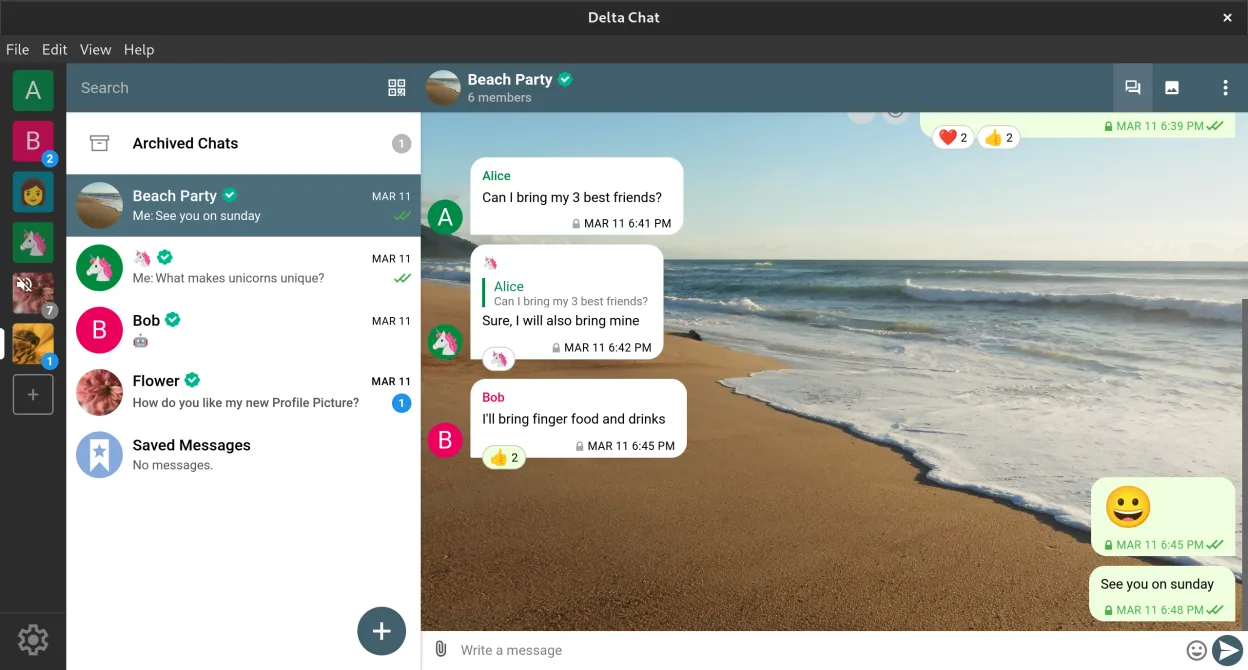
Lo que funciona igual
- Both support group chats and direct messaging
- File sharing between users is possible
- Cross-platform availability on desktop and mobile
- End-to-end encryption for secure communication
- Extensible with bots and tools
Lo que cambia
- Delta Chat lacks built-in high-quality video and audio conferencing
- No AI integration such as meeting summaries or transcription
- No native calendar or email integration beyond email transport
- Screen sharing and virtual whiteboards are not supported
- Relies on email infrastructure instead of centralized servers
Abrir tus archivos de Microsoft Teams (newest version with AI integration)
Delta Chat does not support opening Microsoft Teams-specific files like meeting recordings, Planner tasks, or AI-generated summaries. You can exchange common file types (PDF, documents, images) manually, but there's no direct import or conversion feature. If your workflow depends on Teams-native formats or cloud-only files, migration will require exporting to standard formats first. Compatibility is limited to generic attachments.
Pasar de Microsoft Teams (newest version with AI integration) a Delta Chat, paso a paso
- Export important files from Microsoft Teams to standard formats
- Set up Delta Chat with your email account and enable Autocrypt
- Invite team members to start a new group chat
- Use bots for simple collaboration tasks like polls or reminders
- Share files directly in chat as needed
Funciones clave de Delta Chat
- Cifrado de extremo a extremo mediante Autocrypt
- Funciona con cualquier dirección de correo, sin cuenta central necesaria
- Soporta chats grupales, transferencia de archivos y mensajes de voz
- Extensible con bots para encuestas, calendarios y juegos
- Sincronización entre dispositivos con múltiples perfiles
- Mensajería sin conexión y entrega confiable en redes deficientes
- No requiere número de teléfono para la configuración
- Estándares abiertos: IMAP, SMTP, Autocrypt
Cómo instalar Delta Chat en Linux
flatpak install flathub chat.delta.desktopPreguntas frecuentes
Can Delta Chat do video calls like Microsoft Teams?
No, Delta Chat does not support video or voice calls. It only supports text, file sharing, and voice messages. For video conferencing, you'd need a separate app.
Does Delta Chat work with Outlook or Exchange?
Yes, if your email works with IMAP/SMTP, Delta Chat can use it. But calendar invites or rich presence from Exchange won’t sync into Delta Chat.
Can I use Delta Chat alongside Microsoft Teams?
Yes. Use Delta Chat for secure messaging and file exchange while keeping Teams for meetings and AI features. They can coexist on the same devices.
Otras 2 alternativas a Microsoft Teams (newest version with AI integration)
 Jitsi MeetJitsi Meet es un cliente de videoconferencias de código abierto que se conecta a cualquier servidor Jitsi…Código abiertoGratisFlatpakJitsi Meet vs Microsoft Teams (newest version with AI integration)
 ElementElement es un cliente de chat y videoconferencia basado en matrices, de código abierto, para Linux.Código abiertoGratisFlatpakElement vs Microsoft Teams (newest version with AI integration)
Todas las alternativas a Microsoft Teams (newest version with AI integration)