
 FirefoxLinux
vs
ChromeWindows
Firefox como alternativa Linux a Chrome
Actualizado el
Nuestra opinión
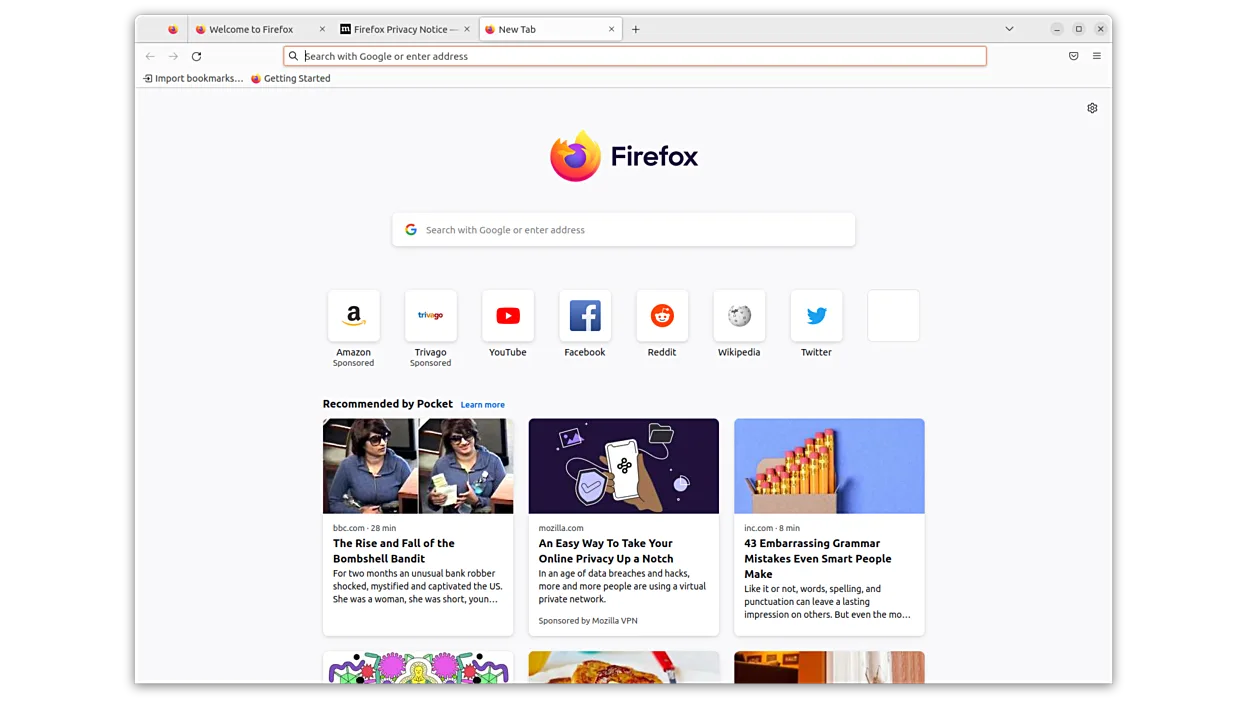
Firefox is a solid replacement for Chrome, especially for users who prioritize privacy and dislike Google's data collection. It's fast, supports most websites and web apps, and has strong extension support. While some Chrome-specific features like seamless Google account integration are missing, Firefox performs well for browsing, streaming, and general use. Users not deeply tied to Google services will find it easy to switch. It’s particularly suited for those who value open-source software and want more control over their browser environment.
- Licencia
- MPL-2.0
- Precio
- Gratis
- Última versión
- 159.0 (22 de octubre de 2026)
- Valoración
- —
Lo que funciona igual
- Both are fast, modern web browsers with support for HTML5, WebAssembly, and common web standards
- Support for extensions via official add-on stores
- Available on multiple platforms including Linux, Windows, and macOS
- Offer syncing of bookmarks, history, and passwords across devices
- Regular updates with security patches and performance improvements
Lo que cambia
- Firefox lacks deep integration with Google services like automatic sign-in and Chrome Sync
- No built-in support for Chrome-specific APIs like Google Safe Browsing (uses its own tracking protection instead)
- Container tabs isolate sessions but work differently than Chrome profiles
- Firefox is developed by a non-profit (Mozilla), while Chrome is a Google product
- Google accounts cannot be added directly in Firefox for syncing; uses Firefox Accounts instead
Abrir tus archivos de Chrome
Firefox can open HTML files and bookmarks exported from Chrome via standard formats like HTML or JSON. You can import Chrome bookmarks, history, and saved passwords directly using Firefox’s import tool. However, Chrome-specific data such as open tabs across devices or extension settings won’t transfer. Session sync between Chrome and Firefox isn’t supported, but most user data like passwords and cookies can be migrated manually or through export/import.
Pasar de Chrome a Firefox, paso a paso
- Export bookmarks from Chrome as an HTML file
- Install Firefox from your distribution’s repository or Flathub
- Open Firefox and use 'Import Data' to bring in bookmarks, passwords, and history
- Install essential extensions from Firefox Add-ons
- Set Firefox as default browser in system settings
- Sign in to Firefox Account for cross-device sync
Funciones clave de Firefox
- Carga rápida de páginas
- Controles de privacidad robustos
- Interfaz personalizable
- Ampliable con complementos
- Sincronización multiplataforma
- Código abierto
- Actualizaciones regulares de seguridad
Cómo instalar Firefox en Linux
flatpak install flathub org.mozilla.firefoxsudo apt install firefoxsudo apt install firefox-esrsudo dnf install firefoxsudo pacman -S firefoxsudo zypper install MozillaFirefoxPreguntas frecuentes
Can I use Google services like Gmail and Drive in Firefox?
Yes, Firefox fully supports Google services including Gmail, Drive, and YouTube. Performance and functionality are on par with Chrome.
Does Firefox sync with Chrome?
No, Firefox uses its own sync system via Firefox Accounts. You can’t directly sync with Chrome, but you can import data once.
Is Firefox slower than Chrome?
Not noticeably. Firefox performs similarly on most websites. It may use less memory over time due to better tab management.
Otras 5 alternativas a Chrome
 ChromiumChromium es el proyecto de navegador de código abierto detrás de Chrome y Edge, que ofrece una experiencia…Código abiertoGratisFlatpakChromium vs Chrome
 BraveBrave es un navegador web rápido y centrado en la privacidad que bloquea anuncios y rastreadores por defecto…Código abiertoGratisFlatpakBrave vs Chrome
 LibreWolfLibreWolf es una bifurcación independiente de Firefox centrada en la privacidad, diseñada para eliminar la…Código abiertoGratisFlatpakLibreWolf vs Chromequtebrowserqutebrowser es un navegador web minimalista, impulsado por el teclado, diseñado para la eficiencia y la…Código abiertoGratisqutebrowser vs Chrome
 EpiphanyEpiphany (GNOME Web) es un navegador ligero basado en GNOME construido sobre WebKit.Código abiertoGratisEpiphany vs Chrome