
 GeanyLinux
vs
AtomWindows
Geany como alternativa Linux a Atom
Actualizado el
Nuestra opinión
Geany is a solid, lightweight replacement for Atom if you prioritize speed and low resource usage over a vast plugin ecosystem. It covers the core needs: syntax highlighting for many languages, code folding, and an embedded terminal. However, it lacks Atom’s deep extensibility and modern UI customization. It is ideal for developers who find Atom too heavy or who prefer a traditional, fast IDE feel. If you relied heavily on specific Atom packages for complex workflows, you may need to adapt your habits or look for a heavier IDE like VS Code. For basic coding and scripting, Geany performs well and starts instantly.
- Licencia
- GPL-2.0+
- Precio
- Gratis
- Última versión
- 2.1.0 (6 de julio de 2025)
- Valoración
- —
Lo que funciona igual
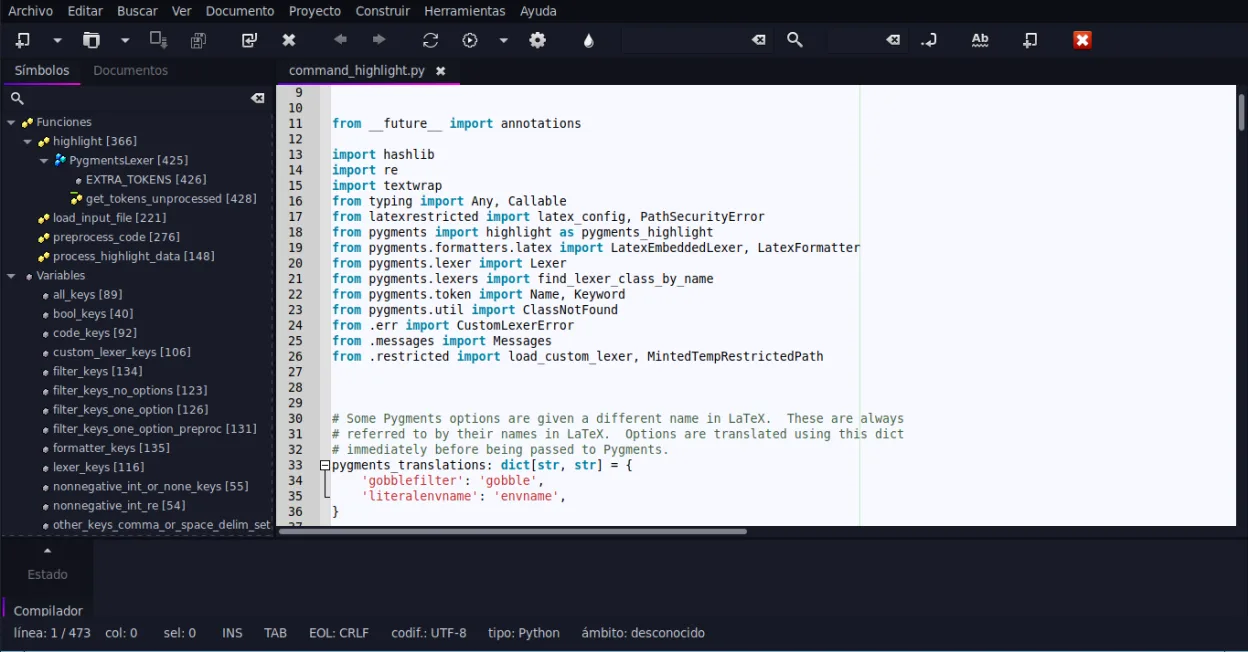
- Supports syntax highlighting for a wide variety of programming languages
- Extensible via a plugin system to add functionality
- Includes code completion and auto-completion features
- Offers code folding and symbol navigation
- Lightweight and fast startup compared to Electron-based editors
Lo que cambia
- Geany is a traditional IDE with a fixed layout, lacking Atom’s highly customizable UI and themes
- Atom had a massive community-driven package ecosystem; Geany’s plugin catalog is smaller and less dynamic
- Geany does not have an integrated Git GUI as central to its workflow as Atom’s core Git packages
- Atom was cross-platform (Windows, Mac, Linux); Geany is primarily a Linux/Unix application
- Geany uses a C-based architecture, resulting in lower memory usage but potentially less modern feature parity
Abrir tus archivos de Atom
Geany opens standard text files (.c, .py, .js, .html, etc.) directly, so your project source code will open without issue. However, Atom’s workspace settings, keymaps, and package configurations are stored in JSON and YAML files within the ~/.atom directory. Geany does not import these. You will need to manually reconfigure your themes, shortcuts, and plugins in Geany’s preferences. There is no direct converter for Atom’s .cson or .json config files to Geany’s .ini or .xml format.
Pasar de Atom a Geany, paso a paso
- Install Geany via your distribution’s package manager or Flathub
- Open your existing project folders in Geany to verify syntax highlighting works
- Configure your preferred theme and font in Geany’s Preferences
- Enable required plugins via the Plugin Manager (e.g., for Git or additional language support)
- Set up your keybindings to match your previous Atom workflow if possible
- Test code completion and terminal integration to ensure they meet your needs
Funciones clave de Geany
- Resaltado de sintaxis para más de 30 lenguajes
- Autocompletado de código y de construcciones comunes
- Emulador de terminal integrado
- Administrador de complementos con complementos preinstalados
- Plegado de código y listas de símbolos
- Soporte para autocompletado de etiquetas XML/HTML
Cómo instalar Geany en Linux
flatpak install flathub org.geany.Geanysudo apt install geanysudo apt install geanysudo dnf install geanysudo pacman -S geanysudo zypper install geanyPreguntas frecuentes
Can Geany replace Atom for web development?
Yes, for basic HTML, CSS, and JavaScript editing. It has syntax highlighting and tag completion. However, it lacks the integrated debugging tools and live preview features that many Atom users relied on via packages. You may need to use external tools for complex web workflows.
Is Geany’s plugin system as powerful as Atom’s?
No. Atom’s ecosystem was massive with thousands of packages. Geany has a smaller, more curated set of plugins. It covers common needs like Git integration and additional language support, but you won’t find the same level of specialized, niche tools.
Will Geany run on Windows?
Geany is primarily developed for Linux and Unix-like systems. While there may be unofficial Windows builds or ports, it is not officially supported or maintained for Windows. For Windows users, VS Code or Notepad++ are more standard alternatives.
Otras 5 alternativas a Atom
 Visual Studio CodeUn editor de código ligero y extensible que admite depuración, Git y muchos lenguajes.GratisFlatpakVisual Studio Code vs Atom
 NeovimNeovim es un fork moderno de Vim que añade extensibilidad, soporte avanzado para interfaces de usuario y…Código abiertoGratisFlatpakNeovim vs Atom
 GNU EmacsGNU Emacs es un editor de texto altamente extensible e intérprete Lisp que funciona como un entorno de…Código abiertoGratisFlatpakGNU Emacs vs Atom
 KateKate es un editor de texto con muchas funciones, orientado a programadores, de KDE, con soporte para más de…Código abiertoGratisFlatpakKate vs Atom
 geditgedit es el editor de texto ligero y de propósito general de GNOME, adecuado para notas, documentos y edición…Código abiertoGratisFlatpakgedit vs Atom