
 GitKrakenLinux
vs
GitHub DesktopWindows
GitKrakenLinux
vs
GitHub DesktopWindows
GitKraken como alternativa Linux a GitHub Desktop
Actualizado el
Nuestra opinión
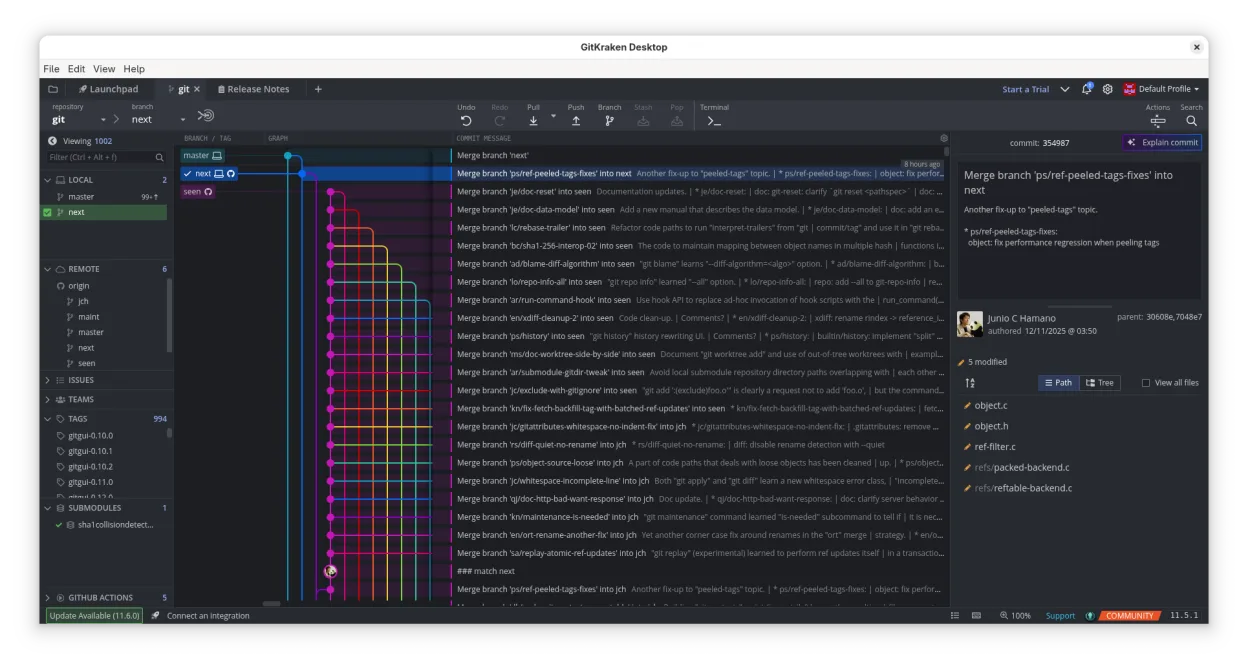
GitKraken can replace GitHub Desktop for users who want a richer visual interface and integrated issue tracking, especially on Linux. It covers most everyday tasks—cloning, branching, committing, pushing, pulling, viewing history, resolving conflicts—and adds a built‑in editor and Glo Boards. It is best for developers who prefer drag‑and‑drop Git operations and want to keep GitHub workflow inside one app. It is less suitable for users who only need a lightweight, no‑frills client or who rely on GitHub Desktop’s simple issue integration.
- Licencia
- LicenseRef-proprietary
- Precio
- freemium
- Última versión
- 12.6.1 (19 de octubre de 2026)
- Valoración
- —
Lo que funciona igual
- Clone repositories from GitHub
- Create, switch, and delete branches
- Commit changes via GUI
- Push and pull to/from remote
- View commit history and diffs
Lo que cambia
- GitKraken is proprietary and requires a license for full features
- It offers a built‑in code editor, not present in GitHub Desktop
- Integrated Glo Boards for task tracking, not in GitHub Desktop
- Supports GitLab, Bitbucket, VSTS in addition to GitHub
- More advanced Git workflow options (Gitflow, LFS, submodules)
Abrir tus archivos de GitHub Desktop
GitHub Desktop stores its data in a local SQLite database and a settings JSON file. GitKraken does not import these files directly. To migrate, you will need to re‑clone repositories and recreate any custom settings or workflows manually.
Pasar de GitHub Desktop a GitKraken, paso a paso
- Export the list of repositories from GitHub Desktop (e.g., copy URLs).
- Install GitKraken from the official website or Flathub.
- Create a new project in GitKraken and paste each repository URL to clone.
- Re‑create any custom branch or tag settings within GitKraken’s UI.
Funciones clave de GitKraken
- Gráfico visual de commits con temas oscuro/claro
- Fusión, rebase y push con arrastrar y soltar
- Editor de código integrado con resaltado de sintaxis
- Flujo de trabajo integrado para solicitudes de extracción
- Glo Boards para seguimiento de tareas
- Soporte para GitHub, GitLab, Bitbucket, VSTS
- Múltiples perfiles de usuario
- Gitflow, LFS, submódulos
Cómo instalar GitKraken en Linux
flatpak install flathub com.axosoft.GitKrakenOtras 4 alternativas a GitHub Desktop
 GitKrakenGitKraken es un cliente Git multiplataforma con seguimiento integrado de incidencias y edición de código.FlatpakGitKraken vs GitHub DesktopLazygitUna interfaz de terminal rápida y amigable para Git que simplifica flujos de trabajo complejos sin salir de…Código abiertoGratisLazygit vs GitHub Desktop
 gitgGitg es una interfaz gráfica ligera para Git que visualiza el historial de commits y gestiona repositorios.Código abiertoGratisFlatpakgitg vs GitHub Desktop
 Git ColaGit Cola es un cliente gráfico de Git ligero y con muchas funciones para Linux.Código abiertoGratisFlatpakGit Cola vs GitHub Desktop