
 GitKrakenLinux
vs
GitHub DesktopWindows
GitKrakenLinux
vs
GitHub DesktopWindows
GitKraken as a Linux alternative to GitHub Desktop
Updated
Our verdict
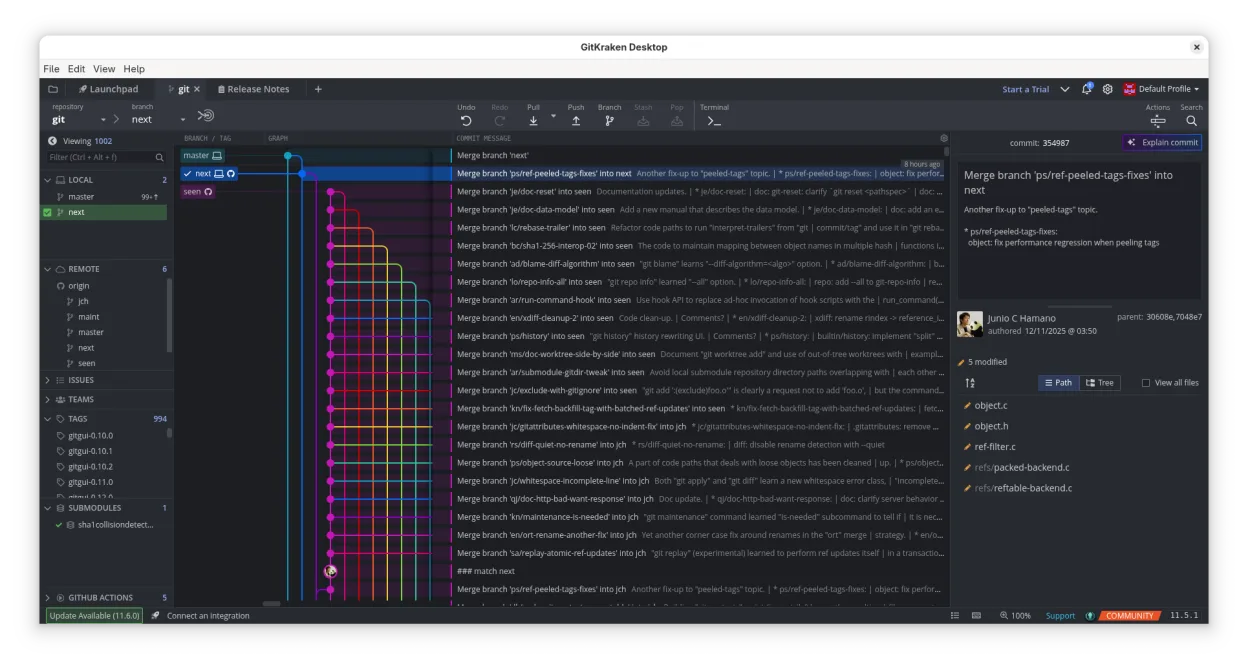
GitKraken can replace GitHub Desktop for users who want a richer visual interface and integrated issue tracking, especially on Linux. It covers most everyday tasks—cloning, branching, committing, pushing, pulling, viewing history, resolving conflicts—and adds a built‑in editor and Glo Boards. It is best for developers who prefer drag‑and‑drop Git operations and want to keep GitHub workflow inside one app. It is less suitable for users who only need a lightweight, no‑frills client or who rely on GitHub Desktop’s simple issue integration.
- License
- LicenseRef-proprietary
- Price
- freemium
- Latest version
- 12.6.0 (October 1, 2026)
- Rating
- —
What works the same
- Clone repositories from GitHub
- Create, switch, and delete branches
- Commit changes via GUI
- Push and pull to/from remote
- View commit history and diffs
What is different
- GitKraken is proprietary and requires a license for full features
- It offers a built‑in code editor, not present in GitHub Desktop
- Integrated Glo Boards for task tracking, not in GitHub Desktop
- Supports GitLab, Bitbucket, VSTS in addition to GitHub
- More advanced Git workflow options (Gitflow, LFS, submodules)
Opening your GitHub Desktop files
GitHub Desktop stores its data in a local SQLite database and a settings JSON file. GitKraken does not import these files directly. To migrate, you will need to re‑clone repositories and recreate any custom settings or workflows manually.
Switching from GitHub Desktop to GitKraken, step by step
- Export the list of repositories from GitHub Desktop (e.g., copy URLs).
- Install GitKraken from the official website or Flathub.
- Create a new project in GitKraken and paste each repository URL to clone.
- Re‑create any custom branch or tag settings within GitKraken’s UI.
Key features of GitKraken
- Visual commit graph with dark/light themes
- Drag‑and‑drop merge, rebase, push
- Built‑in code editor with syntax highlighting
- Integrated pull‑request workflow
- Glo Boards for task tracking
- Support for GitHub, GitLab, Bitbucket, VSTS
- Multiple user profiles
- Gitflow, LFS, submodules
How to install GitKraken on Linux
flatpak install flathub com.axosoft.GitKraken4 other alternatives to GitHub Desktop
 GitKrakenGitKraken is a cross‑platform Git client with integrated issue tracking and code editing.FlatpakGitKraken vs GitHub DesktopLazygitA fast and user-friendly terminal UI for Git that simplifies complex workflows without leaving your command…Open sourceFreeLazygit vs GitHub Desktop
 gitgGitg is a lightweight graphical interface for Git that visualizes commit history and manages repositories.Open sourceFreeFlatpakgitg vs GitHub Desktop
 Git ColaGit Cola is a lightweight, feature‑rich graphical Git client for Linux.Open sourceFreeFlatpakGit Cola vs GitHub Desktop