
 Gnome MPlayerLinux
vs
Gnome MPlayerLinux
vs
 Windows Media Player (wmp)Windows
Gnome MPlayer como alternativa Linux a Windows Media Player (wmp)
Actualizado el
Nuestra opinión
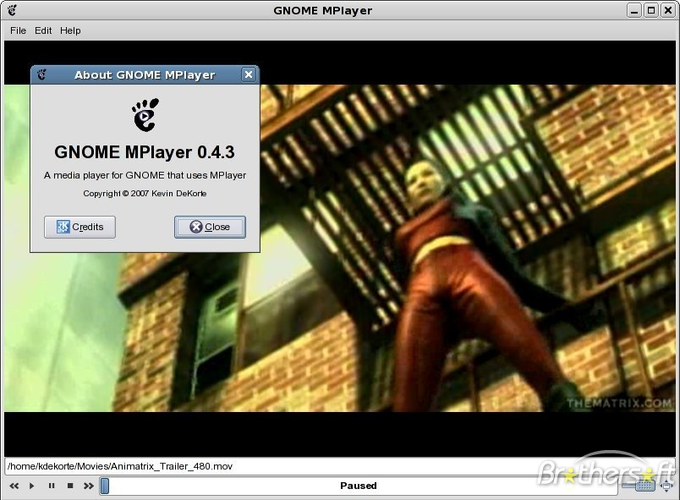
Gnome MPlayer is a functional but outdated replacement for Windows Media Player. It handles basic playback of common audio and video files well due to the MPlayer engine, but it lacks a modern library manager. Since the project is discontinued, you will not receive updates or security patches. It is suitable only for users who need a lightweight, low-resource player for simple tasks and do not require extensive metadata management, album art display, or a polished, current user interface. For most users, modern alternatives like VLC or Totem are better choices.
- Licencia
- GPL
- Precio
- Gratis
- Última versión
- 1.0.9
- Valoración
- —
Lo que funciona igual
- Plays common audio formats like MP3, AAC, and WAV
- Plays common video formats like MP4, AVI, and WMV
- Provides basic playlist management
- Offers simple playback controls for quick use
- Runs as a desktop application with a graphical interface
Lo que cambia
- Lacks a robust library manager for organizing media by metadata
- Does not display album art or manage collections effectively
- Development is discontinued, meaning no future updates or bug fixes
- Subtitle support is present but less integrated and user-friendly than WMP
- Interface is dated and less polished compared to modern media players
Abrir tus archivos de Windows Media Player (wmp)
Gnome MPlayer can play most common media files (MP3, MP4, AVI, etc.) that Windows Media Player handles. It does not use the Windows Media Player library database format, so you cannot directly import WMP's library. You will need to manually add files or folders to Gnome MPlayer's playlist. It does not export playlists in WMP's specific format, though it can save standard M3U or ASX playlists.
Pasar de Windows Media Player (wmp) a Gnome MPlayer, paso a paso
- Install Gnome MPlayer via your package manager
- Locate your media files on the Linux filesystem
- Open Gnome MPlayer and use 'Add Files' or 'Add Folder' to load media
- Configure subtitle paths in MPlayer settings if needed
- Create a new playlist within Gnome MPlayer for frequent tracks
- Test playback of various formats to ensure codec support
Funciones clave de Gnome MPlayer
- Frontend para el motor MPlayer
- Admite la mayoría de los formatos de audio y video comunes
- Interfaz simple y ligera
- Controles básicos de reproducción y soporte de listas de reproducción
- Configuración mediante ajustes de MPlayer
- Funciona en escritorios GNOME con bajo consumo de recursos
Cómo instalar Gnome MPlayer en Linux
sudo pacman -S gnome-mplayerPreguntas frecuentes
Is Gnome MPlayer still maintained?
No, Gnome MPlayer is discontinued. It is no longer actively developed, which means it may lack support for newer codecs or security updates.
Can I import my Windows Media Player library?
No, there is no direct import tool for WMP libraries. You must manually add files or folders to Gnome MPlayer, as it does not use the same database structure.
Does it handle subtitles well?
It supports subtitles via the MPlayer engine, but the interface for managing and syncing them is basic compared to dedicated players like VLC.
Otras 3 alternativas a Windows Media Player (wmp)
 MplayerMPlayer es un reproductor multimedia de línea de comandos gratuito que admite una amplia gama de formatos y…Código abiertoGratisMplayer vs Windows Media Player (wmp)
 TotemTotem (GNOME Videos) es el reproductor de vídeo predeterminado de GNOME construido sobre GStreamer.Código abiertoGratisTotem vs Windows Media Player (wmp)
 VLC media playerVLC es un reproductor multimedia gratuito y de código abierto que funciona en Linux y maneja prácticamente…Código abiertoGratisFlatpakVLC media player vs Windows Media Player (wmp)