
 JamiLinux
vs
Microsoft Teams (new)Windows
JamiLinux
vs
Microsoft Teams (new)Windows
Jami como alternativa Linux a Microsoft Teams (new)
Actualizado el
Nuestra opinión
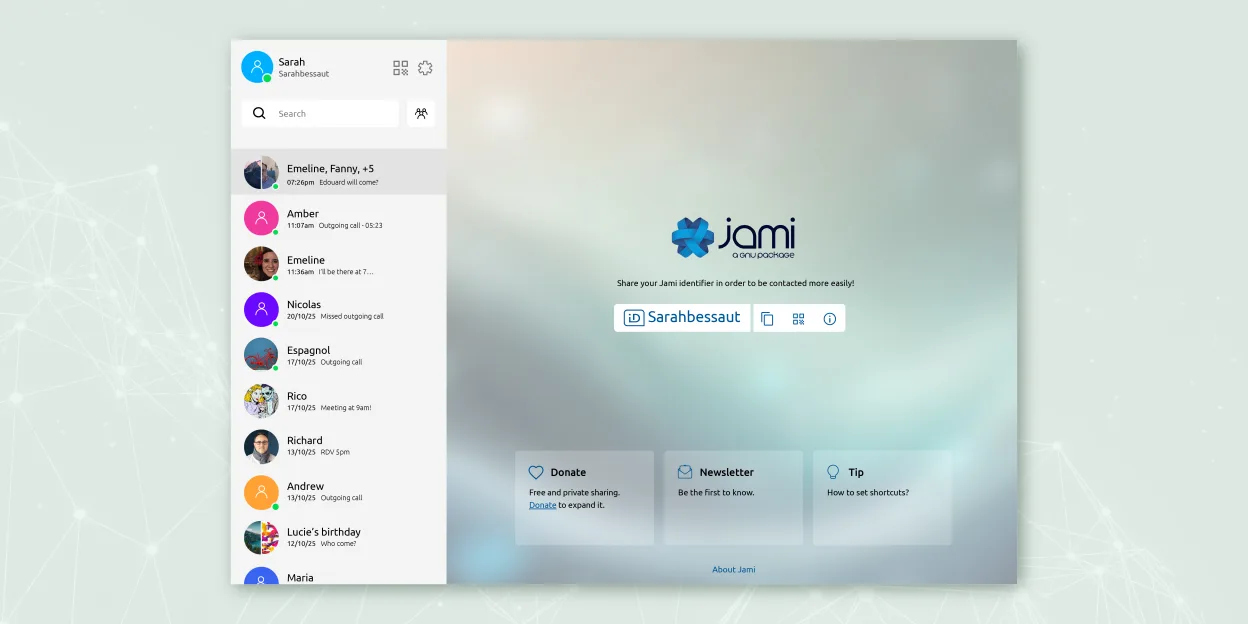
Jami is a viable replacement for Microsoft Teams (new) only if your priorities are privacy, decentralization, and basic communication. It handles group chats, encrypted video/audio calls, screen sharing, and file transfers without central servers. However, it lacks calendar integration, persistent message history by default, and seamless guest access without app installation. Organizations needing lightweight, secure communication without cloud dependency can use Jami with JAMS, but most corporate Teams users will miss deep collaboration features, scheduling, and external participant ease.
- Licencia
- GPL-3.0+
- Precio
- Gratis
- Última versión
- 20260917.0 (17 de septiembre de 2026)
- Valoración
- —
Lo que funciona igual
- Both support group audio and video conferencing with screen sharing
- End-to-end encryption is used in calls and messaging
- File sharing is available during chats
- Available across Linux, Windows, macOS, Android, and iOS
- Supports SIP integration for enterprise use
Lo que cambia
- Jami has no built-in calendar or scheduling integration
- External participants must install Jami—no web guest access
- Message history isn't reliably persistent in group chats without active peers
- No document collaboration or shared workspaces like Teams
- Jami lacks centralized management and identity integration out of the box without JAMS
Abrir tus archivos de Microsoft Teams (new)
Jami allows direct file transfers, but does not support Microsoft Teams (new) formats like .pst, .ost, or Teams-specific exports. Files shared in Jami are delivered as-is and can be saved locally, but there's no import function for Teams chat logs, meeting recordings, or OneDrive-linked documents. If you receive standard file types (PDF, DOCX, etc.) via Jami, they open normally. However, Jami cannot access or convert Teams-exclusive data.
Pasar de Microsoft Teams (new) a Jami, paso a paso
- Install Jami via Flathub or official package for your Linux distribution
- Set up accounts locally or deploy JAMS for enterprise identity management
- Invite team members to install Jami and join your community or ring
- Use SIP integration if connecting to existing phone systems
- Enable screen sharing and file transfer features in group conversations
Funciones clave de Jami
- Mensajería y llamadas cifradas de extremo a extremo
- Audio/vídeo directo entre pares sin servidores centrales
- Chats grupales, transferencia de archivos, compartir pantalla, compartir ubicación
- Soporte para cliente SIP e integración JAMS para empresas
- Disponibilidad multiplataforma (Linux, Windows, macOS, Android, iOS)
- Extensiones como filtros de audio, respuesta automática y pantalla verde
- Grabación de llamadas y transcripción de voz a texto
Cómo instalar Jami en Linux
flatpak install flathub net.jami.Jamisudo apt install jamiPreguntas frecuentes
Can external users join Jami calls without creating an account?
No. All participants must install Jami and create a local identity. There is no web-based guest access like in Microsoft Teams.
Is chat history preserved if I log out or switch devices?
Not reliably. Jami is peer-to-peer; message history depends on at least one online participant. There is no central cloud log.
Can I integrate Jami with my company's existing directory or LDAP?
Yes, but only through JAMS (Jami Account Management Server), which allows centralized account provisioning and management.
Otras 3 alternativas a Microsoft Teams (new)
 ElementElement es un cliente de chat y videoconferencia basado en matrices, de código abierto, para Linux.Código abiertoGratisFlatpakElement vs Microsoft Teams (new)
 MattermostMattermost es una plataforma de colaboración de código abierto y autoalojada para equipos de desarrolladores…Código abiertoGratisFlatpakMattermost vs Microsoft Teams (new)
 Jitsi MeetJitsi Meet es un cliente de videoconferencias de código abierto que se conecta a cualquier servidor Jitsi…Código abiertoGratisFlatpakJitsi Meet vs Microsoft Teams (new)