
 KDevelopLinux
vs
IntelliJ IDEAWindows
KDevelopLinux
vs
IntelliJ IDEAWindows
KDevelop como alternativa Linux a IntelliJ IDEA
Actualizado el
Nuestra opinión
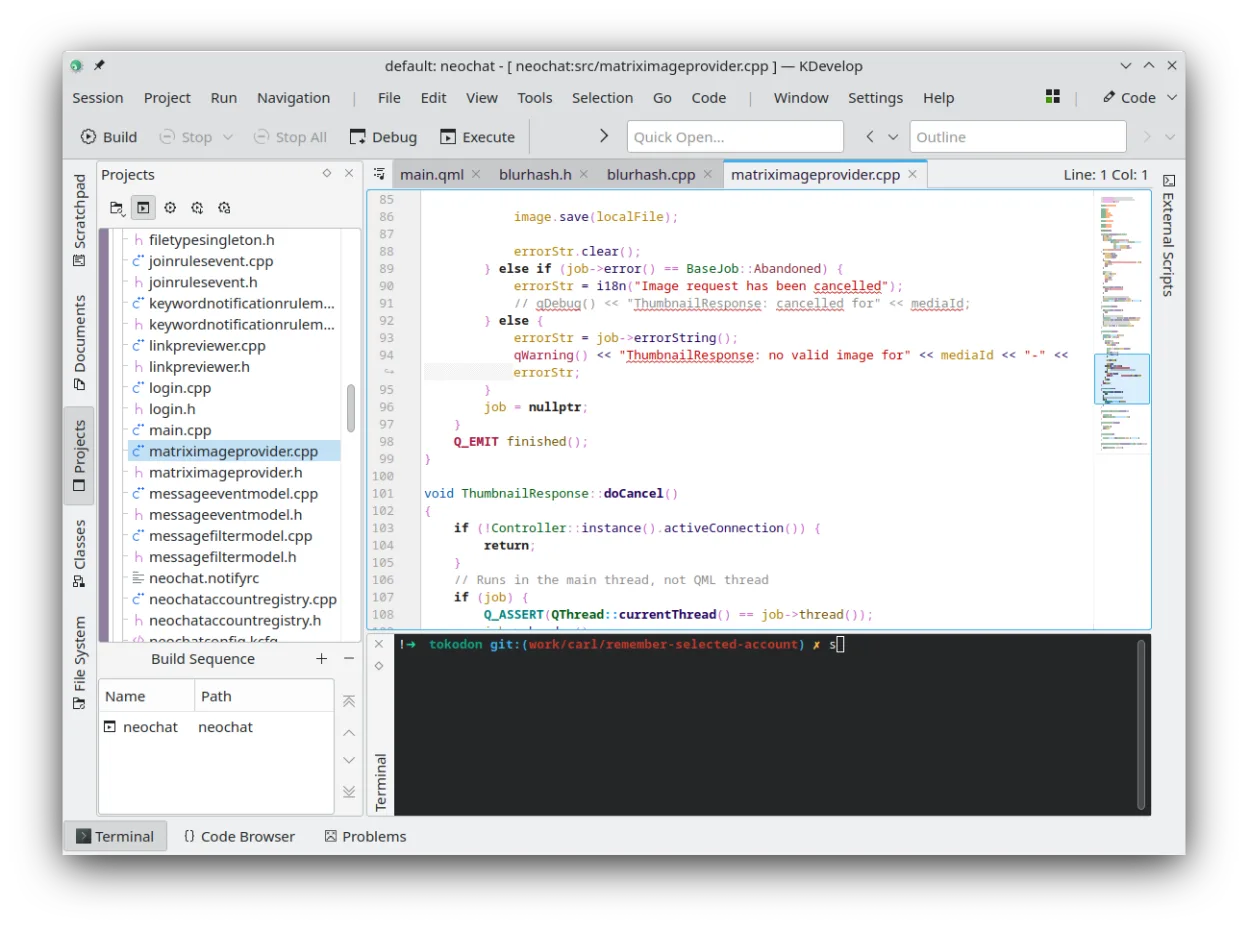
KDevelop is not a direct replacement for IntelliJ IDEA if your primary focus is Java or Kotlin. While KDevelop excels as a native Linux IDE for C/C++, it lacks the deep JVM integration, static analysis, and refactoring tools that define the IntelliJ experience. It is a good choice only if your workflow involves significant C++ development alongside Java, or if you are willing to use KDevelop for C++ and a lighter tool like VS Code for Java. For pure JVM developers, Eclipse or VS Code with Java extensions remain more suitable alternatives.
- Licencia
- GPL-2.0-or-later
- Precio
- Gratis
- Última versión
- 6.5.260403 (2 de julio de 2026)
- Valoración
- —
Lo que funciona igual
- Plugin-based architecture for extending language support
- Integrated version control with Git support
- Project management for large codebases
- Integrated debugger for supported languages
Lo que cambia
- Lacks native Java and Kotlin compilation and debugging support
- Refactoring and static analysis tools are optimized for C/C++, not JVM languages
- Plugin ecosystem is smaller and less specialized for Java/Kotlin
- No built-in JVM-specific code completion or navigation
Abrir tus archivos de IntelliJ IDEA
KDevelop does not natively open IntelliJ IDEA project files (.idea, .iml). You will need to recreate your project structure in KDevelop. Source code files (.java, .kt) are plain text and can be opened directly, but build configurations and IDE-specific settings will not transfer.
Pasar de IntelliJ IDEA a KDevelop, paso a paso
- Install KDevelop from your distribution's package manager or Flathub
- Create a new project in KDevelop and import your source code directories
- Configure your build system (e.g., Maven, Gradle) as external tools
- Set up Git integration and link your existing repositories
- Install any necessary plugins for additional language support
- Test compilation and debugging for your C/C++ components if applicable
Funciones clave de KDevelop
- Depurador integrado para C/C++ y otros lenguajes
- Sistema de plugins para añadir soporte de lenguajes
- Integración incorporada de control de versiones (Git, SVN)
- Gestión de proyectos para múltiples sistemas de compilación
- Resaltado de sintaxis y autocompletado de código
- Herramientas de refactorización para C/C++
Cómo instalar KDevelop en Linux
flatpak install flathub org.kde.kdevelopsudo apt install kdevelopsudo apt install kdevelopsudo dnf install kdevelopsudo pacman -S kdevelopsudo zypper install kdevelopPreguntas frecuentes
Can KDevelop run Java applications?
No, KDevelop does not have a built-in Java compiler or debugger. You can edit Java files, but you must use external tools like Maven or Gradle for building and running.
Is KDevelop better than Eclipse for Java?
No, Eclipse has much stronger native Java and Kotlin support. KDevelop is superior for C/C++ development on Linux, but for JVM languages, Eclipse or VS Code are more appropriate choices.
Does KDevelop support Kotlin?
KDevelop does not have a dedicated Kotlin plugin. You can edit Kotlin files with basic syntax highlighting, but you will not get code completion, refactoring, or debugging support.
Otras 4 alternativas a IntelliJ IDEA
 Visual Studio CodeUn editor de código ligero y extensible que admite depuración, Git y muchos lenguajes.GratisFlatpakVisual Studio Code vs IntelliJ IDEA
 Eclipse IDE for Java DevelopersUn IDE de Java gratuito y de código abierto con soporte integrado para Git, Maven y Gradle, ideal para el…Código abiertoGratisFlatpakEclipse IDE for Java Developers vs IntelliJ IDEA
 NetBeans IDENetBeans es un IDE gratuito y de código abierto centrado en el desarrollo de Java, con soporte para PHP…Código abiertoGratisFlatpakNetBeans IDE vs IntelliJ IDEA
 GeanyGeany es una IDE ligera y rápida que admite muchos lenguajes y complementos de serie.Código abiertoGratisFlatpakGeany vs IntelliJ IDEA