
 KolourPaintLinux
vs
PaintWindows
KolourPaintLinux
vs
PaintWindows
KolourPaint como alternativa Linux a Paint
Actualizado el
Nuestra opinión
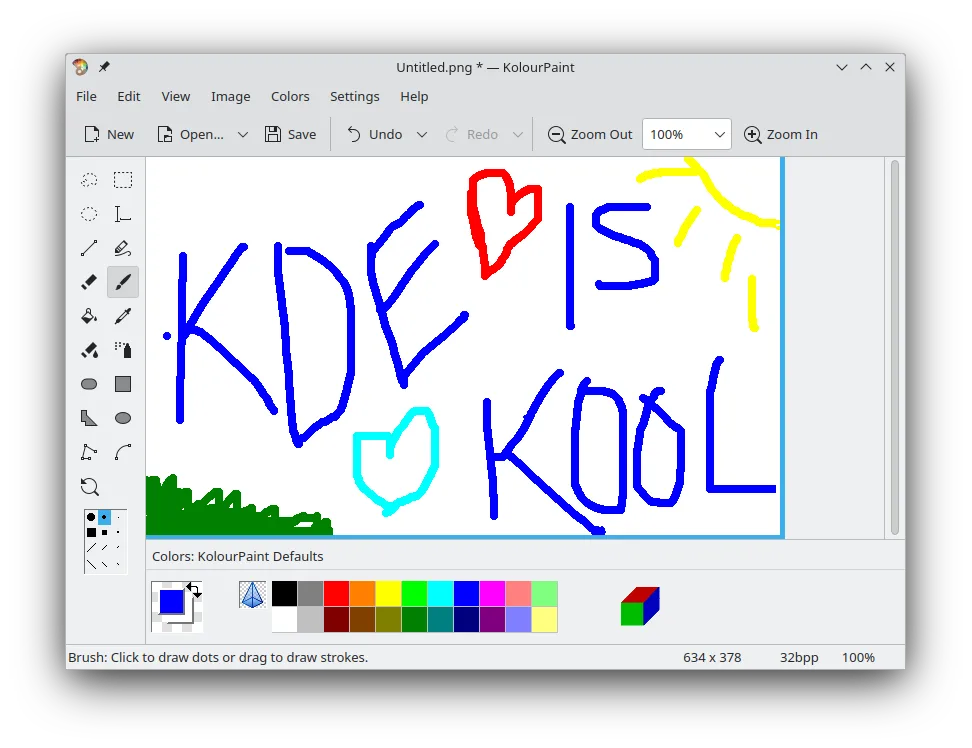
KolourPaint is a solid replacement for Windows Paint for users who need a simple, no-frills raster graphics editor. It handles basic drawing, text, shapes, and image tweaks just as Paint does, with a clean interface and reliable performance. While it lacks some modern conveniences like transparency support or advanced selection tools, it covers the core use cases well. It's ideal for casual users doing quick edits or simple illustrations, especially within KDE environments. The extra effects like monochrome and rotation add slight value over Paint.
- Licencia
- BSD-2-Clause and LGPL-2.0+ and GFDL-1.2
- Precio
- Gratis
- Última versión
- 26.04.3 (2 de julio de 2026)
- Valoración
- —
Lo que funciona igual
- Basic freehand drawing and line tools
- Shape tools including rectangles, ovals, and polygons
- Text insertion with font selection
- Color picker for sampling pixels
- Selection tools for copying, moving, or deleting image regions
Lo que cambia
- No built-in support for transparency or layers
- Fewer image effects compared to modern Paint versions
- Interface follows KDE design, may feel unfamiliar on non-KDE desktops
- Lacks ruler or grid tools present in newer Paint versions
- No built-in crop-to-selection shortcut
Abrir tus archivos de Paint
KolourPaint supports common raster formats like PNG, JPEG, BMP, and TIFF. It can open and save files created in Windows Paint without issues, especially BMP and PNG. Most basic edits transfer correctly. While it doesn't support older .pcx or .rle formats, those are rarely used today. Users can expect smooth compatibility for everyday files.
Pasar de Paint a KolourPaint, paso a paso
- Install KolourPaint via your package manager or Flatpak
- Open a BMP or PNG file created in Windows Paint to test compatibility
- Use the shape, text, and freehand tools to verify expected behavior
- Test color picker and selection tools for accuracy
- Save edits in PNG format for best quality and compatibility
Funciones clave de KolourPaint
- Dibujo de formas: líneas, rectángulos, óvalos, polígonos
- Herramientas de curva y trazo a mano alzada
- Inserción y edición de texto
- Selector de color para muestreo preciso
- Herramientas de selección para mover y editar partes de una imagen
- Rotación y efectos monocromáticos
- Compatibilidad con formatos de imagen raster estándar
Cómo instalar KolourPaint en Linux
flatpak install flathub org.kde.kolourpaintsudo apt install kolourpaintsudo apt install kolourpaintsudo dnf install kolourpaintsudo pacman -S kolourpaintsudo zypper install kolourpaintPreguntas frecuentes
Can KolourPaint open .bmp files from Windows Paint?
Yes, KolourPaint fully supports BMP files and preserves content correctly.
Is KolourPaint available on non-KDE desktops like GNOME?
Yes, it runs on any Linux desktop, though it integrates best with KDE.
Does KolourPaint support transparent backgrounds?
No, it does not support alpha channels or transparency in images.
Otras 4 alternativas a Paint
 PintaPinta es un editor de bitmaps gratuito y de código abierto que imita a Paint.NET con una interfaz sencilla y…Código abiertoGratisFlatpakPinta vs Paint
 GIMPGIMP es un editor de gráficos rasterizados gratuito y de código abierto para edición fotográfica, pintura…Código abiertoGratisFlatpakGIMP vs Paint
 MyPaintMyPaint es un programa de pintura raster rápido, gratuito y de código abierto centrado en la dinámica de…Código abiertoGratisFlatpakMyPaint vs Paint
 DrawpileDrawpile es una aplicación de dibujo colaborativo que permite a varios usuarios pintar juntos en el mismo…Código abiertoGratisFlatpakDrawpile vs Paint