
 LazarusLinux
vs
Microsoft Visual Basic 6.0Windows
Lazarus como alternativa Linux a Microsoft Visual Basic 6.0
Actualizado el
Nuestra opinión
Lazarus is a solid replacement for VB6 for developers who need a free, cross‑platform IDE that can build Windows GUI apps with a drag‑and‑drop form designer and event‑driven code. It supports the same Pascal syntax, offers a similar component model, and includes database connectivity tools. It is best suited for people who want to keep their existing VB6 projects on Windows or move them to Linux/macOS, but it will not work for users who rely on COM components that only exist in the Windows ecosystem.
- Licencia
- GPL-3.0
- Precio
- Gratis
- Última versión
- 4.8
- Valoración
- —
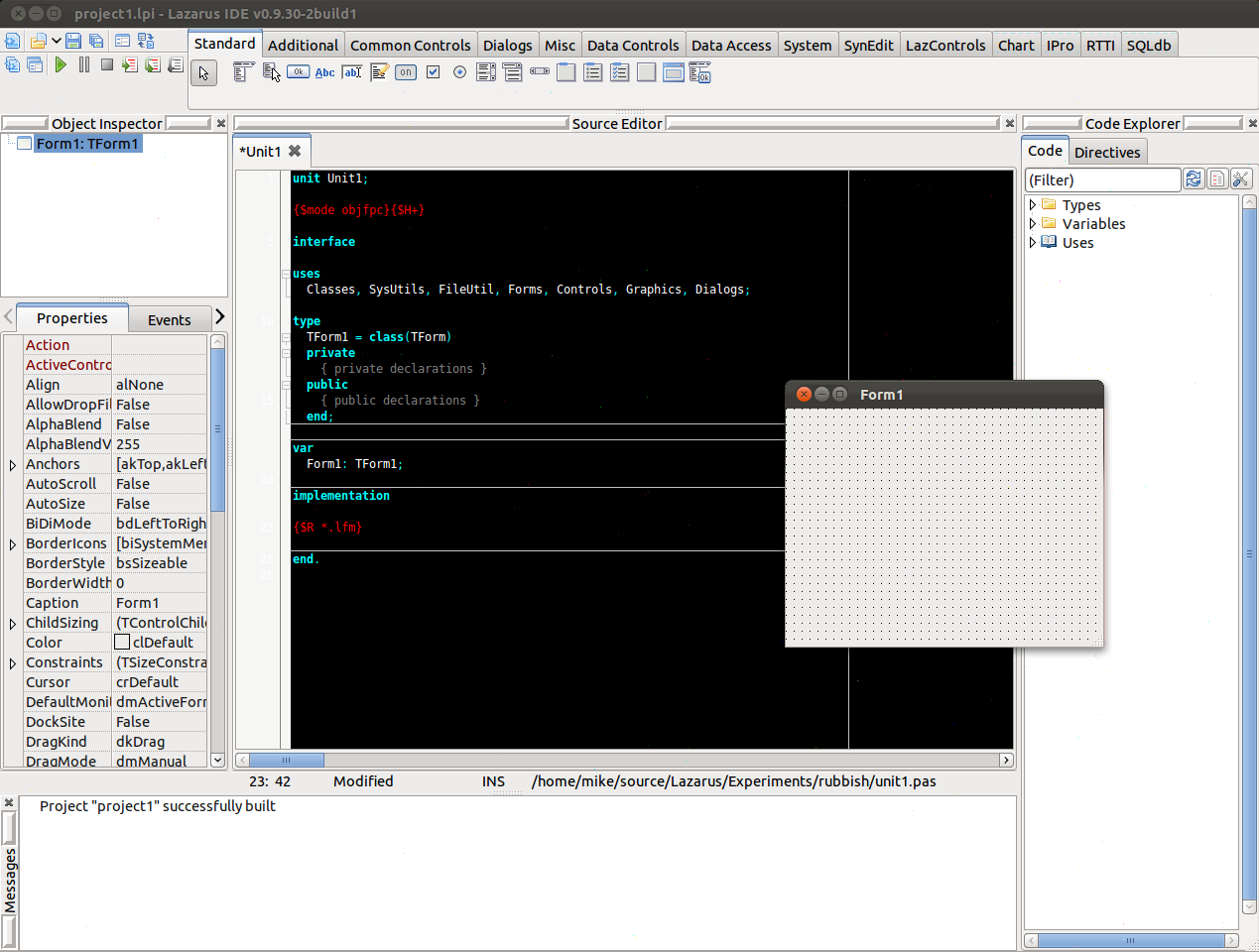
Lo que funciona igual
- Form designer with drag‑and‑drop controls
- Event‑driven programming model
- Support for database connectivity (ODBC, ADO, etc.)
- Integrated debugger
- Project management for multi‑file applications
Lo que cambia
- Lazarus compiles to native binaries; VB6 produces COM DLLs and executables that run only on Windows
- Lazarus uses Free Pascal, not VB6's native language; syntax differences exist
- Lazarus does not provide native COM support; third‑party libraries are required for COM interop
- VB6 has built‑in support for ActiveX controls; Lazarus relies on VCL/LCL components
- VB6’s IDE is tightly coupled to Windows; Lazarus is cross‑platform but may need platform‑specific tweaks
Abrir tus archivos de Microsoft Visual Basic 6.0
Lazarus cannot open .vb or .vbp project files directly. To migrate, you must manually recreate forms and code in the Lazarus IDE. There is no automated export tool for VB6 code to Pascal; however, simple logic can be rewritten manually. For database connections, you can use the same connection strings if the target database is accessible from Linux.
Pasar de Microsoft Visual Basic 6.0 a Lazarus, paso a paso
- Export VB6 forms to XAML or XML if you need a visual reference
- Create a new Lazarus project and add forms using the form designer
- Rewrite VB6 code in Free Pascal, translating syntax and API calls
- Replace COM components with equivalent Lazarus components or third‑party libraries
- Test each form and module incrementally to catch runtime issues
- Compile and run the application on Linux, fixing any platform‑specific problems
Funciones clave de Lazarus
- Soporte de lenguaje Pascal compatible con Delphi
- Diseñador de formularios con componentes de arrastrar y soltar
- Compilación multiplataforma (Windows, macOS, Linux, iOS, Android)
- Depurador y profiler integrados
- Gestor de paquetes para bibliotecas de terceros
- Integración de control de versiones (Git, SVN)
- Extensible mediante plugins
Cómo instalar Lazarus en Linux
sudo apt install lazarussudo apt install lazarussudo dnf install lazarussudo pacman -S lazarus-qt6sudo zypper install lazarusPreguntas frecuentes
Can I use VB6 controls in Lazarus?
No, VB6’s ActiveX controls are Windows‑specific. You need to find Lazarus equivalents or rewrite the functionality.
Will Lazarus run my VB6 application on Linux?
Only if you rewrite the code in Free Pascal and replace Windows‑specific APIs. The compiled binary will be native to Linux.
Is Lazarus free?
Yes, Lazarus is released under the GPL‑3.0 license and is available in major Linux distributions.
Otras 3 alternativas a Microsoft Visual Basic 6.0
 Visual Studio CodeUn editor de código ligero y extensible que admite depuración, Git y muchos lenguajes.GratisFlatpakVisual Studio Code vs Microsoft Visual Basic 6.0MonoDevelopMonoDevelop es un IDE de código abierto para desarrollo en .NET y C# en Linux.Código abiertoGratisMonoDevelop vs Microsoft Visual Basic 6.0
 EclipseEclipse es un entorno de desarrollo integrado (IDE) gratuito y centrado en Java que se ejecuta de forma…Código abiertoGratisFlatpakEclipse vs Microsoft Visual Basic 6.0