
 LazarusLinux
vs
Microsoft Visual Basic 6.0Windows
Lazarus as a Linux alternative to Microsoft Visual Basic 6.0
Updated
Our verdict
Lazarus is a solid replacement for VB6 for developers who need a free, cross‑platform IDE that can build Windows GUI apps with a drag‑and‑drop form designer and event‑driven code. It supports the same Pascal syntax, offers a similar component model, and includes database connectivity tools. It is best suited for people who want to keep their existing VB6 projects on Windows or move them to Linux/macOS, but it will not work for users who rely on COM components that only exist in the Windows ecosystem.
- License
- GPL-3.0
- Price
- Free
- Latest version
- 4.8
- Rating
- —
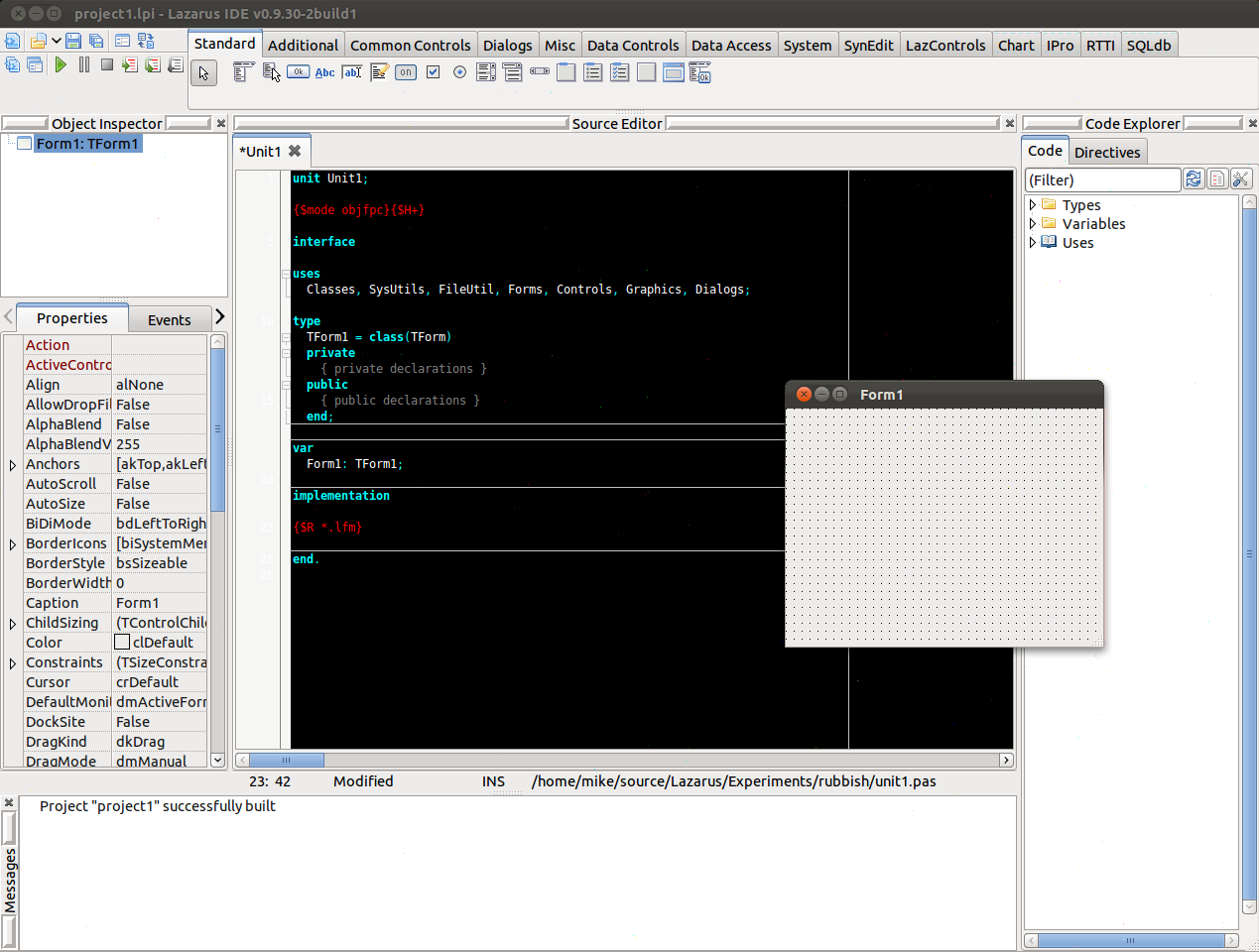
What works the same
- Form designer with drag‑and‑drop controls
- Event‑driven programming model
- Support for database connectivity (ODBC, ADO, etc.)
- Integrated debugger
- Project management for multi‑file applications
What is different
- Lazarus compiles to native binaries; VB6 produces COM DLLs and executables that run only on Windows
- Lazarus uses Free Pascal, not VB6's native language; syntax differences exist
- Lazarus does not provide native COM support; third‑party libraries are required for COM interop
- VB6 has built‑in support for ActiveX controls; Lazarus relies on VCL/LCL components
- VB6’s IDE is tightly coupled to Windows; Lazarus is cross‑platform but may need platform‑specific tweaks
Opening your Microsoft Visual Basic 6.0 files
Lazarus cannot open .vb or .vbp project files directly. To migrate, you must manually recreate forms and code in the Lazarus IDE. There is no automated export tool for VB6 code to Pascal; however, simple logic can be rewritten manually. For database connections, you can use the same connection strings if the target database is accessible from Linux.
Switching from Microsoft Visual Basic 6.0 to Lazarus, step by step
- Export VB6 forms to XAML or XML if you need a visual reference
- Create a new Lazarus project and add forms using the form designer
- Rewrite VB6 code in Free Pascal, translating syntax and API calls
- Replace COM components with equivalent Lazarus components or third‑party libraries
- Test each form and module incrementally to catch runtime issues
- Compile and run the application on Linux, fixing any platform‑specific problems
Key features of Lazarus
- Delphi‑compatible Pascal language support
- Form designer with drag‑and‑drop components
- Cross‑platform compilation (Windows, macOS, Linux, iOS, Android)
- Integrated debugger and profiler
- Package manager for third‑party libraries
- Version control integration (Git, SVN)
- Extensible via plugins
How to install Lazarus on Linux
sudo apt install lazarussudo apt install lazarussudo dnf install lazarussudo pacman -S lazarus-qt6sudo zypper install lazarusFrequently asked questions
Can I use VB6 controls in Lazarus?
No, VB6’s ActiveX controls are Windows‑specific. You need to find Lazarus equivalents or rewrite the functionality.
Will Lazarus run my VB6 application on Linux?
Only if you rewrite the code in Free Pascal and replace Windows‑specific APIs. The compiled binary will be native to Linux.
Is Lazarus free?
Yes, Lazarus is released under the GPL‑3.0 license and is available in major Linux distributions.
3 other alternatives to Microsoft Visual Basic 6.0
 Visual Studio CodeA lightweight, extensible code editor that supports debugging, Git, and many languages.FreeFlatpakVisual Studio Code vs Microsoft Visual Basic 6.0MonoDevelopMonoDevelop is an open‑source IDE for .NET and C# development on Linux.Open sourceFreeMonoDevelop vs Microsoft Visual Basic 6.0
 EclipseEclipse is a free, Java‑centric integrated development environment that runs natively on Linux.Open sourceFreeFlatpakEclipse vs Microsoft Visual Basic 6.0