
 OpenRGBLinux
vs
Logitech G HubWindows
OpenRGBLinux
vs
Logitech G HubWindows
OpenRGB como alternativa Linux a Logitech G Hub
Actualizado el
Nuestra opinión
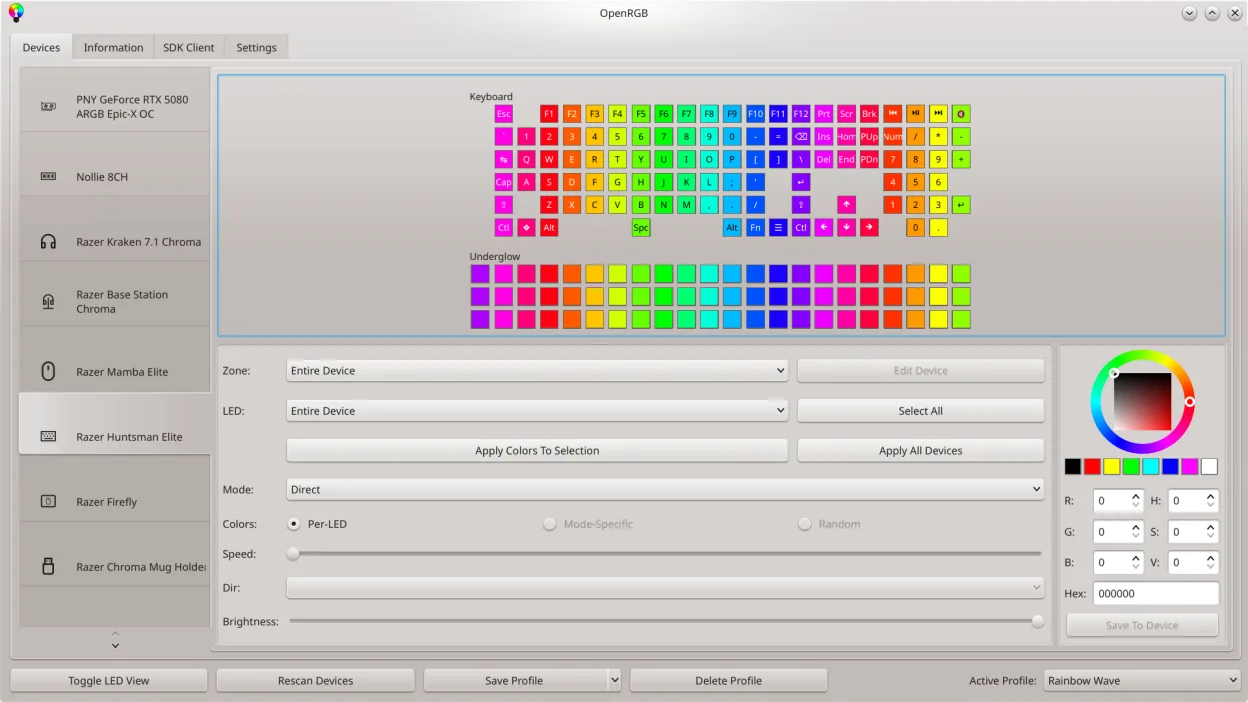
OpenRGB can replace Logitech G Hub for users who mainly need RGB lighting control and basic device configuration on Linux. It supports many Logitech devices, lets you set colors, create profiles, and even script lighting changes. However, it lacks the full macro recording, advanced button mapping, and firmware‑update features that G Hub offers. It is best suited for gamers who are comfortable with a more manual setup and who do not rely on the proprietary Windows‑only features of G Hub.
- Licencia
- GPL-2.0-or-later
- Precio
- Gratis
- Última versión
- 1.1 (16 de octubre de 2026)
- Valoración
- —
Lo que funciona igual
- Both allow setting RGB colors and saving/loading profiles
- Both provide a graphical interface for device selection
- Both can control multiple devices at once
- Both support scripting/command‑line control
Lo que cambia
- OpenRGB does not offer macro recording or button mapping
- Firmware updates are handled by Logitech’s own tools, not OpenRGB
- OpenRGB relies on community drivers; some newer devices may not be fully supported
- OpenRGB lacks the integrated online account and cloud sync of G Hub
- OpenRGB’s UI is more utilitarian, lacking the polished design of G Hub
Abrir tus archivos de Logitech G Hub
OpenRGB does not import Logitech G Hub configuration files. Users must manually recreate profiles in OpenRGB. There is no export/import path between the two applications.
Pasar de Logitech G Hub a OpenRGB, paso a paso
- Identify the Logitech devices you use and confirm OpenRGB support list
- Install OpenRGB from your distribution’s package manager or Flathub
- Launch OpenRGB and connect to each device, then configure lighting and create profiles
- If you use macros, set them up in a separate tool like AutoHotkey or use Logitech’s Windows software on a dual‑boot system
Funciones clave de OpenRGB
- Controlar colores y efectos para muchos dispositivos RGB
- Guardar y cargar perfiles personalizados
- SDK para integración de terceros
- Interfaz de línea de comandos para scripting
- Sincronización multi‑instancia entre PCs
- Modo independiente o cliente/servidor
- Mapa LED gráfico para diseño de patrones
- Visor de información del dispositivo
Cómo instalar OpenRGB en Linux
flatpak install flathub org.openrgb.OpenRGBsudo dnf install openrgbsudo pacman -S openrgbsudo zypper install OpenRGBPreguntas frecuentes
Can I use OpenRGB to update firmware?
No. Firmware updates must be done with Logitech’s official software on Windows.
Does OpenRGB support all Logitech gaming mice?
Most common models are supported, but newer devices may need a community driver update. Check the supported devices list.
Will OpenRGB conflict with other RGB control apps?
It is best to uninstall other vendor apps to avoid conflicts, as OpenRGB takes direct control of the hardware.
Otras 5 alternativas a Logitech G Hub
 SolaarSolaar es una herramienta para Linux que gestiona teclados, ratones y trackpads Logitech, encargándose del…Código abiertoGratisFlatpakSolaar vs Logitech G Hublibratbaglibratbag es una biblioteca y herramienta CLI para Linux que gestiona perfiles de ratones gaming…Código abiertoGratislibratbag vs Logitech G Hub
 PiperPiper es una interfaz gráfica para Linux que permite configurar ratones gaming mediante ratbagd.Código abiertoGratisFlatpakPiper vs Logitech G HubKeydKeyd es un daemon liviano para remapear teclas en Linux, similar en propósito a AutoHotkey en Windows.Código abiertoGratisKeyd vs Logitech G HubInput RemapperInput Remapper te permite asignar entradas de teclado y ratón a otras acciones en Linux, reemplazando la…Código abiertoGratisInput Remapper vs Logitech G Hub