
 WPS OfficeLinux
vs
Microsoft PowerPoint MobileWindows
WPS OfficeLinux
vs
Microsoft PowerPoint MobileWindows
WPS Office como alternativa Linux a Microsoft PowerPoint Mobile
Actualizado el
Nuestra opinión
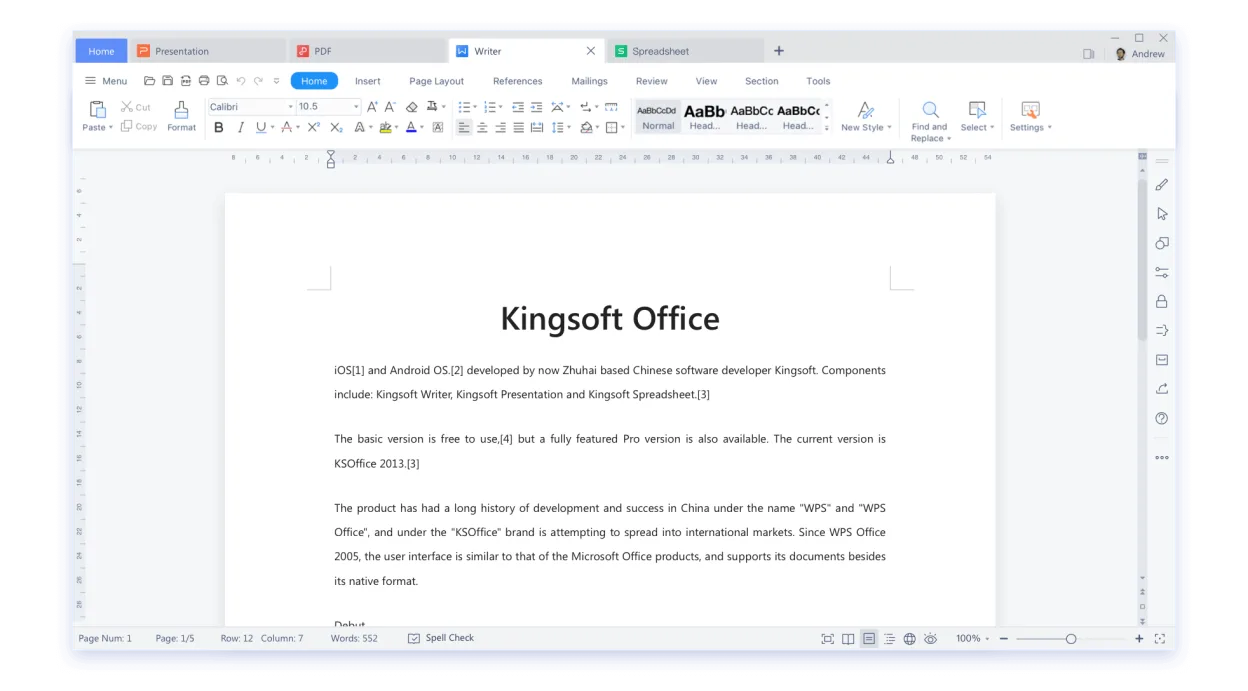
WPS Office Presentation is a practical Linux alternative to Microsoft PowerPoint Mobile for users who need to open, edit and create slide decks on a desktop or tablet. It handles .ppt/.pptx files, offers a familiar ribbon UI and basic animation tools, making the transition smooth for most office workers. Tablet‑oriented users will miss some touch‑optimised gestures, but the core editing and export functions are solid. It’s best suited for people who want a free‑ish, cross‑platform suite rather than a pure mobile‑only app.
- Licencia
- LicenseRef-proprietary=https://www.wps.c…
- Precio
- freemium
- Última versión
- 11.1.0.11723 (22 de febrero de 2024)
- Valoración
- —
Lo que funciona igual
- Both read and write .ppt/.pptx files
- Can edit text, images, charts and simple animations
- Export to PDF and PowerPoint formats
- Support cloud storage (Microsoft 365 vs WPS Cloud)
Lo que cambia
- PowerPoint Mobile is touch‑first; WPS Presentation relies on mouse/keyboard UI
- PowerPoint Mobile integrates tightly with Microsoft 365 collaboration features, which WPS lacks
- WPS Office includes a full office suite (Writer, Spreadsheets) while PowerPoint Mobile is a single app
- Advanced animation and transition effects are more limited in WPS Presentation
Abrir tus archivos de Microsoft PowerPoint Mobile
WPS Office Presentation opens .ppt and .pptx files without conversion and can save back to those formats. Export to PDF works reliably. Because it uses its own rendering engine, complex animations or embedded media created in PowerPoint Mobile may lose fidelity, but basic slides transfer without issue.
Pasar de Microsoft PowerPoint Mobile a WPS Office, paso a paso
- Install WPS Office from Flathub or the official .deb/.rpm package.
- Open WPS Presentation and use File → Open to load your existing .ppt/.pptx files.
- Review each slide for missing animations or formatting quirks and adjust as needed.
- Save the file in PowerPoint format (File → Save As → .pptx) to keep compatibility with Windows users.
- If you use cloud storage, upload the file to your preferred service (e.g., Nextcloud, Google Drive).
- Optionally, export a PDF version for easy sharing.
Funciones clave de WPS Office
- Compatibilidad total con .docx, .xlsx, .pptx
- Interfaz estilo cinta (ribbon) que se asemeja a Microsoft Office
- Visor y editor de PDF integrados
- Sincronización en la nube a través de WPS Cloud
- Herramientas de corrección ortográfica y gramatical
- Biblioteca de plantillas integrada
- Soporte para macros en Writer
- Disponibilidad multiplataforma (Windows, macOS, Linux)
Cómo instalar WPS Office en Linux
flatpak install flathub com.wps.OfficePreguntas frecuentes
Can I edit PowerPoint animations on Linux with WPS Office?
Basic animations are supported, but complex motion paths and custom timings may not translate perfectly.
Does WPS Office sync slides with Microsoft 365?
No direct sync; you need to save the file to a shared folder or use a third‑party cloud service.
Is WPS Office free?
It offers a free tier with ads; a paid premium version removes ads and adds extra templates.
Otras 3 alternativas a Microsoft PowerPoint Mobile
 LibreOffice ImpressLibreOffice Impress es un programa de presentaciones gratuito y de código abierto que reemplaza a Microsoft…Código abiertoGratisFlatpakLibreOffice Impress vs Microsoft PowerPoint Mobile
 ONLYOFFICE Desktop EditorsONLYOFFICE Desktop Editors es una suite de oficina gratuita y de código abierto para Linux que edita Word…Código abiertoGratisFlatpakONLYOFFICE Desktop Editors vs Microsoft PowerPoint Mobile
 CalligraCalligra es una suite de oficina todo en uno con herramientas para procesador de textos, hojas de cálculo…Código abiertoGratisFlatpakCalligra vs Microsoft PowerPoint Mobile