
 Beekeeper StudioLinux
vs
Microsoft Azure Data StudioWindows
Beekeeper Studio, alternative Linux à Microsoft Azure Data Studio
Mis à jour le
Notre avis
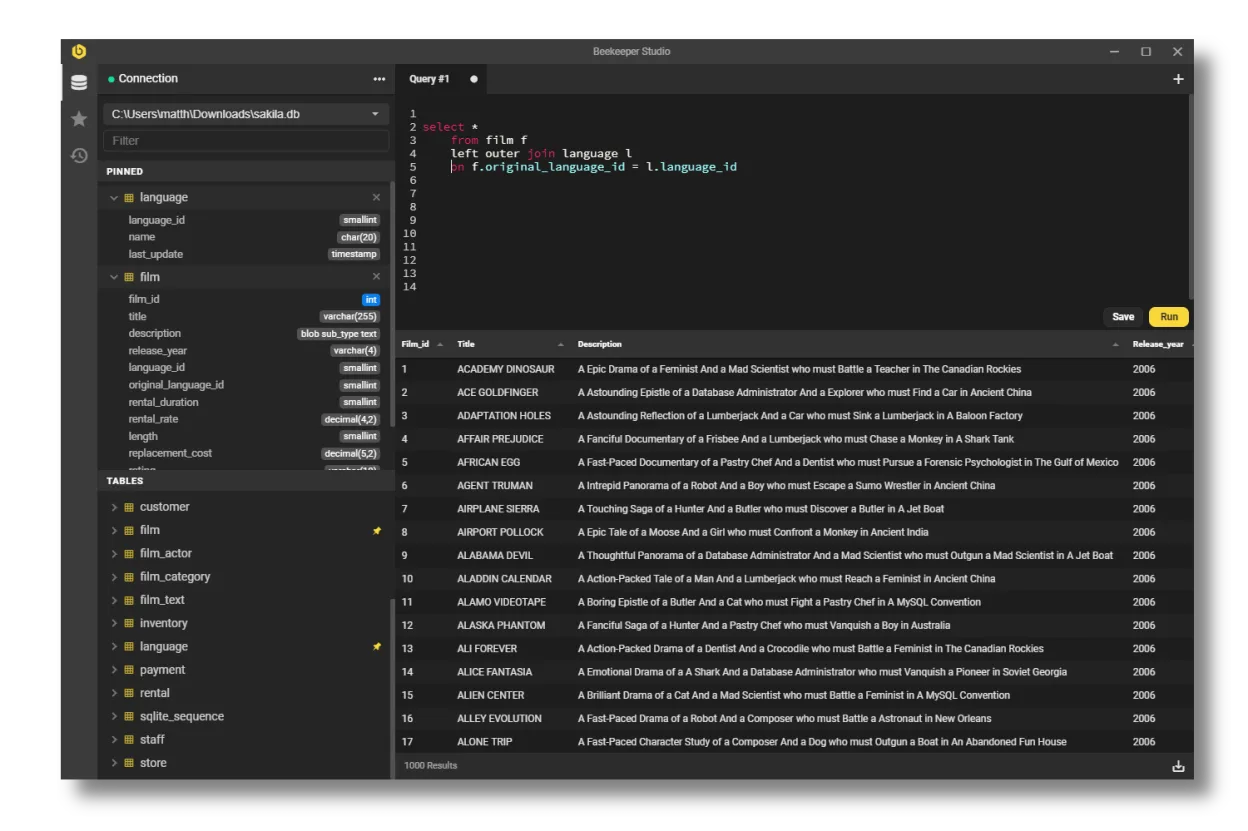
Beekeeper Studio is a solid Linux alternative for developers who mainly need a clean SQL editor, connection manager and basic data‑manipulation features. It covers MySQL, PostgreSQL, SQLite and SQL Server well, so it works for most day‑to‑day querying and simple schema work. Power users who rely on Azure‑specific extensions, integrated notebooks, advanced debugging, or deep DevOps automation will find Azure Data Studio more capable, but for typical query editing and lightweight admin tasks Beekeeper is a good fit.
- Licence
- GPL-3.0
- Prix
- Gratuit
- Dernière version
- 5.8.1 (2 juin 2026)
- Note
- —
Ce qui fonctionne pareil
- Both run natively on Linux and other OSes
- Support for SQL Server, PostgreSQL and MySQL
- Syntax highlighting, auto‑completion and tabbed query editors
- Ability to export query results to common formats (CSV, JSON, etc.)
Ce qui change
- Azure Data Studio includes built‑in notebooks, extensions marketplace and integrated source‑control, which Beekeeper lacks
- Beekeeper focuses on a simple UI and does not provide advanced profiling, performance dashboards or Azure‑specific services integration
- Automation features such as task scheduling, PowerShell/CLI integration are missing in Beekeeper
- Azure Data Studio offers richer visual query plan and charting tools; Beekeeper only shows tabular data
Ouvrir vos fichiers Microsoft Azure Data Studio
Beekeeper Studio cannot directly open Azure Data Studio project files or notebook (.ipynb) exports. You can copy raw SQL scripts between the two, and exported CSV/JSON data can be re‑imported, but any Azure‑specific configuration or extension settings will need to be recreated manually.
Passer de Microsoft Azure Data Studio à Beekeeper Studio, étape par étape
- Install Beekeeper Studio from Flathub or your distro's repository.
- Create new connections using the same host, port, credentials and SSL/SSH settings you used in Azure Data Studio.
- Import saved SQL scripts by opening the .sql files in Beekeeper's editor.
- Re‑create any scheduled tasks or automation using external cron jobs or scripts, as Beekeeper has no built‑in scheduler.
- Test queries and verify results; adjust any Azure‑specific features (e.g., notebooks) to a separate workflow.
Fonctionnalités clés de Beekeeper Studio
- Prend en charge MySQL, Postgres, SQLite, SQL Server et d’autres
- Chiffrement SSL et tunneling SSH
- Interface à onglets avec onglets séparés pour tables, DDL et requêtes
- Complétion automatique et coloration syntaxique
- Enregistrer et organiser les requêtes
- Éditer les données de table avec mise en scène
- Créer des tables via l’interface graphique
- Exporter vers CSV, JSON, JSONL ou SQL
Installer Beekeeper Studio sous Linux
flatpak install flathub io.beekeeperstudio.StudioQuestions fréquentes
Can Beekeeper Studio connect to Azure SQL Managed Instance?
Yes, as long as you provide the correct server name, port and authentication method; SSL/TLS encryption is supported.
Does Beekeeper support extensions like Azure Data Studio?
No, Beekeeper does not have an extensions marketplace; its feature set is fixed.
Is there a way to migrate Azure Data Studio notebooks?
Not directly. Export the notebook cells as plain SQL scripts and open them in Beekeeper, or keep using Azure Data Studio for notebook work.
4 autres alternatives à Microsoft Azure Data Studio
 DBeaver CommunityOutil de base de données gratuit et multiplateforme pour développeurs et administrateurs, prenant en charge…Open sourceGratuitFlatpakDBeaver Community ou Microsoft Azure Data Studio
 DataGripL'IDE multi-bases de données de JetBrains pour les développeurs SQL, prenant en charge les connexions JDBC…FlatpakDataGrip ou Microsoft Azure Data Studio
 pgAdmin 4pgAdmin 4 est une plateforme d'administration et de développement basée sur le web pour PostgreSQL.Open sourceGratuitFlatpakpgAdmin 4 ou Microsoft Azure Data Studio
 SQuirreL SQL ClientUn client SQL graphique basé sur Java pour parcourir les données et exécuter des requêtes sur toute base de…Open sourceGratuitFlatpakSQuirreL SQL Client ou Microsoft Azure Data Studio