
 CalligraLinux
vs
Microsoft WordWindows
CalligraLinux
vs
Microsoft WordWindows
Calligra, alternative Linux à Microsoft Word
Mis à jour le
Notre avis
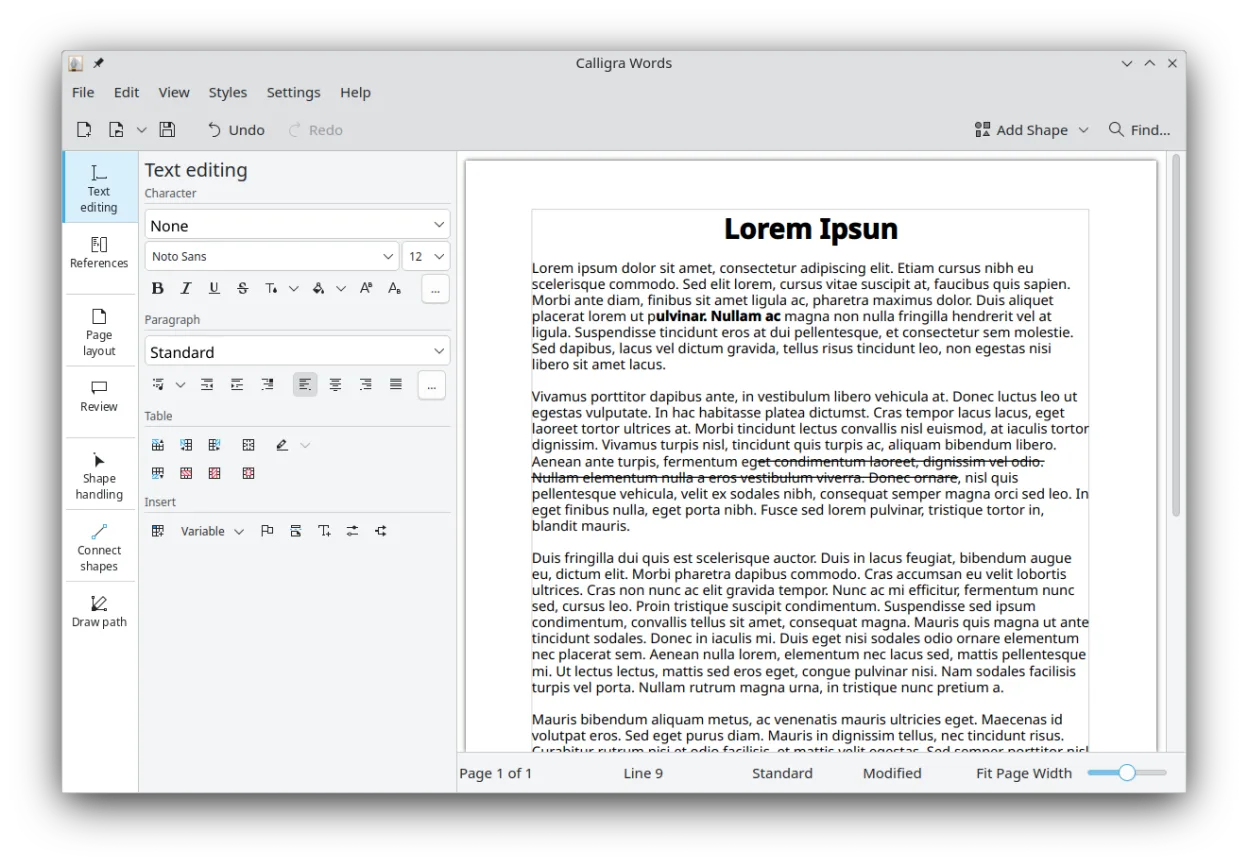
Calligra Words can replace Microsoft Word for basic document creation, especially for users who prefer a KDE environment and need an open‑source solution. It works well for students, hobbyists, and small businesses that rarely rely on advanced Word features. For power users, enterprise teams, or those who need tight integration with Microsoft templates and advanced collaboration tools, Word remains the better choice.
- Licence
- GPL-2.0-or-later
- Prix
- Gratuit
- Dernière version
- 26.04.3 (2 juillet 2026)
- Note
- —
Ce qui fonctionne pareil
- Both support .docx, .odt, and plain text formats
- Rich text formatting, styles, and tables
- Image insertion and basic layout options
- Footnotes and endnotes
- Commenting and revision tracking
Ce qui change
- Calligra lacks full support for complex Word templates and macros
- No native real‑time collaboration or cloud integration
- Limited advanced layout and page‑break controls
- Fewer built‑in templates for business documents
- No direct integration with Microsoft Office 365 services
Ouvrir vos fichiers Microsoft Word
Calligra Words can open and save .docx files, but complex formatting, embedded objects, and macros may not render correctly. Exporting to .docx preserves most text and basic formatting, but tables, footnotes, and advanced styles may lose fidelity. For best results, use .odt as an intermediate format when moving between Word and Calligra.
Passer de Microsoft Word à Calligra, étape par étape
- Export Word document to .odt using Word’s Save As option
- Open the .odt file in Calligra Words and review formatting
- Adjust any misaligned tables or styles manually
- Save the document back to .odt or export to .docx if needed
Fonctionnalités clés de Calligra
- Calligra Words pour le traitement de texte et la publication assistée par ordinateur
- Calligra Sheets pour les feuilles de calcul et les calculs
- Calligra Stage pour créer des présentations avec des plugins
- Karbon pour le graphisme vectoriel et le dessin
- Intégration entre tous les composants de la suite
- Prise en charge des formats de fichiers bureautiques courants
- Système de plugins extensible pour Stage et Karbon
Installer Calligra sous Linux
flatpak install flathub org.kde.calligrasudo apt install calligrasudo apt install calligrasudo dnf install calligrasudo pacman -S calligraQuestions fréquentes
Does Calligra support Word macros?
No, Calligra Words does not support VBA macros or complex Word scripting.
Can I collaborate on a document with others using Calligra?
Calligra offers comment and revision tracking, but it does not provide real‑time collaboration or cloud‑based sharing like Office 365.
Will my Word templates work in Calligra?
Basic templates may open, but many advanced features, especially those using Word’s proprietary layout engine, will not be preserved.
4 autres alternatives à Microsoft Word
 LibreOffice WriterLibreOffice Writer est un traitement de texte gratuit et open source, faisant partie de la suite bureautique…Open sourceGratuitFlatpakLibreOffice Writer ou Microsoft Word
 ONLYOFFICE Desktop EditorsONLYOFFICE Desktop Editors est une suite bureautique libre et open‑source pour Linux qui permet d’éditer…Open sourceGratuitFlatpakONLYOFFICE Desktop Editors ou Microsoft Word
 AbiWordAbiWord est un traitement de texte gratuit et léger pour Linux, Windows et macOS, axé sur l'édition de…Open sourceGratuitFlatpakAbiWord ou Microsoft Word
 WPS OfficeWPS Office est une suite bureautique propriétaire pour Linux qui comprend Writer, Presentation et…FlatpakWPS Office ou Microsoft Word