
 DrawpileLinux
vs
Microsoft PaintWindows
DrawpileLinux
vs
Microsoft PaintWindows
Drawpile, alternative Linux à Microsoft Paint
Mis à jour le
Notre avis
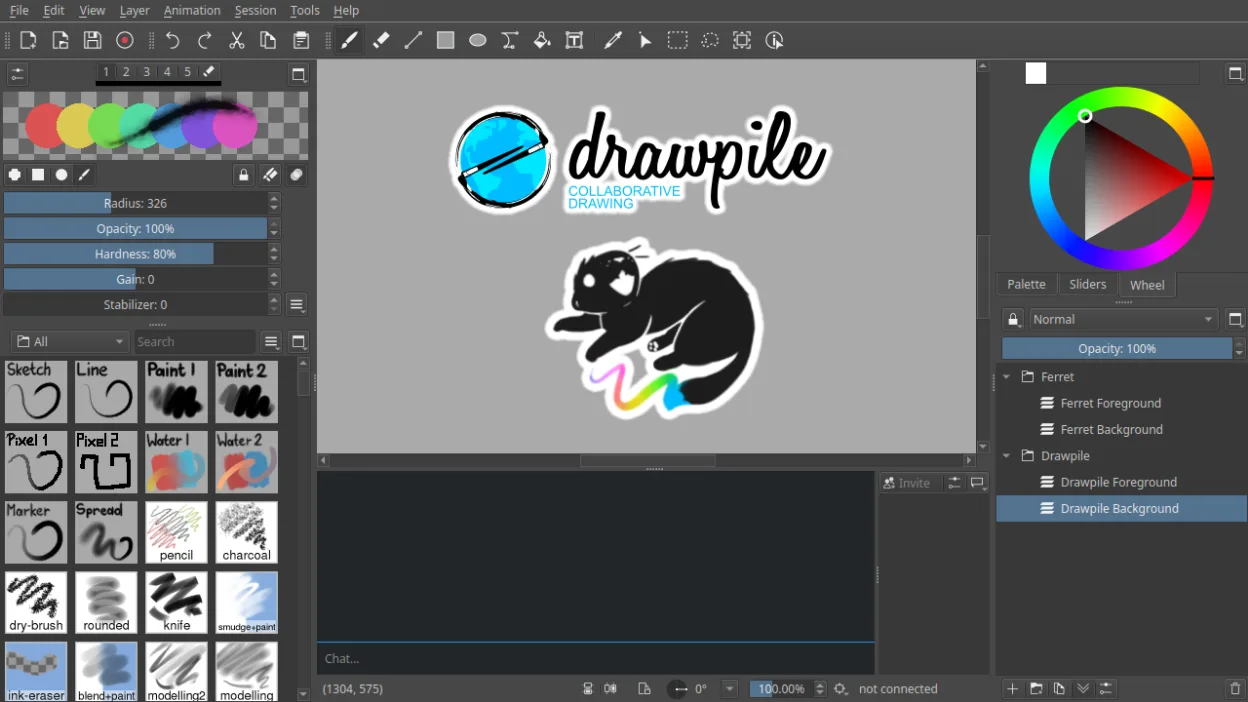
Drawpile is not a direct replacement for Microsoft Paint for users needing a simple, single-user image editor for quick edits like cropping or resizing screenshots. It excels as a drawing tool with advanced features like layers, animation, and pressure sensitivity, making it suitable for artists or educators. However, its focus on real-time collaboration and lack of basic tools like a rectangle select or text tool means it won’t suit users doing straightforward tasks. If you need more than just doodling, Drawpile is powerful, but overkill for Paint-style simplicity.
- Licence
- GPL-3.0+
- Prix
- Gratuit
- Dernière version
- 2.3.1 (21 octobre 2026)
- Note
- —
Ce qui fonctionne pareil
- Both allow freehand drawing and basic brush strokes
- Support for raster graphics editing
- Simple interface for creating new images
- Available on Linux and Windows
- Can save to common formats like PNG and JPEG
Ce qui change
- Drawpile supports real-time multi-user collaboration; Paint does not
- Drawpile has layers and blending modes; Paint has no layer support
- Drawpile includes animation timeline; Paint cannot animate
- Paint has basic shapes, text, and select tools; Drawpile lacks these
- Drawpile requires setting up a session; Paint opens instantly for quick edits
Ouvrir vos fichiers Microsoft Paint
Drawpile can open and export PNG and JPEG files, which are commonly used in Microsoft Paint, so basic image exchange is possible. However, it does not support Paint's default format (.BMP) reliably, and complex BMP files may not render correctly. Drawpile cannot interpret layered or animated data from Paint files since Paint doesn’t support those features. For practical purposes, saving as PNG from Paint ensures compatibility.
Passer de Microsoft Paint à Drawpile, étape par étape
- Install Drawpile via Flathub or your distribution’s package manager
- Launch and create a new session or open a PNG file
- Use the brush, eraser, and color picker tools for drawing
- Enable the animation timeline if creating frame-by-frame sketches
- Export your work as PNG or JPEG for sharing
Fonctionnalités clés de Drawpile
- Dessin collaboratif en temps réel avec plusieurs utilisateurs
- Prise en charge des calques et des modes de fusion
- Timeline d'animation avec édition image par image
- Modèle de session client-serveur pour héberger des dessins
- Prise en charge de la sensibilité à la pression et à l'inclinaison des tablettes
- Enregistrement et lecture des séances de dessin
- Pinceaux personnalisés et présélections d'outils
- Multiplateforme : Linux, Windows, macOS
Installer Drawpile sous Linux
flatpak install flathub net.drawpile.drawpileQuestions fréquentes
Can I use Drawpile like Paint for quick edits?
No, Drawpile lacks tools like rectangle select, text, and crop, making it poorly suited for quick edits. Use GIMP or KolourPaint instead.
Does Drawpile support pressure-sensitive tablets?
Yes, Drawpile supports pressure and tilt sensitivity, which Paint does not, making it better for digital artists.
Can I open a .BMP file from Paint in Drawpile?
Sometimes, but BMP support is limited. Save as PNG in Paint for reliable results.
5 autres alternatives à Microsoft Paint
 PintaPinta est un éditeur de bitmap gratuit et open source qui imite Paint.NET avec une interface simple et la…Open sourceGratuitFlatpakPinta ou Microsoft Paint
 GIMPGIMP est un éditeur de graphiques raster gratuit et open source, conçu pour la retouche photo, la peinture…Open sourceGratuitFlatpakGIMP ou Microsoft Paint
 KritaKrita est un programme de peinture numérique et d'illustration open‑source complet.Open sourceGratuitFlatpakKrita ou Microsoft Paint
 MyPaintMyPaint est un programme de peinture raster rapide, gratuit et open‑source, axé sur la dynamique des pinceaux…Open sourceGratuitFlatpakMyPaint ou Microsoft PaintmtPaintmtPaint est un éditeur d'images matricielles léger conçu pour la peinture et la retouche photo, initialement…Open sourceGratuitmtPaint ou Microsoft Paint