
 EpiphanyLinux
vs
EpiphanyLinux
vs
 OperaWindows
Epiphany, alternative Linux à Opera
Mis à jour le
Notre avis
Epiphany can replace Opera for users who value speed, tight GNOME integration, and a minimal interface, but it falls short for those who rely on Opera's built‑in VPN, extensive ad‑blocking, and large extension ecosystem. If you mainly browse standard sites, need basic privacy features, and prefer a lightweight browser, Epiphany works well. Power users who depend on the VPN, custom UI tweaks, or a wide range of third‑party add‑ons will likely miss those capabilities and may need to keep Opera or choose a more feature‑rich Linux browser.
- Licence
- GPL-3.0
- Prix
- Gratuit
- Dernière version
- —
- Note
- —
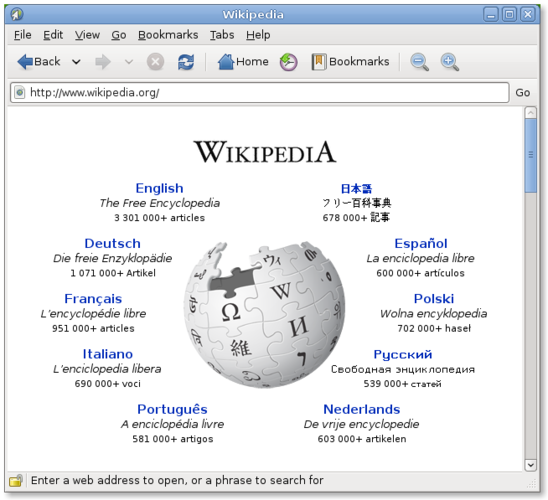
Ce qui fonctionne pareil
- Both are web browsers rendering modern HTML5/CSS3/JS
- Support private/incognito browsing
- Offer tabbed navigation
- Provide password storage integration (Opera via its vault, Epiphany via GNOME Keyring)
- Regular security updates from their respective projects
Ce qui change
- Opera includes a built‑in VPN and ad blocker; Epiphany does not
- Opera has a large extension store; Epiphany only supports WebKit extensions and has very few
- Opera allows extensive UI customization; Epiphany follows GNOME's default layout
- Opera offers built‑in sync across devices; Epiphany lacks native sync
- Epiphany is lightweight and GNOME‑centric, while Opera is a full‑featured cross‑platform browser
Ouvrir vos fichiers Opera
Opera does not use proprietary file formats beyond standard bookmarks (HTML) and session data. Epiphany can import bookmarks exported from Opera as an HTML file, but there is no direct way to open Opera's session or VPN configuration files. Export your bookmarks from Opera (Settings → Bookmarks → Export) and then import them in Epiphany via the Bookmarks menu.
Passer de Opera à Epiphany, étape par étape
- Export bookmarks from Opera as an HTML file.
- Install Epiphany from your distribution's repository (e.g., sudo apt install epiphany-browser).
- Import the exported bookmarks in Epiphany (Bookmarks → Import).
- Set Epiphany as the default browser (System Settings → Default Applications).
- If you need a VPN, install a separate Linux VPN client or use a browser extension.
Fonctionnalités clés de Epiphany
- Moteur de rendu WebKit
- Intégration avec GNOME (menus, mode sombre)
- Gestion simple des onglets
- Mode lecture intégré
- Prise en charge de HTML5, CSS3, JavaScript
- Fenêtre de navigation privée
- Intégration d'un gestionnaire de mots de passe via GNOME Keyring
Questions fréquentes
Can I use Opera extensions in Epiphany?
No. Epiphany only supports WebKit extensions, which are not compatible with Opera's Chrome‑based extension format.
Does Epiphany have a built‑in ad blocker?
It does not. You can add a content‑blocking extension like uBlock Origin if you need one.
Will my saved passwords move automatically?
Passwords stored in Opera's vault are not transferred. Export them manually or re‑enter them; Epiphany will save new passwords in GNOME Keyring.
8 autres alternatives à Opera
 SeaMonkeySeaMonkey est une suite internet gratuite comprenant un navigateur, un client de messagerie et un éditeur…Open sourceGratuitSeaMonkey ou Opera
 Mozilla FirefoxMozilla Firefox est un navigateur web open source qui fonctionne nativement sur Linux, offrant une expérience…Open sourceGratuitMozilla Firefox ou Opera
 KonquerorKonqueror est un navigateur web et un gestionnaire de fichiers KDE prenant en charge les systèmes de fichiers…Open sourceGratuitKonqueror ou Opera
 OperaOpera GX est un navigateur Linux propriétaire conçu pour les joueurs, offrant des contrôles de performance…GratuitFlatpakOpera ou Opera
 FirefoxFirefox est un navigateur web rapide et privé développé par Mozilla.Open sourceGratuitFlatpakFirefox ou Opera
 Google ChromeGoogle Chrome est le navigateur web propriétaire de Google, basé sur Chromium, disponible pour Linux.GratuitFlatpakGoogle Chrome ou Opera
 BraveBrave est un navigateur web rapide et axé sur la confidentialité qui bloque les publicités et les traceurs…Open sourceGratuitFlatpakBrave ou Opera
 ChromiumChromium est le projet de navigateur open source derrière Chrome et Edge, offrant une expérience web rapide…Open sourceGratuitFlatpakChromium ou Opera