
 GDevelopLinux
vs
Unreal EngineWindows
GDevelopLinux
vs
Unreal EngineWindows
GDevelop, alternative Linux à Unreal Engine
Mis à jour le
Notre avis
GDevelop is not a replacement for Unreal Engine. Unreal is a high-end 3D engine for complex, real-time interactive media, while GDevelop is a no-code 2D engine. If you need 3D scene editing, advanced physics, or AAA-quality rendering, GDevelop fails. It is only suitable if your 'Unreal' project was actually a simple 2D game and you want to drop the C++/Blueprints complexity for a faster, event-based workflow on Linux.
- Licence
- MIT
- Prix
- Gratuit
- Dernière version
- 5.6.285 (21 octobre 2026)
- Note
- —
Ce qui fonctionne pareil
- Both are cross-platform game engines with native Linux support.
- Both support exporting to Windows, macOS, Linux, iOS, Android, and Web.
- Both offer visual logic systems (Blueprints vs. Events).
- Both include built-in physics and collision detection.
Ce qui change
- GDevelop is strictly 2D; Unreal Engine is a full 3D suite.
- Unreal uses C++ and Blueprints; GDevelop uses a no-code event system with optional JavaScript.
- Unreal features high-end real-time lighting and advanced materials; GDevelop uses sprite-based rendering.
- Unreal supports complex multiplayer networking; GDevelop has limited or no robust multiplayer support.
- GDevelop is free and open-source (MIT); Unreal Engine has a royalty-based commercial license.
Ouvrir vos fichiers Unreal Engine
There is no direct file compatibility. You cannot open Unreal Engine .umap or .uasset files in GDevelop. You must rebuild your game logic, import 2D assets (if converting from 3D), and recreate the scene structure manually. Exporting from Unreal to GDevelop is not supported.
Passer de Unreal Engine à GDevelop, étape par étape
- Identify which aspects of your Unreal project are 2D and feasible in GDevelop.
- Export or recreate your 2D sprites and tilemaps from Unreal assets.
- Map your Unreal Blueprints to GDevelop events.
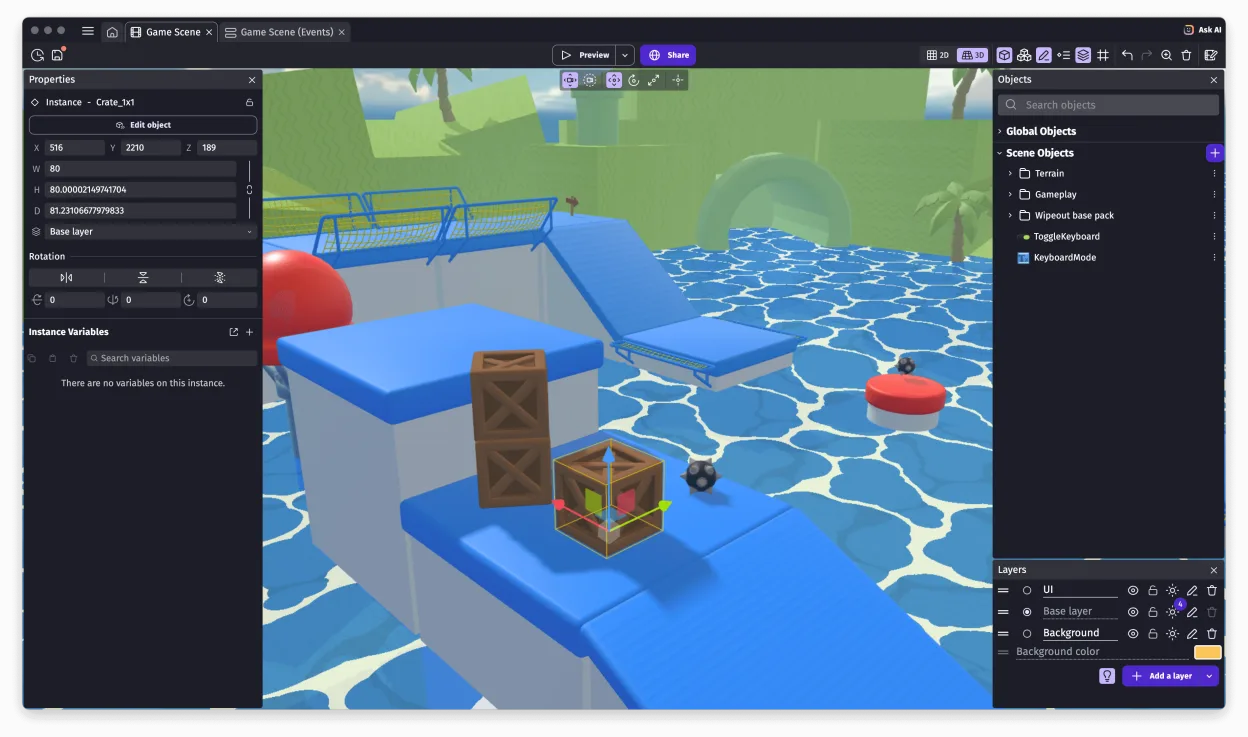
- Rebuild the scene layout using GDevelop's scene editor.
- Test physics and collision behaviors in GDevelop.
- Package and export the final game for your target platforms.
Fonctionnalités clés de GDevelop
- Système de logique basé sur les événements sans code
- Export vers Windows, macOS, Linux, iOS, Android et le Web
- Physique intégrée et détection de collisions
- Prise en charge des sprites, des tuiles et des particules
- Extensible avec des extensions JavaScript
- Gratuit et open source avec une grande bibliothèque de ressources
- Emballage en un clic pour la distribution
- Éditeur multiplateforme disponible sur Linux via Flathub
Installer GDevelop sous Linux
flatpak install flathub io.gdevelop.ideQuestions fréquentes
Can I use GDevelop for 3D games?
No. GDevelop is a 2D engine. It does not support 3D models, 3D lighting, or 3D navigation.
Does GDevelop support multiplayer?
GDevelop has limited support for simple multiplayer features, but it lacks the robust, scalable networking infrastructure found in Unreal Engine.
Is GDevelop harder to learn than Unreal?
For 2D games, GDevelop is generally easier due to its no-code event system. Unreal Engine has a steeper learning curve due to 3D complexity and C++/Blueprints.
2 autres alternatives à Unreal Engine
 Godot EngineUn moteur de jeu 2D et 3D gratuit et open source, doté d'une interface unifiée pour créer des jeux sur…Open sourceGratuitFlatpakGodot Engine ou Unreal Engine
 BlenderBlender est une suite de création 3D libre et open‑source couvrant modélisation, animation, rendu et plus…Open sourceGratuitFlatpakBlender ou Unreal Engine