
 GearyLinux
vs
ThunderbirdWindows
GearyLinux
vs
ThunderbirdWindows
Geary, alternative Linux à Thunderbird
Mis à jour le
Notre avis
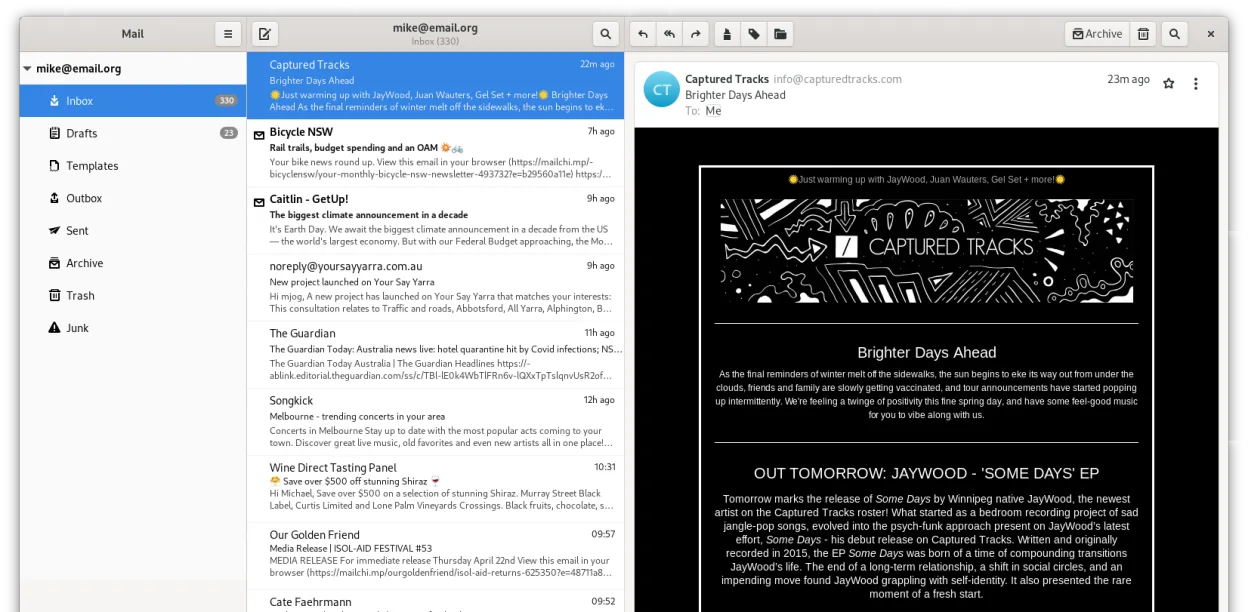
Geary is a solid, lightweight replacement for users who primarily need clean email management on GNOME. It handles IMAP/POP3, multiple accounts, and conversation views well. However, it is not a full drop-in replacement for heavy Thunderbird users. If you rely on Thunderbird’s built-in calendar, contact manager, RSS reader, or chat features, Geary will leave you short. It is best for those who prefer a simple, native-feeling mail client and are willing to use separate apps for calendar and contacts.
- Licence
- LGPL-2.1+
- Prix
- Gratuit
- Dernière version
- 46.0 (20 mai 2024)
- Note
- —
Ce qui fonctionne pareil
- Both support multiple email accounts via IMAP and POP3 protocols.
- Both are free, open-source applications available on major Linux distributions.
- Both offer full-text search capabilities to find specific messages quickly.
- Both support HTML and plain-text message composition.
Ce qui change
Ouvrir vos fichiers Thunderbird
Geary does not directly import Thunderbird’s mbox or maildir file structures. You cannot simply point Geary at your existing Thunderbird profile folder. However, since both use standard IMAP/POP3 protocols, your email history remains on the server. If you use local storage (POP3), you would need to manually export messages or re-download them, as there is no native 'import from Thunderbird' feature in Geary.
Passer de Thunderbird à Geary, étape par étape
- Back up your Thunderbird profile to ensure no local data is lost.
- Install Geary via your distribution’s package manager or Flathub.
- Launch Geary and add your email accounts using the quick setup wizard.
- Verify that IMAP sync is working by checking recent folders.
- Install separate GNOME applications for Calendar (GNOME Calendar) and Contacts (GNOME Contacts) to replace Thunderbird’s modules.
- Configure desktop notifications in Geary settings to match your previous workflow.
Fonctionnalités clés de Geary
- La vue conversation regroupe les messages liés
- Configuration rapide des comptes pour les fournisseurs IMAP
- Recherche en texte intégral et par mots-clés
- Éditeur HTML et texte brut
- Notifications de bureau pour les nouveaux e-mails
- Intégration et personnalisation GNOME
- Navigation conviviale au clavier
- Prise en charge de plusieurs comptes
Installer Geary sous Linux
flatpak install flathub org.gnome.Gearysudo apt install gearysudo apt install gearysudo dnf install gearysudo pacman -S gearysudo zypper install gearyQuestions fréquentes
Can I use Geary with Gmail or Outlook.com?
Yes, Geary supports standard IMAP servers, including Gmail, Yahoo, and Outlook.com. You may need to enable less secure app passwords or OAuth2 if your provider requires it, though Geary’s OAuth2 support can be less integrated than Thunderbird’s.
Does Geary have a built-in calendar?
No. Geary is strictly an email client. For calendar functionality on GNOME, you should use GNOME Calendar, which can sync with your email account’s CalDAV server if available.
Is Geary suitable for users who need chat or RSS?
No. Geary does not include chat or RSS readers. If these are core parts of your daily workflow, sticking with Thunderbird or using a combination of Geary and separate apps (like Fractal for Matrix or gPodder for RSS) is necessary.
5 autres alternatives à Thunderbird
 MailspringUn client de messagerie de bureau rapide et complet pour Linux, doté d'un moteur de synchronisation C++ et…Open sourceGratuitFlatpakMailspring ou Thunderbird
 Claws MailClaws Mail est un client de messagerie GTK léger et rapide pour Linux.Open sourceGratuitFlatpakClaws Mail ou Thunderbird
 EvolutionEvolution est un gestionnaire d’informations personnelles complet qui combine courriel, agenda, contacts et…Open sourceGratuitFlatpakEvolution ou Thunderbird
 KMailKMail est le client de messagerie complet de KDE, faisant partie de la suite Kontact, prenant en charge IMAP…Open sourceGratuitKMail ou Thunderbird
 SylpheedSylpheed est un client de messagerie et de nouvelles léger, basé sur GTK, conçu pour Linux, Windows et macOS.Open sourceGratuitSylpheed ou Thunderbird