
 geditLinux
vs
geditLinux
vs
 WordPadWindows
gedit, alternative Linux à WordPad
Mis à jour le
Notre avis
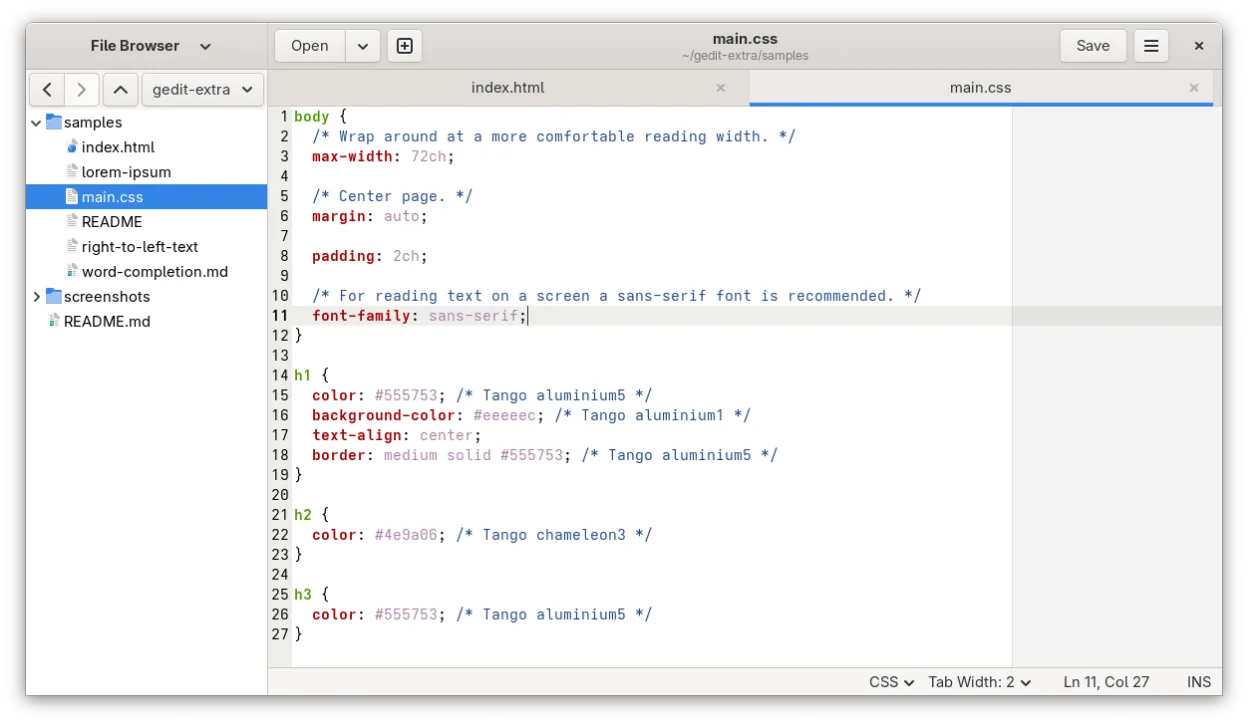
gedit is a solid replacement for WordPad if you primarily edit plain text or simple notes. It is lightweight, starts instantly, and has a clean interface without unnecessary menus. However, it is not a direct match for rich-text workflows. gedit handles RTF and DOCX poorly compared to dedicated office suites. If you need to preserve complex formatting, fonts, or images from WordPad files, you will face limitations. For users who just need a fast tool to jot down ideas or edit configuration files, gedit is excellent. For those relying on WordPad’s rich-text capabilities, consider LibreOffice Writer instead.
- Licence
- GPL-2.0+
- Prix
- Gratuit
- Dernière version
- 51.0 (15 octobre 2026)
- Note
- 5/5 (1)
Ce qui fonctionne pareil
- Lightweight and fast startup time
- Simple, uncluttered user interface
- Supports multiple document tabs
- Basic text editing capabilities
- No mandatory account or subscription
Ce qui change
- gedit is primarily a plain-text editor, not a rich-text processor
- Limited support for RTF and DOCX formatting preservation
- Lacks built-in font selection and style management for rich documents
- No native support for inserting images or complex objects
- Plugin system adds complexity that WordPad users may not need
Ouvrir vos fichiers WordPad
gedit can open plain text files (.txt) perfectly. It can technically open .rtf and .docx files, but it often fails to preserve formatting, styles, or embedded objects correctly. It is not recommended for editing rich-text documents where layout matters. For reliable .docx and .rtf handling, use LibreOffice Writer or similar office suites. gedit is best reserved for .txt, .md, or code files.
Passer de WordPad à gedit, étape par étape
- Install gedit via your package manager or Flathub
- Open gedit and adjust font size and tab width in preferences
- Enable line numbers if you edit code or structured text
- Test opening a plain text file to verify encoding settings
- For rich-text files, use LibreOffice Writer instead of gedit
Fonctionnalités clés de gedit
- Coloration syntaxique pour de nombreux langages de programmation
- Système de plugins pour étendre les fonctionnalités
- Recherche et remplacement avec prise en charge des expressions régulières
- Police, largeur d'onglet et retour à la ligne configurables
- Numéros de ligne, appariement des accolades et indentation automatique
- Prise en charge de l'encodage de texte UTF-8
- Édition de texte par glisser-déposer
- Interface multi-documents avec onglets
Installer gedit sous Linux
flatpak install flathub org.gnome.geditsudo apt install geditsudo apt install geditsudo dnf install geditsudo pacman -S geditsudo zypper install geditQuestions fréquentes
Can gedit edit WordPad .rtf files?
It can open them, but it treats them as plain text or loses formatting. It is not a reliable tool for rich-text editing.
Is gedit better than WordPad for code editing?
Yes, gedit has syntax highlighting and auto-indent features that WordPad lacks, making it superior for code.
Do I need to install plugins for basic use?
No, gedit works out of the box for plain text. Plugins are optional for advanced features.
