
 GitKrakenLinux
vs
GitHub DesktopWindows
GitKrakenLinux
vs
GitHub DesktopWindows
GitKraken, alternative Linux à GitHub Desktop
Mis à jour le
Notre avis
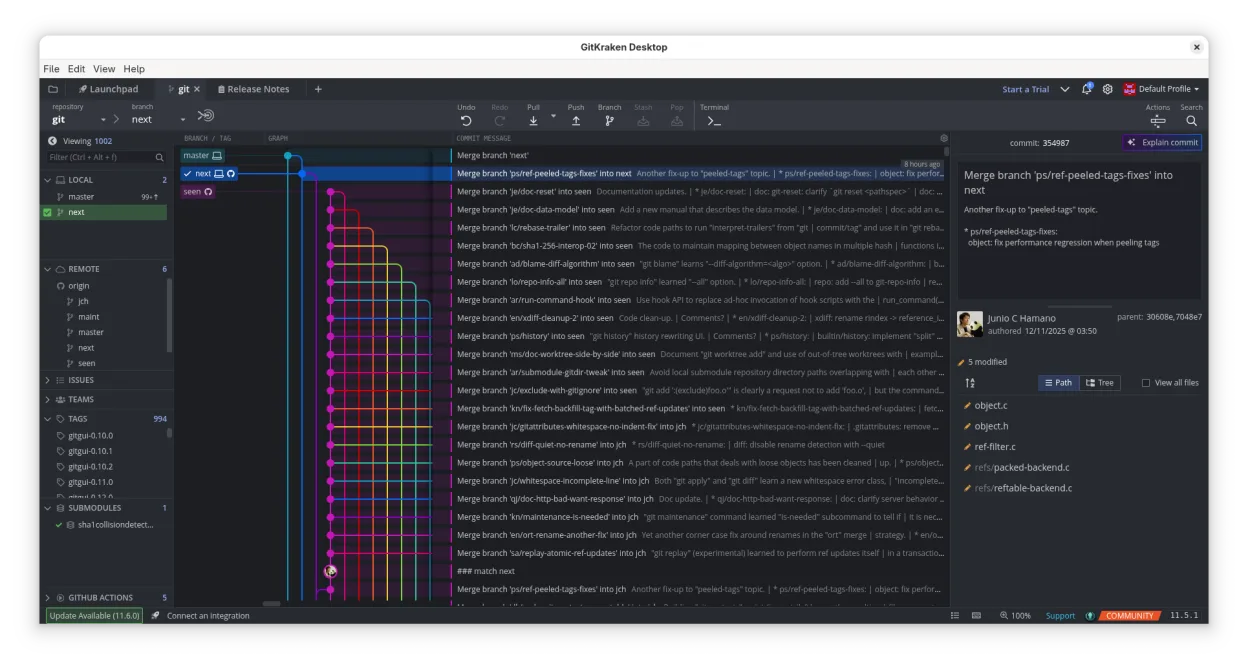
GitKraken can replace GitHub Desktop for users who want a richer visual interface and integrated issue tracking, especially on Linux. It covers most everyday tasks—cloning, branching, committing, pushing, pulling, viewing history, resolving conflicts—and adds a built‑in editor and Glo Boards. It is best for developers who prefer drag‑and‑drop Git operations and want to keep GitHub workflow inside one app. It is less suitable for users who only need a lightweight, no‑frills client or who rely on GitHub Desktop’s simple issue integration.
- Licence
- LicenseRef-proprietary
- Prix
- freemium
- Dernière version
- 12.6.1 (19 octobre 2026)
- Note
- —
Ce qui fonctionne pareil
- Clone repositories from GitHub
- Create, switch, and delete branches
- Commit changes via GUI
- Push and pull to/from remote
- View commit history and diffs
Ce qui change
- GitKraken is proprietary and requires a license for full features
- It offers a built‑in code editor, not present in GitHub Desktop
- Integrated Glo Boards for task tracking, not in GitHub Desktop
- Supports GitLab, Bitbucket, VSTS in addition to GitHub
- More advanced Git workflow options (Gitflow, LFS, submodules)
Ouvrir vos fichiers GitHub Desktop
GitHub Desktop stores its data in a local SQLite database and a settings JSON file. GitKraken does not import these files directly. To migrate, you will need to re‑clone repositories and recreate any custom settings or workflows manually.
Passer de GitHub Desktop à GitKraken, étape par étape
- Export the list of repositories from GitHub Desktop (e.g., copy URLs).
- Install GitKraken from the official website or Flathub.
- Create a new project in GitKraken and paste each repository URL to clone.
- Re‑create any custom branch or tag settings within GitKraken’s UI.
Fonctionnalités clés de GitKraken
- Graphique de commits visuel avec thèmes sombre/clair
- Glisser‑déposer pour fusion, rebase, push
- Éditeur de code intégré avec coloration syntaxique
- Flux de travail de pull‑request intégré
- Glo Boards pour le suivi des tâches
- Prise en charge de GitHub, GitLab, Bitbucket, VSTS
- Multiples profils utilisateur
- Gitflow, LFS, sous‑modules
Installer GitKraken sous Linux
flatpak install flathub com.axosoft.GitKraken4 autres alternatives à GitHub Desktop
 GitKrakenGitKraken est un client Git multiplateforme avec suivi d'incidents intégré et édition de code.FlatpakGitKraken ou GitHub DesktopLazygitUne interface utilisateur terminale rapide et conviviale pour Git qui simplifie les flux de travail complexes…Open sourceGratuitLazygit ou GitHub Desktop
 gitgGitg est une interface graphique légère pour Git qui visualise l'historique des commits et gère les dépôts.Open sourceGratuitFlatpakgitg ou GitHub Desktop
 Git ColaGit Cola est un client Git graphique léger et riche en fonctionnalités pour Linux.Open sourceGratuitFlatpakGit Cola ou GitHub Desktop