
 HelixLinux
vs
VimWindows
Helix, alternative Linux à Vim
Mis à jour le
Notre avis
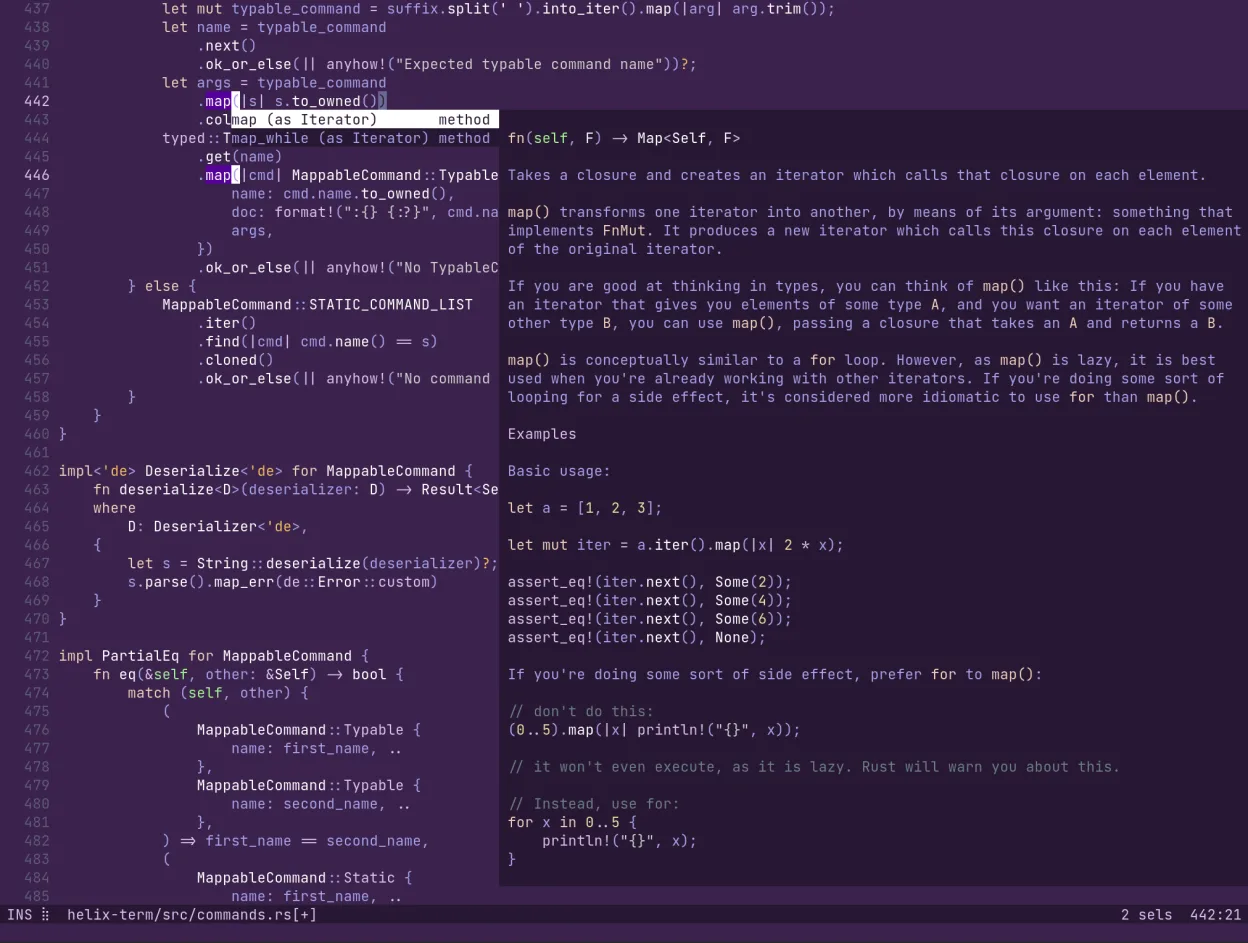
Helix is a strong alternative for Vim users who want speed and modern features without managing plugins. It handles modal editing and multiple selections well, making it ideal for developers tired of Vim's configuration overhead. However, it is not a drop-in replacement. If you rely heavily on a specific Vim plugin ecosystem or use the GUI version, you will face friction. Helix shines in terminal environments where built-in LSP and tree-sitter parsing replace many external tools. It is best suited for users prioritizing performance and simplicity over deep, legacy customization.
- Licence
- MPL-2.0
- Prix
- Gratuit
- Dernière version
- 25.07.1 (18 juillet 2025)
- Note
- —
Ce qui fonctionne pareil
- Modal editing workflow with distinct normal and insert modes
- Highly configurable keybindings via TOML files
- Efficient text manipulation commands for quick navigation and editing
- Terminal-based interface that runs on Linux
Ce qui change
- No traditional plugin system; features like LSP are built-in
- Lacks a native GUI interface, unlike Vim's gVim or GVim
- Uses TOML for configuration instead of Vimscript
- Multiple selections are a core feature, not an add-on
- Cross-platform consistency is limited to terminal environments
Ouvrir vos fichiers Vim
Helix opens standard text files, source code, and configuration files directly. It does not use Vim's .vimrc or .viminfo files, so you cannot simply copy your Vim configuration. However, any plain text file edited in Vim can be opened and saved in Helix without conversion. Binary files or specialized Vim buffer formats are not supported, but for typical development work, file compatibility is complete.
Passer de Vim à Helix, étape par étape
- Install Helix via your package manager or Flathub
- Create a ~/.config/helix/config.toml file for basic settings
- Map your most used Vim keybindings in the config if they differ
- Test opening a project to verify LSP and tree-sitter integration
- Review the built-in documentation for command differences
Fonctionnalités clés de Helix
- Édition modale similaire à Vim/Kakoune
- Support intégré du Language Server Protocol (LSP)
- Coloration syntaxique basée sur tree-sitter
- Prise en charge de plusieurs curseurs et sélections
- Écrit en Rust pour la performance
- Aucun système de plugins requis pour les fonctionnalités de base
- Interface basée sur le terminal
- Analyse incrémentale pour les grands fichiers
Installer Helix sous Linux
flatpak install flathub com.helix_editor.HelixQuestions fréquentes
Can I use my existing Vim plugins in Helix?
No, Helix does not support Vim plugins. Many features like LSP, syntax highlighting, and multiple cursors are built-in, so you likely won't need the same plugins. However, highly specialized workflows may not have direct equivalents.
Does Helix have a GUI mode?
No, Helix is strictly a terminal-based editor. If you require a graphical interface, you must run it inside a terminal emulator. It does not provide a standalone GUI application like GVim.
Is Helix faster than Vim?
Helix is generally faster for startup and handling large files due to its Rust implementation and incremental parsing. Vim is also very fast, but Helix avoids the overhead of loading many plugins, which can slow down Vim's startup time.
4 autres alternatives à Vim
 NeovimNeovim est une version moderne de Vim qui ajoute extensibilité, support UI avancé et extensions puissantes…Open sourceGratuitFlatpakNeovim ou Vim
 GNU EmacsGNU Emacs est un éditeur de texte hautement extensible et un interpréteur Lisp qui fonctionne comme un…Open sourceGratuitFlatpakGNU Emacs ou Vim
 KateKate est un éditeur de texte riche en fonctionnalités, axé sur les programmeurs, issu de KDE, prenant en…Open sourceGratuitFlatpakKate ou Vim
 geditgedit est l'éditeur de texte léger et polyvalent de GNOME, idéal pour les notes, les documents et l'édition…Open sourceGratuitFlatpakgedit ou Vim