
 KDevelopLinux
vs
KDevelopLinux
vs
 Notepad++Windows
KDevelop, alternative Linux à Notepad++
Mis à jour le
Notre avis
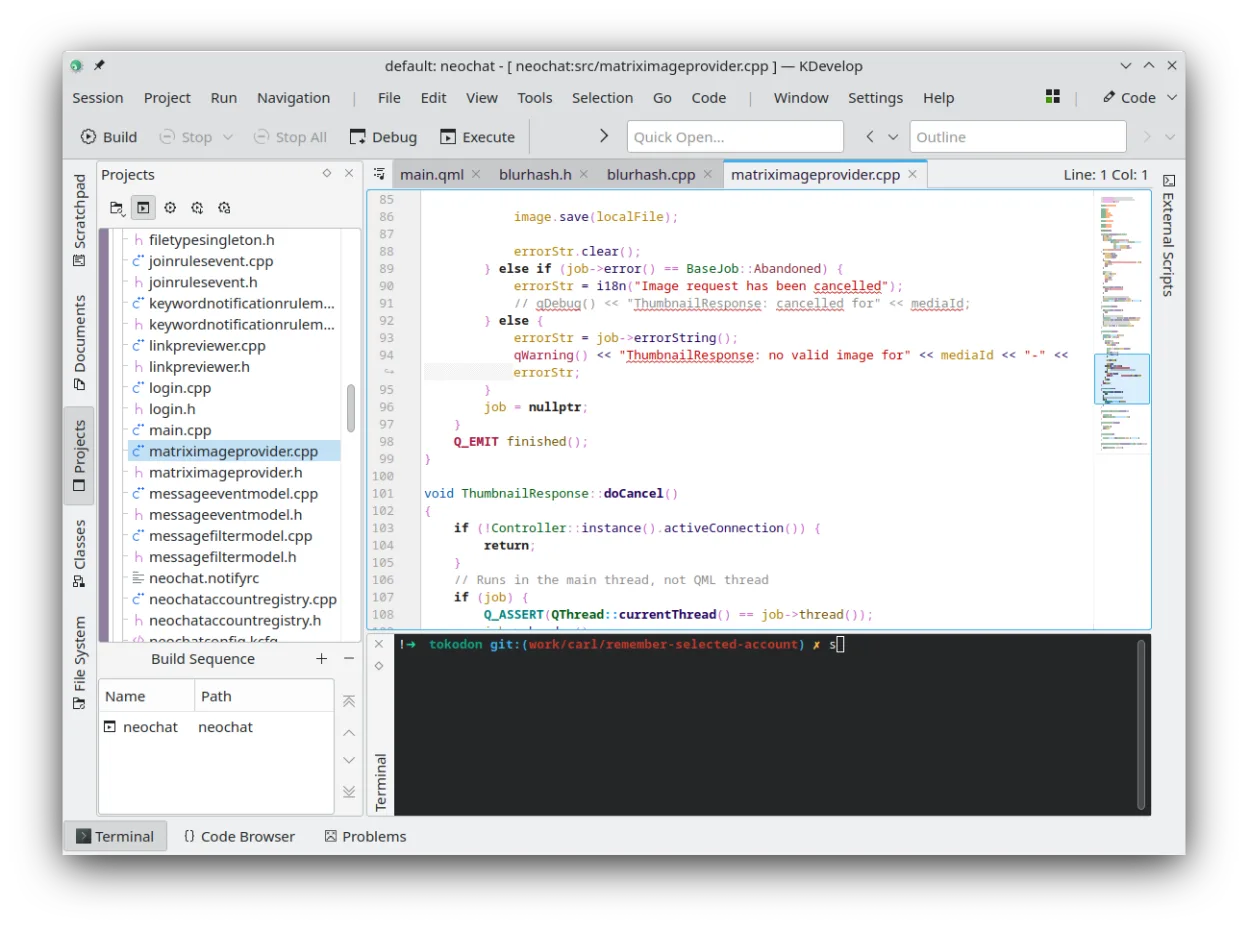
KDevelop is not a direct replacement for Notepad++ if you want a lightweight, fast-starting text editor. It's a full IDE focused on project-based development, especially for C++ and related languages. If you need deep debugging, refactoring, and build system integration, KDevelop is powerful. But for quick edits, macro scripting, or minimal resource use, it's overkill. Stick with Notepad++ equivalents like Geany or Kate for that workflow.
- Licence
- GPL-2.0-or-later
- Prix
- Gratuit
- Dernière version
- 6.5.260403 (2 juillet 2026)
- Note
- —
Ce qui fonctionne pareil
- Syntax highlighting for multiple languages including C++, Python, PHP
- Plugin system for extending functionality
- Search and replace with regex support
- Unicode and UTF-8 support
- File and folder navigation within projects
Ce qui change
- KDevelop is a full IDE with project management, not a lightweight editor
- No macro recording or scripting like in Notepad++
- Much higher memory footprint and slower startup
- Requires KDE libraries, heavier desktop integration
- Focus on compiled languages with build/debug tools, not general text editing
Ouvrir vos fichiers Notepad++
KDevelop can open files edited in Notepad++ without issue, as both handle plain text, source code, and UTF-8 encoding. Project files from Notepad++ (.npp) are not supported, since KDevelop uses its own project system based on build directories and language parsers. You can still edit the same source files directly. Configuration or macro files from Notepad++ won't transfer, as KDevelop doesn't support them.
Passer de Notepad++ à KDevelop, étape par étape
- Install KDevelop via your distro's package manager or Flatpak
- Open your source directory as a project in KDevelop
- Enable relevant language plugins under Settings > Plugins
- Use the 'Open With' or 'External Tools' feature to replicate simple macros
- Set up version control if using Git or SVN
Fonctionnalités clés de KDevelop
- Débogueur intégré pour C/C++ et d'autres langages
- Système de modules pour ajouter la prise en charge de langages
- Intégration intégrée du contrôle de version (Git, SVN)
- Gestion de projet pour plusieurs systèmes de compilation
- Coloration syntaxique et complétion de code
- Outils de refactorisation pour C/C++
Installer KDevelop sous Linux
flatpak install flathub org.kde.kdevelopsudo apt install kdevelopsudo apt install kdevelopsudo dnf install kdevelopsudo pacman -S kdevelopsudo zypper install kdevelopQuestions fréquentes
Can KDevelop replace Notepad++ for quick text editing?
No, KDevelop is slower to start and heavier. Use it for coding projects, not quick edits. Try Geany or Kate instead.
Does KDevelop support Notepad++ plugins or macros?
No. KDevelop has no macro recorder or scripting like Notepad++. Its plugin system is for language support and IDE features, not text automation.
Is KDevelop only for C++?
No, it supports Python, PHP, JavaScript, and others via plugins, but C++ has the best integration for debugging and refactoring.
4 autres alternatives à Notepad++
 geditgedit est l'éditeur de texte léger et polyvalent de GNOME, idéal pour les notes, les documents et l'édition…Open sourceGratuitFlatpakgedit ou Notepad++
 KateKate est un éditeur de texte riche en fonctionnalités, axé sur les programmeurs, issu de KDE, prenant en…Open sourceGratuitFlatpakKate ou Notepad++
 NotepadNotepad Next est un éditeur de texte léger et multiplateforme pour Linux, qui réimplémente les…Open sourceGratuitFlatpakNotepad ou Notepad++
 MousepadMousepad est un éditeur de texte léger, basé sur GTK, pour le bureau Xfce.Open sourceGratuitFlatpakMousepad ou Notepad++