
 KolourPaintLinux
vs
Autodesk SketchBookWindows
KolourPaintLinux
vs
Autodesk SketchBookWindows
KolourPaint, alternative Linux à Autodesk SketchBook
Mis à jour le
Notre avis
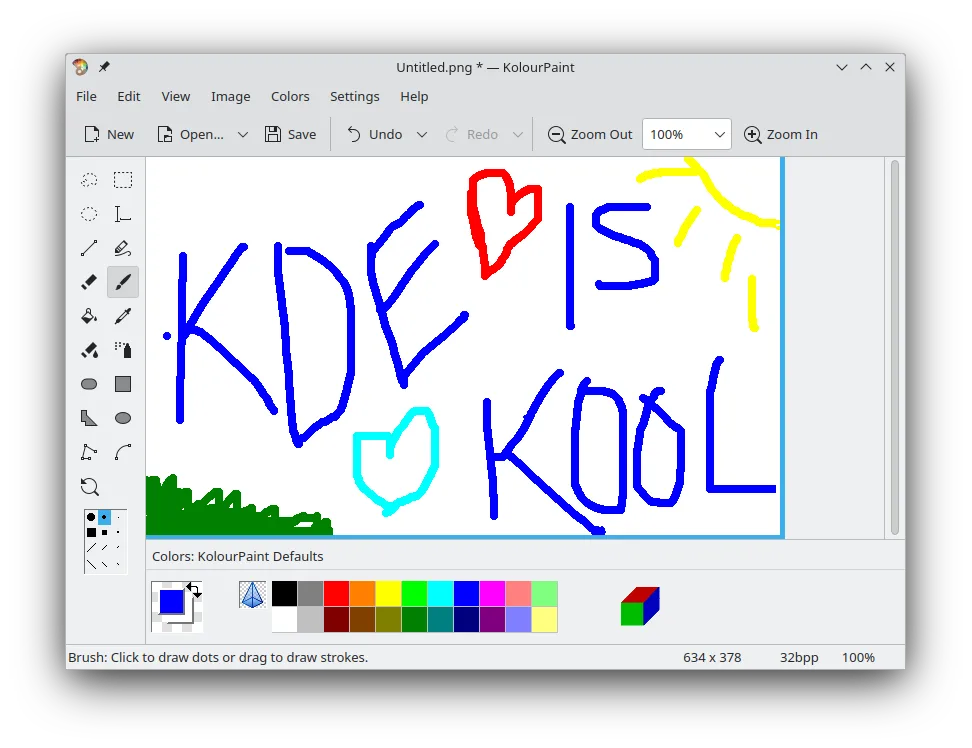
KolourPaint is not a direct replacement for Autodesk SketchBook if you rely on expressive brushes or animation. It is a lightweight, basic raster editor for quick shapes, lines, and simple touch-ups. It lacks the advanced brush engines, layer compositing depth, and animation timeline that define SketchBook. Use it only if your workflow is strictly simple vector-like drawing or basic image editing. For serious concept art, illustration, or character design, KolourPaint will feel restrictive and insufficient. It serves a different, much simpler niche than the professional-grade tools SketchBook offers.
- Licence
- BSD-2-Clause and LGPL-2.0+ and GFDL-1.2
- Prix
- Gratuit
- Dernière version
- 26.04.3 (2 juillet 2026)
- Note
- —
Ce qui fonctionne pareil
- Both are raster-based drawing applications.
- Both offer basic freehand line and curve tools.
- Both allow for simple shape drawing (lines, rectangles, ovals).
- Both support standard raster image formats for saving work.
Ce qui change
- KolourPaint lacks expressive, pressure-sensitive brush engines found in SketchBook.
- KolourPaint does not have the same depth of layer compositing features.
- KolourPaint has no built-in basic animation capabilities.
- SketchBook is designed for concept art and illustration workflows, while KolourPaint is for quick touch-ups.
- KolourPaint has a simpler, more limited interface compared to SketchBook's toolset.
Ouvrir vos fichiers Autodesk SketchBook
KolourPaint supports standard raster formats like PNG, JPEG, and BMP. Autodesk SketchBook typically saves in proprietary .skb or .sketchbook formats, which KolourPaint cannot open directly. You must export your SketchBook work as a PNG or JPEG from the Windows application before opening it in KolourPaint. There is no native import support for SketchBook project files.
Passer de Autodesk SketchBook à KolourPaint, étape par étape
- Install KolourPaint via your distribution's package manager or Flathub.
- Export your existing SketchBook projects as PNG or JPEG files on Windows.
- Transfer these image files to your Linux system.
- Open the PNG or JPEG files in KolourPaint to continue basic editing.
- Adjust your workflow to use KolourPaint's limited shape and line tools.
- Save your work in standard formats like PNG for compatibility.
Fonctionnalités clés de KolourPaint
- Dessiner des formes : lignes, rectangles, ovales, polygones
- Outils de courbe et de tracé à main levée
- Insertion et édition de texte
- Pipette de couleur pour un échantillonnage précis
- Outils de sélection pour déplacer et modifier des parties d’une image
- Rotation et effets monochromes
- Prise en charge des formats d’image raster standards
Installer KolourPaint sous Linux
flatpak install flathub org.kde.kolourpaintsudo apt install kolourpaintsudo apt install kolourpaintsudo dnf install kolourpaintsudo pacman -S kolourpaintsudo zypper install kolourpaintQuestions fréquentes
Can I use pressure-sensitive tablets with KolourPaint?
KolourPaint supports basic input, but it lacks the advanced brush dynamics and pressure sensitivity settings that make tablet use effective in SketchBook. It is not ideal for detailed digital painting.
Does KolourPaint support layers?
KolourPaint has very limited layer support compared to dedicated raster editors. It is not designed for complex multi-layer compositing workflows typical in concept art.
Is KolourPaint free?
Yes, KolourPaint is free and open-source software, licensed under BSD, LGPL, and GFDL. There are no subscription fees or paid tiers.
5 autres alternatives à Autodesk SketchBook
 KritaKrita est un programme de peinture numérique et d'illustration open‑source complet.Open sourceGratuitFlatpakKrita ou Autodesk SketchBook
 MyPaintMyPaint est un programme de peinture raster rapide, gratuit et open‑source, axé sur la dynamique des pinceaux…Open sourceGratuitFlatpakMyPaint ou Autodesk SketchBook
 GIMPGIMP est un éditeur de graphiques raster gratuit et open source, conçu pour la retouche photo, la peinture…Open sourceGratuitFlatpakGIMP ou Autodesk SketchBook
 PintaPinta est un éditeur de bitmap gratuit et open source qui imite Paint.NET avec une interface simple et la…Open sourceGratuitFlatpakPinta ou Autodesk SketchBook
 Xournal++Une application de prise de notes open source multiplateforme pour l'écriture manuscrite, l'annotation de PDF…Open sourceGratuitFlatpakXournal++ ou Autodesk SketchBook