
 LogseqLinux
vs
Microsoft OneNoteWindows
LogseqLinux
vs
Microsoft OneNoteWindows
Logseq, alternative Linux à Microsoft OneNote
Mis à jour le
Notre avis
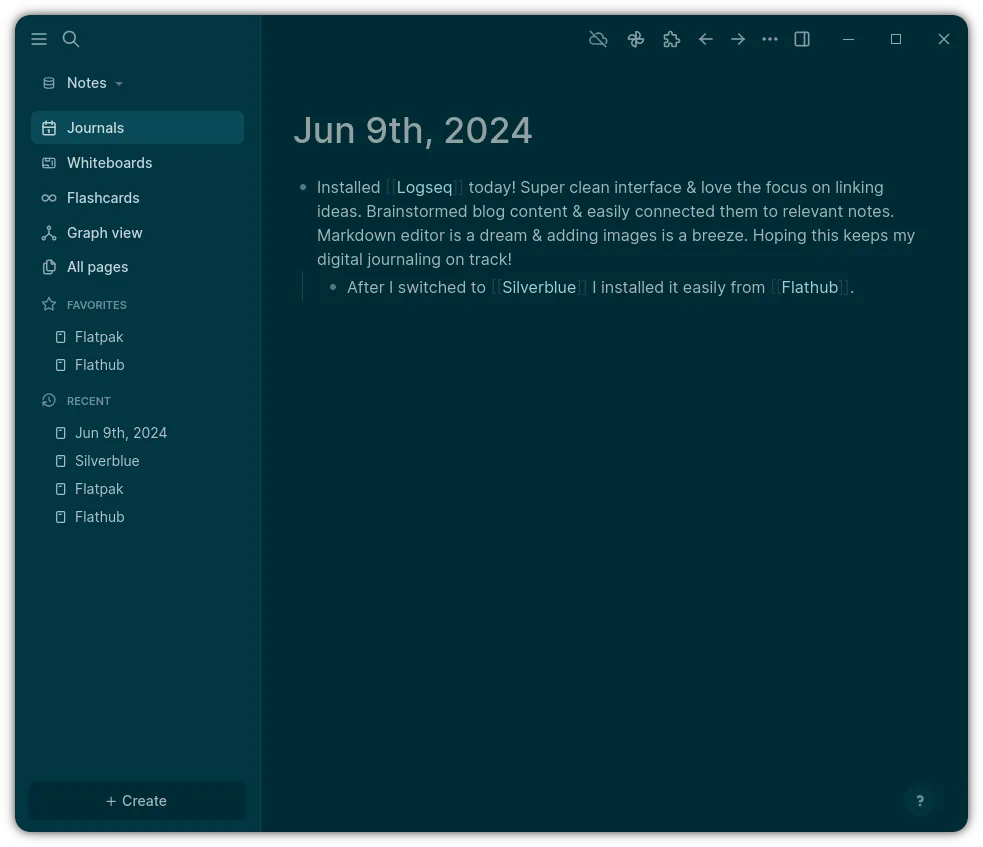
Logseq is a good replacement for Microsoft OneNote only if you prioritize plain text, local storage, and structured knowledge over rich media and seamless collaboration. It excels for users who want full control over their data and prefer keyboard-driven, non-linear note-taking. However, it lacks native support for audio, drawings, and .one files, and its collaboration relies on technical workflows like Git. If you rely on rich formatting, real-time co-editing, or cloud sync with minimal setup, Logseq will feel limiting. It suits privacy-focused, tech-savvy users, not typical OneNote users.
- Licence
- AGPL-3.0-or-later
- Prix
- Gratuit
- Dernière version
- 0.10.15 (5 décembre 2025)
- Note
- —
Ce qui fonctionne pareil
- Both allow hierarchical organization of notes, similar to notebooks, pages, and sub-pages
- Support text and image content within notes
- Enable search and tagging for note discovery
- Work offline by design
- Allow export to PDF and plain text formats
Ce qui change
- Logseq uses plain text Markdown/Org files; OneNote uses proprietary .one format
- Logseq has no built-in audio recording or drawing tools
- Logseq syncs via Git or file sync tools, not built-in cloud collaboration
- OneNote supports real-time co-editing; Logseq collaboration requires manual setup
- Logseq emphasizes graph views and bidirectional linking, which OneNote lacks
Ouvrir vos fichiers Microsoft OneNote
Logseq cannot open Microsoft OneNote .one files directly. There is no built-in import or conversion tool for .one files. Users must rely on third-party tools or manual export from OneNote to PDF or plain text, then import into Logseq. This limits direct migration of existing notebooks. Support for importing from OneNote is not listed in Logseq's documentation or community resources.
Passer de Microsoft OneNote à Logseq, étape par étape
- Export important OneNote content to PDF or plain text from within OneNote
- Install Logseq on Linux via Flathub or official site
- Manually recreate notebooks as pages in Logseq, using namespaces for structure
- Import exported text and PDFs as attachments or pasted content
- Set up Git or a cloud folder (e.g., Nextcloud) for syncing across devices
- Use daily notes or page hierarchies to mirror OneNote's section-page model
Fonctionnalités clés de Logseq
- Stockage local privilégié dans des fichiers Markdown/Org
- Vue graphique pour visualiser les connexions
- Notes quotidiennes et intégration agenda
- Navigation centrée sur le clavier
- Collaboration via Git ou dossiers partagés
- Thèmes et plugins personnalisables
Installer Logseq sous Linux
flatpak install flathub com.logseq.LogseqQuestions fréquentes
Can I sync Logseq across devices like OneNote?
Yes, but not natively through Logseq. You must use external tools like Git, Nextcloud, or Syncthing to sync the local folder where Logseq stores your notes.
Does Logseq support handwriting or audio notes?
No. Logseq is text-focused and does not support audio recording or handwritten ink input. Images can be inserted, but not drawn or recorded within the app.
Is Logseq secure and private?
Yes. Since notes are stored locally as plain text files and not uploaded by default, Logseq offers strong privacy and control. You decide where and how to back up or sync data.
5 autres alternatives à Microsoft OneNote
 JoplinJoplin est une application open source et multiplateforme de prise de notes et de gestion de tâches qui…Open sourceGratuitFlatpakJoplin ou Microsoft OneNote
 Standard NotesStandard Notes est une application de prise de notes sécurisée, chiffrée de bout en bout, qui synchronise vos…Open sourceGratuitFlatpakStandard Notes ou Microsoft OneNote
 ZettlrZettlr est un éditeur Markdown rapide et open‑source avec prise en charge du Zettelkasten et des citations.Open sourceGratuitFlatpakZettlr ou Microsoft OneNote
 ObsidianObsidian est une application de base de connaissances basée sur le markdown qui stocke les notes sous forme…FlatpakObsidian ou Microsoft OneNote
 SimplenoteSimplenote est une application de prise de notes gratuite, multiplateforme, qui synchronise les notes…Open sourceGratuitFlatpakSimplenote ou Microsoft OneNote