
 Mozilla FirefoxLinux
vs
Mozilla FirefoxLinux
vs
 Mozilla FirefoxWindows
Mozilla Firefox, alternative Linux à Mozilla Firefox
Mis à jour le
Notre avis
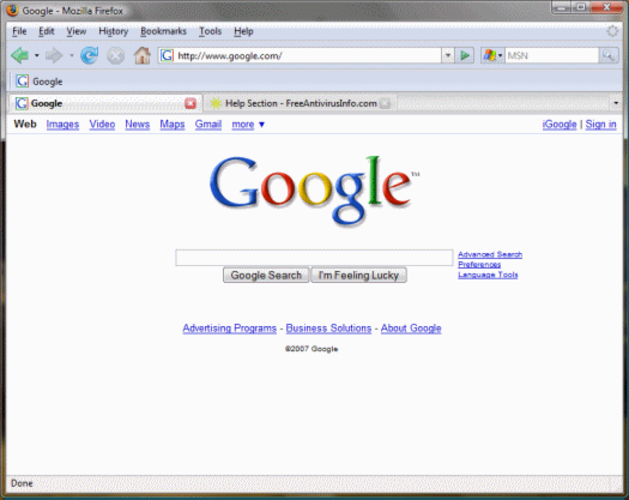
Mozilla Firefox on Linux is a direct replacement for the Windows version. It offers the same rendering engine, extension ecosystem, and sync features, so anyone who relies on Firefox for everyday browsing, development, or privacy will feel at home. Linux users who need a stable, standards‑compliant browser with built‑in tracking protection and cross‑device sync will find it fully adequate.
- Licence
- MPL-2.0
- Prix
- Gratuit
- Dernière version
- —
- Note
- —
Ce qui fonctionne pareil
- Identical rendering of HTML, CSS, and JavaScript
- Same extension/add‑on compatibility
- Sync of tabs, bookmarks, passwords, and history across devices
- Built‑in tracking protection and privacy controls
- Regular security updates
Ce qui change
- Linux package may be delivered via distro repositories or flatpak, affecting update cadence
- Integration with Linux desktop environments (e.g., system theme, file dialogs) differs from Windows
- No native support for Windows‑only DRM (PlayReady) – Linux uses Widevine only
- Some corporate policies may block automatic profile migration on Linux
Ouvrir vos fichiers Mozilla Firefox
Firefox stores bookmarks, passwords, and settings in a profile directory. The same format is used on Windows and Linux, so you can copy the profile folder (or use the built‑in import/export tools) to move data between the two systems. Exporting to HTML for bookmarks works on both platforms, and passwords can be synced via Firefox Sync if you enable it.
Passer de Mozilla Firefox à Mozilla Firefox, étape par étape
- Install Firefox from your distribution's repository or via the official tarball.
- Launch Firefox and sign in to your Firefox Account to sync bookmarks, passwords, and settings.
- If you prefer a manual move, copy the %APPDATA%\Mozilla\Firefox\Profiles folder from Windows to ~/.mozilla/firefox/ on Linux.
- Import any exported HTML bookmark files via Bookmarks → Show All → Import and Backup.
- Verify extensions are installed and re‑enable any that were disabled after import.
- Adjust privacy and performance settings to match your Windows configuration.
Fonctionnalités clés de Mozilla Firefox
- Écosystème d'extensions étendu
- Protection intégrée contre le suivi
- Interface utilisateur personnalisable via CSS
- Mises à jour de sécurité régulières
- Prise en charge de profils multiples
- Liste de lecture Pocket intégrée
Questions fréquentes
Will my Windows extensions work on Linux?
Yes, extensions that are written in JavaScript and use the WebExtension API work on both platforms. Some legacy XUL extensions are no longer supported.
Can I use Firefox Sync on Linux?
Absolutely. Sign in with your Firefox Account and all synced data (tabs, bookmarks, passwords, history) will appear on the Linux installation.
Is there any performance penalty on Linux?
Firefox runs at comparable speed on Linux. Performance depends more on the desktop environment and graphics drivers than on the OS itself.
8 autres alternatives à Mozilla Firefox
 FirefoxFirefox est un navigateur web rapide et privé développé par Mozilla.Open sourceGratuitFlatpakFirefox ou Mozilla Firefox
 BraveBrave est un navigateur web rapide et axé sur la confidentialité qui bloque les publicités et les traceurs…Open sourceGratuitFlatpakBrave ou Mozilla Firefox
 Google ChromeGoogle Chrome est le navigateur web propriétaire de Google, basé sur Chromium, disponible pour Linux.GratuitFlatpakGoogle Chrome ou Mozilla Firefox
 ChromiumChromium est le projet de navigateur open source derrière Chrome et Edge, offrant une expérience web rapide…Open sourceGratuitFlatpakChromium ou Mozilla Firefox
 OperaOpera GX est un navigateur Linux propriétaire conçu pour les joueurs, offrant des contrôles de performance…GratuitFlatpakOpera ou Mozilla Firefox
 KonquerorKonqueror est un navigateur web et un gestionnaire de fichiers KDE prenant en charge les systèmes de fichiers…Open sourceGratuitKonqueror ou Mozilla Firefox
 SeaMonkeySeaMonkey est une suite internet gratuite comprenant un navigateur, un client de messagerie et un éditeur…Open sourceGratuitSeaMonkey ou Mozilla Firefox
 EpiphanyEpiphany (GNOME Web) est un navigateur léger basé sur GNOME et utilisant le moteur WebKit.Open sourceGratuitEpiphany ou Mozilla Firefox