
 MyPaintLinux
vs
Microsoft PaintWindows
MyPaintLinux
vs
Microsoft PaintWindows
MyPaint, alternative Linux à Microsoft Paint
Mis à jour le
Notre avis
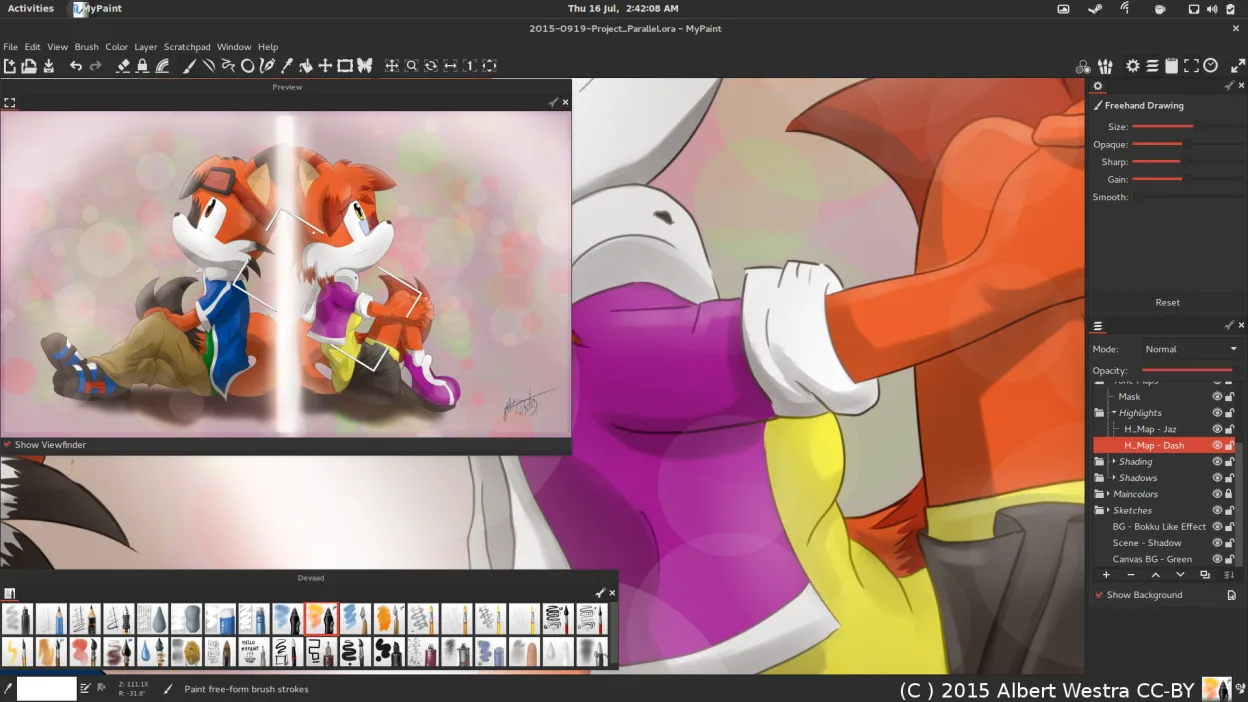
MyPaint is a good replacement for Microsoft Paint if you're moving beyond basic edits into expressive drawing or painting, especially with a tablet. It excels for artists who want natural brush behavior and a clean workspace. However, casual users looking to make quick annotations or simple crops may find it overly minimal or lacking familiar UI elements. It doesn’t mimic Paint’s simplicity exactly, but offers far more creative power. If your goal is freehand art rather than basic image tweaks, MyPaint is a strong upgrade.
- Licence
- GPL-2.0+
- Prix
- Gratuit
- Dernière version
- 2.0.1 (29 mai 2020)
- Note
- —
Ce qui fonctionne pareil
- Both are raster graphics editors for drawing and painting
- Support common export formats like PNG and JPEG
- Offer a simple, direct interface focused on the canvas
- Allow freehand drawing with a mouse or stylus
- Are lightweight and quick to launch
Ce qui change
- MyPaint lacks basic tools like a shape selector, text tool, or fill bucket that Paint includes
- No built-in support for resizing or cropping images directly in the UI
- Designed primarily for expressive brush work, not precise pixel editing
- No native support for .BMP files, which Paint uses by default
- Interface hides all controls by default, which can confuse new users
Ouvrir vos fichiers Microsoft Paint
MyPaint can open and export PNG and JPEG files, which are commonly used in Microsoft Paint, but does not natively support .BMP—the default format in classic Paint. You can export to PNG or JPEG for compatibility. If you receive .BMP files, convert them first using a tool like ImageMagick or GIMP. OpenRaster support allows layered work, but Paint doesn’t use layers, so complex files won’t transfer directly.
Passer de Microsoft Paint à MyPaint, étape par étape
- Install MyPaint via your package manager or Flathub
- Import any custom brushes or settings if available
- Open your image in MyPaint; note that .BMP files may need conversion first
- Use the brush tools for drawing—press 'B' to access them quickly
- Export as PNG or JPEG for sharing
Fonctionnalités clés de MyPaint
- Moteur de pinceaux avec des centaines de paramètres configurables
- Prise en charge de la sensibilité à la pression et de l’inclinaison sur les tablettes graphiques
- Interface simple, sans distraction, centrée sur la toile
- Support des calques avec des modes de fusion basiques
- Exportation vers PNG, JPEG, OpenRaster et d’autres formats courants
- Extensible via des plugins Python
- Packs de pinceaux pré‑installés fournis par des artistes professionnels
- Historique d’annulation/rétablissement avec un nombre illimité d’étapes
Installer MyPaint sous Linux
flatpak install flathub org.mypaint.MyPaintsudo apt install mypaintsudo apt install mypaintsudo dnf install mypaintsudo pacman -S mypaintsudo zypper install mypaintQuestions fréquentes
Can I use MyPaint with a mouse instead of a tablet?
Yes, but it's optimized for graphics tablets. Brush dynamics like pressure won't work without one, and the experience will feel limited compared to using a stylus.
Why doesn’t MyPaint have a text tool?
It focuses purely on painting. Text isn’t supported—use another app like GIMP or Inkscape if you need annotations.
Is MyPaint harder to learn than Microsoft Paint?
Initially, yes—its minimal interface hides tools. But once you learn keyboard shortcuts, it becomes fast. It’s less intuitive for simple edits but better for artistic work.
5 autres alternatives à Microsoft Paint
 PintaPinta est un éditeur de bitmap gratuit et open source qui imite Paint.NET avec une interface simple et la…Open sourceGratuitFlatpakPinta ou Microsoft Paint
 GIMPGIMP est un éditeur de graphiques raster gratuit et open source, conçu pour la retouche photo, la peinture…Open sourceGratuitFlatpakGIMP ou Microsoft Paint
 KritaKrita est un programme de peinture numérique et d'illustration open‑source complet.Open sourceGratuitFlatpakKrita ou Microsoft Paint
 DrawpileDrawpile est une application de dessin collaborative qui permet à plusieurs utilisateurs de peindre ensemble…Open sourceGratuitFlatpakDrawpile ou Microsoft PaintmtPaintmtPaint est un éditeur d'images matricielles léger conçu pour la peinture et la retouche photo, initialement…Open sourceGratuitmtPaint ou Microsoft Paint