
 OpenRGBLinux
vs
iCUEWindows
OpenRGB, alternative Linux à iCUE
Mis à jour le
Notre avis
OpenRGB is a solid replacement for the RGB lighting portion of iCUE, but it is not a full drop-in substitute. It handles Corsair devices well and eliminates the need for vendor bloatware. However, if you rely on iCUE for fan speed curves, macro recording, or deep hardware monitoring, you will need separate tools like fancontrol or Open Hardware Monitor. For users who primarily want unified RGB control without Windows-only software, OpenRGB is the best option. For those needing all-in-one hardware management, the migration is partial.
- Licence
- GPL-2.0-or-later
- Prix
- Gratuit
- Dernière version
- 1.1 (16 octobre 2026)
- Note
- —
Ce qui fonctionne pareil
- Controls RGB lighting on Corsair keyboards, mice, and memory
- Supports saving and loading custom lighting profiles
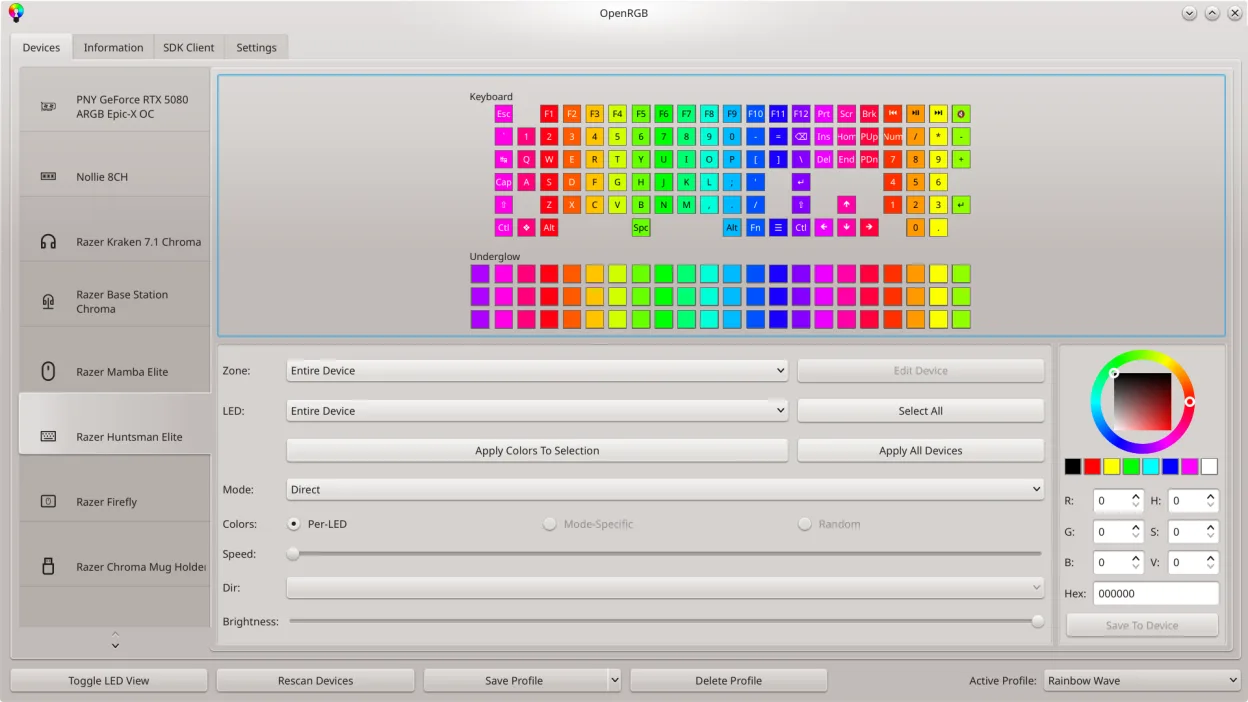
- Provides a graphical interface for visualizing LED patterns
- Allows scriptable control via command line or SDK
Ce qui change
- No built-in fan speed or curve configuration
- Lacks macro recording and playback capabilities
- Does not provide comprehensive hardware temperature monitoring
- No cross-platform profile synchronization between Windows and Linux
Ouvrir vos fichiers iCUE
OpenRGB does not natively import or export iCUE profile files. You will need to manually recreate your lighting effects and colors within the OpenRGB interface. There is no direct conversion tool, so expect to spend time reconfiguring your preferred setups from scratch.
Passer de iCUE à OpenRGB, étape par étape
- Install OpenRGB via your package manager or Flathub
- Launch OpenRGB and verify your Corsair devices are detected
- Recreate your preferred RGB effects and save them as a new profile
- Install a separate fan control tool like fancontrol for RPM management
- Test all devices to ensure stable operation without iCUE running
Fonctionnalités clés de OpenRGB
- Contrôle des couleurs et des effets pour de nombreux appareils RGB
- Sauvegarde et chargement de profils personnalisés
- SDK pour l’intégration tierce
- Interface en ligne de commande pour le scripting
- Synchronisation multi‑instances entre PC
- Mode autonome ou client/serveur
- Carte LED graphique pour la création de motifs
- Visionneuse d’informations sur les périphériques
Installer OpenRGB sous Linux
flatpak install flathub org.openrgb.OpenRGBsudo dnf install openrgbsudo pacman -S openrgbsudo zypper install OpenRGBQuestions fréquentes
Can OpenRGB control Corsair fans?
No, OpenRGB only handles RGB lighting. You need a separate tool like fancontrol or pwmconfig to manage fan speeds.
Does OpenRGB work with non-Corsair devices?
Yes, it supports a wide range of RGB hardware from various manufacturers, not just Corsair.
Is OpenRGB stable on Linux?
Yes, it is actively maintained and widely used. It runs as a standalone app or a headless server for remote control.