
 Pencil2DLinux
vs
Adobe FrescoWindows
Pencil2D, alternative Linux à Adobe Fresco
Mis à jour le
Notre avis
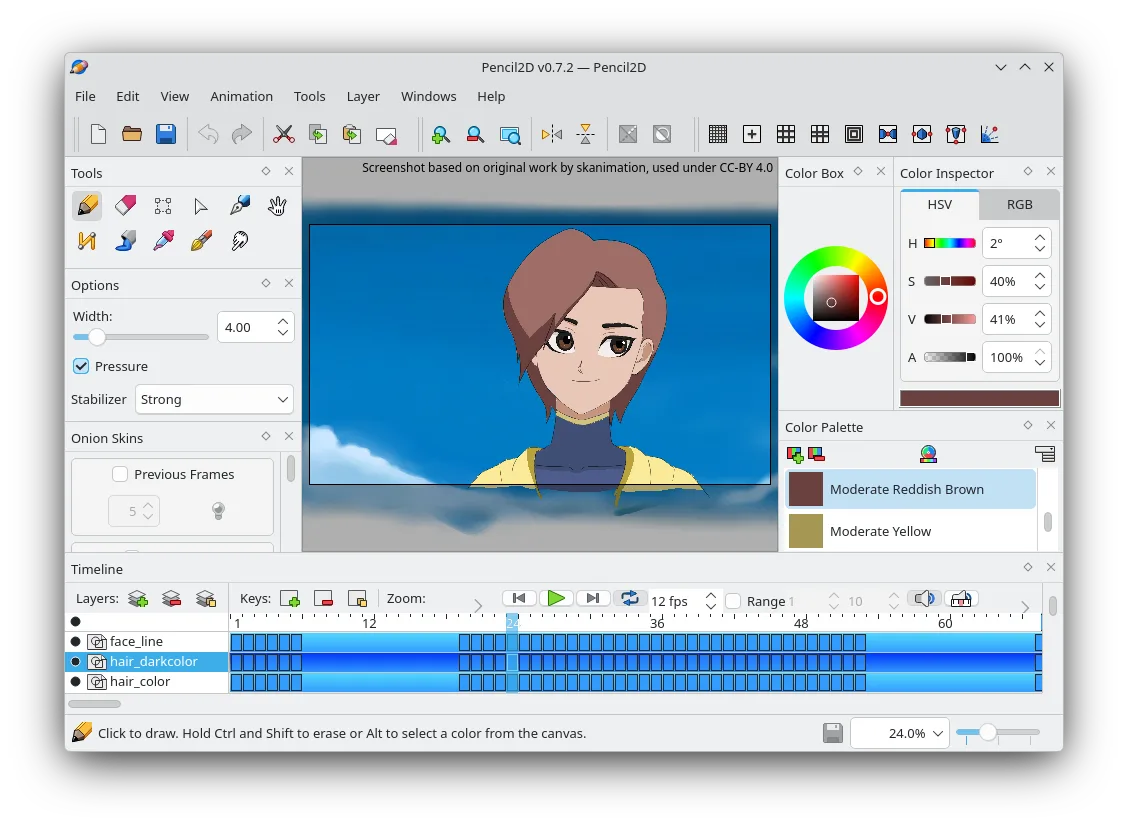
Pencil2D can replace Adobe Fresco for users who mainly need a simple 2D animation workflow with basic bitmap and vector layers, onion‑skin, and export to PNG or GIF. It is suitable for hobbyists, animators, and educators who do not require advanced brush pressure, vector shape tools, or PSD interoperability. For professional digital painters or illustrators who rely on pressure‑sensitive brushes, complex blending modes, or non‑destructive vector editing, Pencil2D will fall short.
Couverture fonctionnelle
- Licence
- GPL-2.0-only
- Prix
- Gratuit
- Dernière version
- 0.7.2 (13 mars 2025)
- Note
- —
Ce qui fonctionne pareil
- Both run natively on Linux and support bitmap and vector layers
- Both provide a layer system with basic blending
- Both allow custom brushes and tools
- Both are cross‑platform (Linux, Windows, macOS)
- Both are open‑source or free
- differences
Ce qui change
Fonctionnalités clés de Pencil2D
- Timeline avec images clés et animation par images successives
- Prise en charge des calques bitmap et vectoriels
- Export vers PNG, GIF et formats vidéo
- Brosses et outils personnalisables
- Multiplateforme (Linux, Windows, macOS)
- Open source et maintenu par la communauté
Installer Pencil2D sous Linux
Flatpak (Flathub)
flatpak install flathub org.pencil2d.Pencil2DUbuntu / Mint
sudo apt install pencil2dDebian
sudo apt install pencil2dFedora
sudo dnf install Pencil2DArch / Manjaro
sudo pacman -S pencil2d5 autres alternatives à Adobe Fresco
 KritaKrita est un programme de peinture numérique et d'illustration open‑source complet.Open sourceGratuitFlatpakKrita ou Adobe Fresco
 MyPaintMyPaint est un programme de peinture raster rapide, gratuit et open‑source, axé sur la dynamique des pinceaux…Open sourceGratuitFlatpakMyPaint ou Adobe Fresco
 GIMPGIMP est un éditeur de graphiques raster gratuit et open source, conçu pour la retouche photo, la peinture…Open sourceGratuitFlatpakGIMP ou Adobe Fresco
 InkscapeInkscape est un éditeur de graphiques vectoriels gratuit et open source qui rivalise avec Adobe Illustrator…Open sourceGratuitFlatpakInkscape ou Adobe Fresco
 PixeloramaPixelorama is a free, open-source pixel art editor and animation tool for Linux, suitable for sprites and…Open sourceGratuitFlatpakPixelorama ou Adobe Fresco
Notez Pencil2D
Soyez le premier à noter
Bon remplaçant de Adobe Fresco ?
6