
 PiperLinux
vs
SteelSeries GGWindows
Piper, alternative Linux à SteelSeries GG
Mis à jour le
Notre avis
Piper is a decent replacement for SteelSeries GG if you primarily use a supported gaming mouse and need basic to intermediate configuration. It handles DPI, button remapping, and lighting for many devices, but only for those compatible with libratbag. Support for SteelSeries hardware is limited and inconsistent—some newer models may not work at all. Users who rely on game-specific profiles or advanced SteelSeries features like GameSense will find gaps. It’s best for Linux users who want simple, persistent mouse settings without Windows-only tools.
- Licence
- GPL-2.0-or-later
- Prix
- Gratuit
- Dernière version
- 0.8 (24 septembre 2024)
- Note
- —
Ce qui fonctionne pareil
- Adjust DPI settings per profile
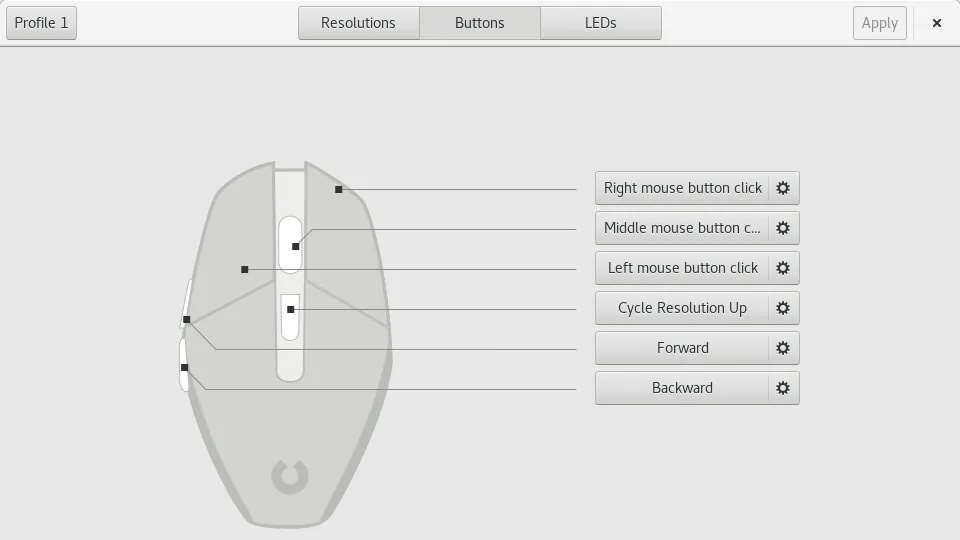
- Remap mouse buttons
- Configure RGB lighting
- Support multiple mice
- Persist settings across reboots
Ce qui change
- Piper lacks built-in game detection and auto-profile switching
- No native support for all SteelSeries devices—only some are supported via libratbag
- No equivalent to SteelSeries GG’s GameSense or application-specific overlays
- No cloud sync or account integration
- Fewer advanced configuration options like lift height or angle snapping
Ouvrir vos fichiers SteelSeries GG
Piper cannot open SteelSeries GG configuration files. It uses its own JSON-based export format via libratbag, which is not compatible with SteelSeries' proprietary formats. There is no known converter. Configuration must be recreated manually in Piper if switching from SteelSeries GG.
Passer de SteelSeries GG à Piper, étape par étape
- Install ratbagd and Piper from your distribution’s repository or Flathub
- Ensure ratbagd is running as a system service
- Connect your SteelSeries mouse and verify it’s detected by ratbagctl
- Use Piper to adjust DPI, button mapping, and lighting
- Save and test profiles, then reboot to confirm persistence
Fonctionnalités clés de Piper
- Ajuster le DPI par profil
- Créer et supprimer des profils
- Définir les actions par bouton
- Configurer les couleurs des LED RGB
- Exporter et importer des fichiers de configuration
- Prend en charge plusieurs souris simultanément
- Fonctionne sur Wayland et X11
Installer Piper sous Linux
flatpak install flathub org.freedesktop.PiperQuestions fréquentes
Does Piper support my SteelSeries mouse?
Check the libratbag compatibility list. Many older SteelSeries mice are not supported, and support varies by model. Use ratbagctl list to see if your device is detected.
Can I set different profiles for different games?
Not directly. Piper has no game detection. You’d need to manually switch profiles or script profile changes using ratbagctl.
Is lighting configuration as detailed as in SteelSeries GG?
No. Piper allows basic RGB color and mode settings, but lacks per-zone customization and animations available in SteelSeries GG for supported devices.
