
 PlexLinux
vs
Pinnacle ShowCenterWindows
Plex, alternative Linux à Pinnacle ShowCenter
Mis à jour le
Notre avis
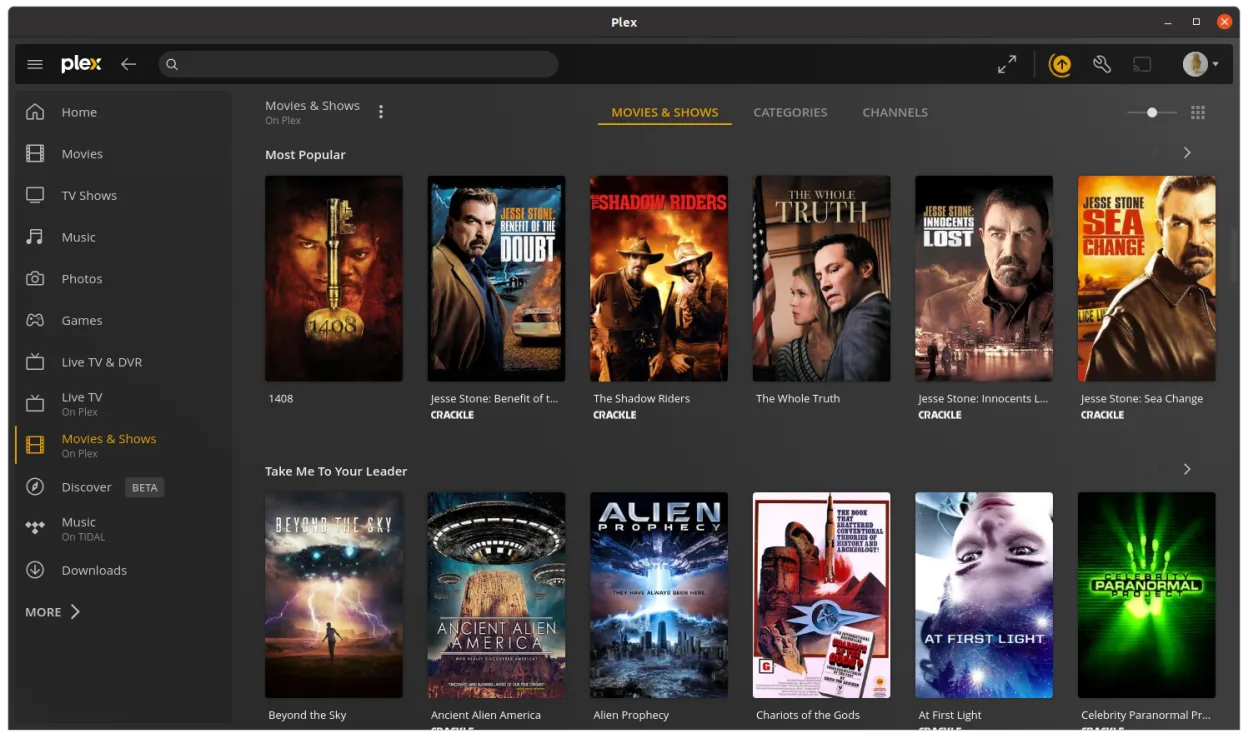
Plex is a reasonable replacement for Pinnacle ShowCenter if you're using a local Plex server to stream media to a Linux desktop connected to your TV. It offers a clean 10-foot interface, remote-friendly navigation, hardware-accelerated playback, and strong library management. However, it's not designed for direct DVD or CD playback out of the box—those need to be ripped and added to your library. If you're comfortable with that workflow and want a modern, account-synced experience, Plex works well. For pure local disc playback without setup, it's less ideal.
- Licence
- LicenseRef-proprietary=https://www.plex…
- Prix
- freemium
- Dernière version
- 1.115.0 (9 septembre 2026)
- Note
- —
Ce qui fonctionne pareil
- 10-foot interface optimized for TV viewing
- Supports common video file formats via server
- Remote control navigation supported
- Local media library organization and playback
- Hardware acceleration for smooth video playback
Ce qui change
- Plex requires a Plex server (or local library import), while Pinnacle ShowCenter played files directly
- No built-in DVD or CD ripping/playback—discs must be ripped first
- Plex relies on account sync and metadata from the web
- Plex interface is more modern but less focused on local-only use
- Plex does not natively support authoring or editing timelines like some Pinnacle tools
Ouvrir vos fichiers Pinnacle ShowCenter
Plex does not open Pinnacle ShowCenter project files (.pxp or similar). Those were specific to Pinnacle's editing environment and are not supported. However, if you exported videos from Pinnacle ShowCenter to common formats like MP4, AVI, or MKV, Plex can play them without issue once added to your library. There is no migration path for playlists or metadata stored in Pinnacle’s format.
Passer de Pinnacle ShowCenter à Plex, étape par étape
- Rip DVDs and CDs to a local folder using tools like HandBrake or MakeMKV
- Set up a Plex Media Server on Linux or another machine
- Add your media folders to the Plex library
- Install the Plex desktop client from Flathub
- Use a remote control or keyboard to navigate and play content
- Enable hardware acceleration in Plex settings if supported
Fonctionnalités clés de Plex
- Diffusez des médias depuis votre serveur Plex vers le bureau Linux
- Utilise un moteur de lecture natif pour des performances plus fluides
- Comprend une interface simple à utiliser, similaire au client web
- Prend en charge l'accélération matérielle lorsque disponible
- Conserve la progression de lecture et les métadonnées sur tous les appareils
- Fonctionne comme une application bureau autonome, pas comme un onglet de navigateur
- Synchronise automatiquement avec votre compte Plex et vos autres clients
Installer Plex sous Linux
flatpak install flathub tv.plex.PlexDesktopQuestions fréquentes
Can Plex play DVDs directly like Pinnacle ShowCenter?
No, Plex cannot play DVDs directly. You must rip the DVD to a file first using tools like MakeMKV or HandBrake, then add it to your library.
Does Plex work without an internet connection?
Yes, once your media is on the server and the client is set up, playback works offline. However, initial setup and metadata fetching require internet.
Can I use a remote control with Plex on Linux?
Yes, most infrared or Bluetooth remotes that emulate keyboards work. You can also use the official Plex mobile app as a remote.
3 autres alternatives à Pinnacle ShowCenter
 KodiKodi est un centre multimédia gratuit et open-source pour lire des vidéos, de la musique et des podcasts…Open sourceGratuitFlatpakKodi ou Pinnacle ShowCenter
 Jellyfin DesktopJellyfin Desktop est un lecteur multimédia local conçu pour les serveurs Jellyfin, construit avec Qt…Open sourceGratuitFlatpakJellyfin Desktop ou Pinnacle ShowCenter
 mpvmpv est un lecteur multimédia gratuit, open source et multiplateforme qui lit presque tous les formats vidéo…Open sourceGratuitFlatpakmpv ou Pinnacle ShowCenter